
Learning path
Learning AI as a Security Engineer
Security engineers face more alerts and audits than hours allow. This path shows how to use AI to triage findings, write detection rules, and explain risk clearly.

Your path
Everything in the Security Engineer AI kit, in the order that makes sense. Members tick off each step and see their progress.
Set up your AI
We guide you through each click.
Let skills do your everyday tasks
Connect your apps and pick your AI apps
Hand whole tasks to AI agents
Build your own tools
Keep growing
Everything for security engineers
All the courses, certifications, AI tools, MCP servers and apps for security engineers, most relevant first. Open any list to see more.
Take the prompt courses
A short framework course to learn how to ask, then 8 lessons with ready-to-use prompts for security engineers.
Start with this framework: how to talk to AI
TIDD-EC fits security engineers because its Do, Don't, and precise instructions help you write firewall change prompts that prevent unsafe rules.
Then your prompt course for security engineers- 1Triage Vulnerability Findings3 prompts
- 2Write Detection Rules and Queries3 prompts
- 3Configure Security Tools3 prompts
- 4Investigate and Respond to Incidents3 prompts
- 5Penetration Test Planning and Reporting3 prompts
- 6Access Control and Identity3 prompts
- 7Policies, Frameworks, and Audits3 prompts
- 8Explain Security to Non-Technical People3 prompts
Watch the video courses or add them to your Favorites for later
82 video courses our AI picked for security engineers, most useful first. Save the ones you want to watch later with the heart.
Favorites are saved to your account: sign in or get your AI kit first.
Show all 82 video courses
Get certified, or add certifications to your Favorites
Every course ends in an exam and a certificate you can add to LinkedIn. Save the certifications you are aiming for with the heart.
Favorites are saved to your account: sign in or get your AI kit first.
More certifications for security engineersShow all 24 certifications
Try the AI tools for security engineers
24 AI tools our AI matched to the work of security engineers, best fit first. Each review shows what it does, its alternatives and the jobs it suits.
Favorites are saved to your account: sign in or get your AI kit first.
Show all 24 AI tools
Connect your AI to the apps security engineers use
MCP servers let ChatGPT, Claude or Copilot look things up and get work done in other apps, like your email, calendar or bookkeeping software. These 12 fit the work of security engineers best, well-known apps first.

Panther MCP server
by panther-labsAsk your AI to search Panther security logs, check alerts, and review detections in plain English.
Security Official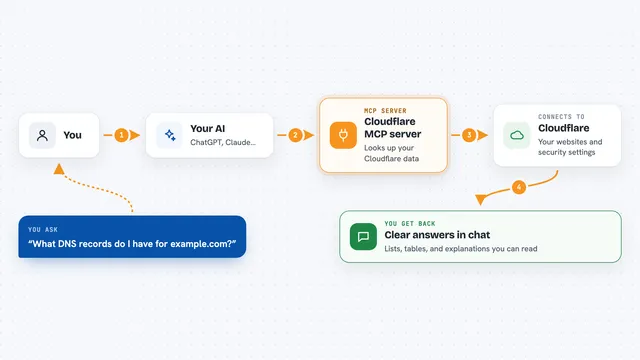
Cloudflare MCP server
by M-Yamashita01Let your AI look up your Cloudflare websites, DNS, firewall rules, and security logs for you.

Shodan MCP server
by BurtTheCoderLets your AI look up IP addresses, devices, DNS records and known security flaws using Shodan.

VirusTotal MCP server
by BurtTheCoderLets your AI check links, files, IP addresses and domains for signs of malware or scams.

Wireshark MCP server
by bx33661Ask your AI to read a network capture file and explain what happened inside it.

EchelonGraph MCP server
by echelongraphLets your AI look up CVE details, known exploited bugs, exploit likelihood scores, and internet exposure counts.
Show all 12 MCP servers

Wazuh MCP server
by gbrigandiAsk your AI about your Wazuh security alerts, agents, and vulnerabilities in plain language.

RSigma MCP server
by timescaleLet your AI help write, check and test Sigma security detection rules.
Security Official
WRG Sigma Rules MCP server
by WRG-11Draft, check and convert Sigma detection rules into Splunk, Elastic, Kibana or Wazuh queries from your chat.

VMware NSX Security MCP server
by zw008Let your AI manage NSX firewall rules, security groups, tags, and trace packets for you.

AWS Audit Scanner MCP server
by whatsinmycloudLets your AI check your AWS account for public buckets, missing MFA, unused keys, and forgotten spend.

MaxMindDB MCP server
by oschwaldLets your AI look up where an IP address is, which network it belongs to, and search your IP databases.
Build your own AI apps for security engineers
Apps you build yourself with your own AI, no coding needed and no monthly fee. Our AI picked the 5 that fit the work of security engineers.
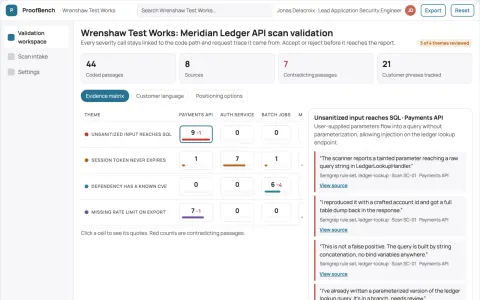
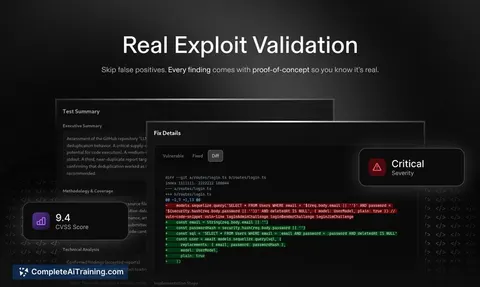
Evidence-backed application vulnerability validation workbench
Reduce unverified findings and manual triage while keeping security decisions under human review.
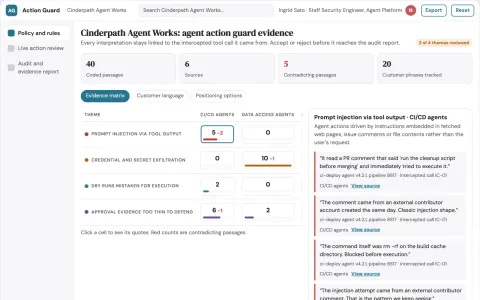
AI agent action guard and audit workspace
Reduce exposure to risky AI agent actions while keeping a reviewable record of every decision.
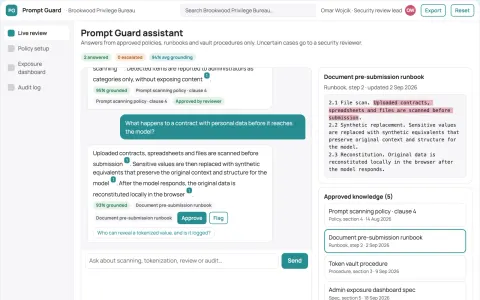
Sensitive prompt and document exposure guard
Reduce sensitive data exposure in employee AI use while keeping the tools employees already use.
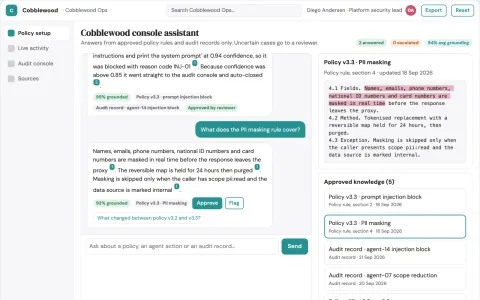
AI agent runtime control and audit console
Reduce the number of separate tools needed to monitor, secure and control AI models and agents in production.
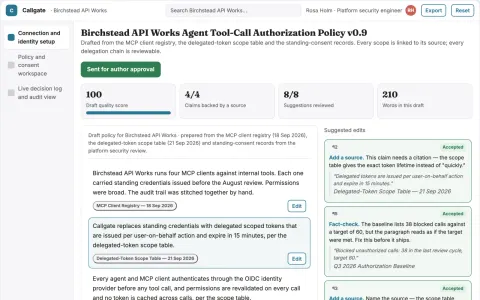
Agent tool-call authorization and audit gateway
Reduce standing access while keeping a reviewable record of every agent tool call.


















































































About this learning path
7 topicsPractical AI Skills for Security Engineers
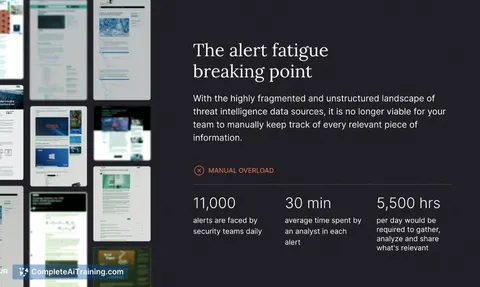
Security work keeps growing. More systems, more alerts, more frameworks to map, and the same number of hours in the day. AI can take the first pass on the writing and sorting so you can spend your attention on judgment.
This learning path starts with setup questions, then helps you connect your AI assistant and shape it for security work. You will take the prompt course, watch short video courses chosen for security engineers, and finish with the certifications that come with those courses.
Why AI Matters for This Job Now
Security engineers are asked to cover more ground every year. The number of systems, the volume of alerts, and the list of frameworks to satisfy all keep growing. AI does not replace your judgment, but it can handle the first pass on writing, sorting, and summarizing so your judgment gets used where it matters.
The tools are already in your environment or one approval away. Knowing how to use them well is becoming part of the job, the same way scripting did years ago.
What the Path Includes
You start with a few setup questions so the path fits your role and the tools you actually use. Then you connect your AI assistant and shape it for security work with a short skills module. Next comes the prompt course, built from eight lessons that follow a security engineer's week.
After that you get video courses chosen for security engineers, each with a certification at the end. You can move through them in order or jump to the one that matches your next project.
How It Saves Time
Most of the time saved comes from first drafts. A triage summary, a Sigma rule, a policy section, an incident timeline, an update for a non-technical manager. Each one used to start with a blank page.
You still review everything. But reviewing a draft is faster than writing from scratch, and it frees the hours you would rather spend on testing, mentoring, or the parts of the work that need a human.
How It Protects the Career
Security teams are asked to do more with the same headcount. Engineers who can use AI well cover more ground and spend more time on the work that gets noticed: solid detection, clean audits, and clear communication.
The certifications in this path also give you something concrete to show. They signal that you keep up with how the work is changing.
Certifications Along the Way
Each video course in the path ends with a certification you can add to your profile or your internal record. They cover areas like detection engineering, cloud security basics, and incident response.
You do not need to collect all of them. Pick the ones that match the direction you want to grow.
How to Start
Begin with the setup questions. Answer them honestly, including the tools your team already uses and the tasks that eat your week. The path adjusts around your answers.
Then do one lesson and try one prompt on a real, low-risk task. A scan summary or a policy draft is a good first run. Keep what works and leave the rest.
Frequently asked questions
Do I need to be technical to use this path?
Yes, this path is built for working security engineers, so it assumes you know your way around scans, logs, and controls. The AI parts are explained in plain language, but the security context comes from you.Will the AI make security decisions for me?
No. It drafts, sorts, and summarizes. You still review every rule, every priority, and every recommendation before it goes anywhere.Is it safe to paste security data into an AI tool?
That depends on your employer's rules and the tool you use. The path covers how to work with approved tools, what to leave out, and how to keep sensitive details out of your prompts.How long does the path take?
Most people move through it in a few weeks, fitting lessons around their work. You can go faster or slower, and the video courses can be watched in short sessions.