AI agent for finance managers
Debt Interest and Payment Calendar Agent
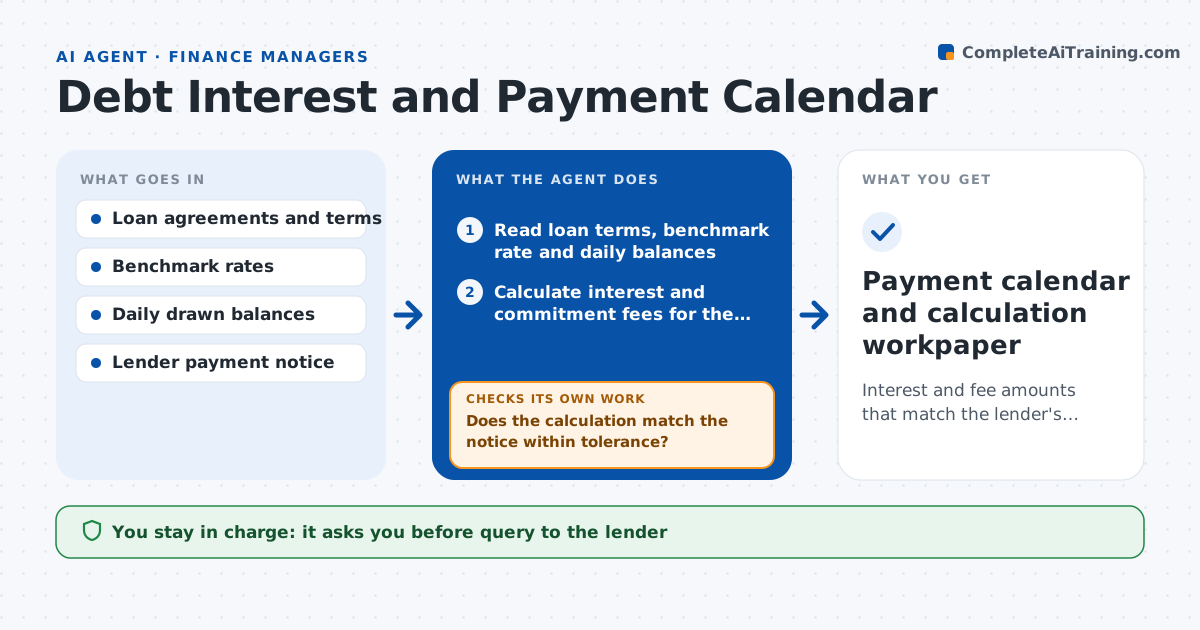
Interest and fee amounts that match the lender's notice or have a documented difference, ready for payment approval
What it does
Loans and credit lines have different reset dates, day counts and fees, and a missed reset means a wrong payment. Before each payment date, this agent reads the loan terms, current benchmark rates, drawn balances and any change during the period. It calculates the interest and fees due, including commitment fees on the undrawn part. It then compares its figure with the lender's notice. If the two differ, it investigates: a rate reset date, a day count, a draw or repayment inside the period, or a fee rule. It recalculates after each finding until the gap is explained or the lender must be asked. The treasurer approves the payment instruction. Edge case: a draw on the last day of the period changes the commitment fee base, so the agent recalculates on daily balances.
How it works
Follow the arrows from top to bottom. The orange dashed arrow is the loop: when a check fails, the agent goes back and tries again.
Read the steps as a list
- Five days before a payment date
- Read loan terms, benchmark rate and daily balances
- Calculate interest and commitment fees for the period
- Load the lender's payment notice
- Does the calculation match the notice within tolerance?If not: check reset date, day count, balance changes and fee rules, then recalculate. Back to step 2.
- Draft a query to the lender for any remaining difference
- Treasurer approves sending the queryThe agent waits here for your OK.
- Is the final amount confirmed by notice or by the lender's reply?If not: hold the payment instruction and wait for the lender. Back to step 3.
- Prepare the payment instruction and update the calendar
- Treasurer approves the payment instructionThe agent waits here for your OK.
- Payment calendar and calculation workpaper
How it decides
The calculation uses the agreement's rate, margin, day count and fee rules. A difference above the tolerance is investigated before payment is approved.
- Accept a difference of $10 or less as rounding
- Use the day count stated in each agreement
- Include commitment fees on the undrawn balance by day
- Never prepare a payment while a difference above tolerance is open
Make it yours
Every agent is a starting point. You choose these settings for your own situation.
- Rounding tolerance (default $10)
- Days before payment to run (default 5)
- Facilities included
- Benchmark rate source
What keeps you in control
It always asks you first
- Query to the lender
- Payment instruction
Hard limits
- Never makes a payment itself
- Does not dispute a notice without treasurer approval
It stops when
- Done: payment is confirmed and approved
- Stop: loan terms are missing
Set it up
We guide you through the set-up, step by step
Members get the full set-up guide for this agent. No technical skills needed: you copy, paste and upload.
- One set of instructions to paste into your AI, with the clicks for ChatGPT, Claude, Microsoft 365 Copilot, Gemini and Grok
- The agent then walks you through connecting your own data, one source at a time
- A downloadable copy with the flow chart, the rules and the full guide