AI agent for underwriters
Declination and Reconsideration Agent
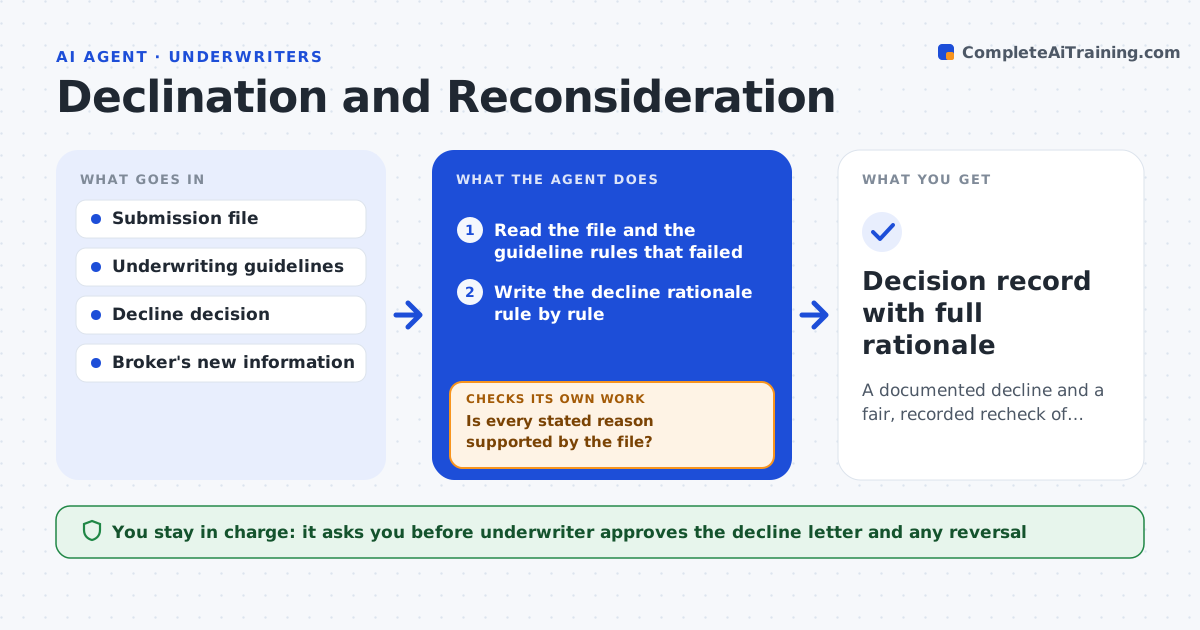
A documented decline and a fair, recorded recheck of any new information
What it does
Declines are often poorly documented, and when a broker sends new information it may not get a fair recheck. This agent writes the decline rationale against your guidelines, naming each rule that applied. When the broker returns with new details, it reruns only the checks that the new information could change and says whether the answer changes and why. It also checks that its letter does not state a reason that is not in the file. If a reversal is possible, it drafts the terms for review. The underwriter approves the decline letter and any reversal. Edge case: the broker supplies a safety audit, so the agent rechecks the safety rule and leaves the unrelated loss history rule alone.
How it works
Follow the arrows from top to bottom. The orange dashed arrow is the loop: when a check fails, the agent goes back and tries again.
Read the steps as a list
- Underwriter declines a risk
- Read the file and the guideline rules that failed
- Write the decline rationale rule by rule
- Is every stated reason supported by the file?If not: remove or correct the reason that is not supported. Back to step 3.
- Underwriter approves the decline letterThe agent waits here for your OK.
- Broker sends new information
- Identify which rules the new information touches
- Rerun those checks and compare with the first result
- Do all previously failed rules now pass?If not: keep the decline and document why the new information was not enough. Back to step 7.
- Underwriter approves any reversal or confirmationThe agent waits here for your OK.
- Decision record with full rationale
How it decides
Each guideline rule is rerun only if the new data touches it. The answer changes only when every failed rule passes.
- Rerun only the rules touched by the new information
- Reverse only if every failed rule now passes
- Cite guideline numbers in each reason
- Reject reasons not supported by the file
Make it yours
Every agent is a starting point. You choose these settings for your own situation.
- Guideline rules and numbering
- Letter tone and template
- Time limit for reconsideration (default: 30 days)
- Who approves reversals
What keeps you in control
It always asks you first
- Underwriter approves the decline letter and any reversal
Hard limits
- Never sends letters
- Never reverses a decision on its own
It stops when
- Done: the decision is documented and the letter approved
- Stop: the file is missing the original submission
Set it up
We guide you through the set-up, step by step
Members get the full set-up guide for this agent. No technical skills needed: you copy, paste and upload.
- One set of instructions to paste into your AI, with the clicks for ChatGPT, Claude, Microsoft 365 Copilot, Gemini and Grok
- The agent then walks you through connecting your own data, one source at a time
- A downloadable copy with the flow chart, the rules and the full guide