AI agent for mobile app developers
Deep Link and Push Notification Test Agent
Make every deep link and notification land on the right screen in every app state
What it does
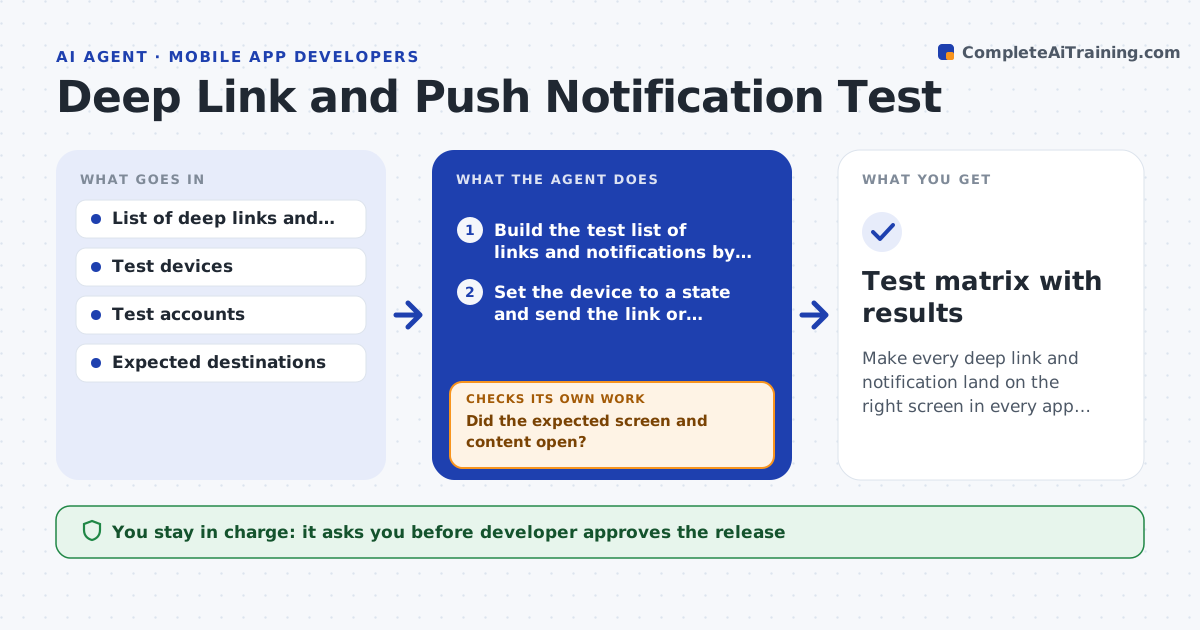
A deep link opens the right screen when the app is running but fails on a cold start, and a push notification opens the home screen when the user is logged out. This agent builds a test list of all deep links and notification types, and runs each in every app state: cold start, background, foreground, logged out and fresh install. It sends the link or notification to a test device, checks which screen opens and whether the right content loads, and records the result with a screenshot. It lists the failures by state. After the developer's fix, it retries the failed combinations and a few passing ones. The developer approves the release. Edge case: a link works only when the app is already updated, so the agent tests the older version as well.
How it works
Follow the arrows from top to bottom. The orange dashed arrow is the loop: when a check fails, the agent goes back and tries again.
Read the steps as a list
- Release candidate or link change
- Build the test list of links and notifications by app state
- Set the device to a state and send the link or notification
- Record the opened screen, content and a screenshot
- Did the expected screen and content open?If not: repeat once to rule out a timing issue, then record a failure. Back to step 3.
- Group failures by state and cause
- Send the failure list to the developer and wait for a fix
- Retry failed combinations and a sample of passing ones
- Do all combinations now pass?If not: return the remaining failures with new evidence. Back to step 6.
- Developer approves the releaseThe agent waits here for your OK.
- Test matrix with results
How it decides
It marks a combination as failed when the opened screen or content differs from the expected one, and confirms by repeating once.
- Test every link in cold start, background, foreground, logged out and fresh install states
- Repeat a failure once before recording it
- Retest 25% of previously passing cases after a fix
- Test the older app version for links sent in old emails
Make it yours
Every agent is a starting point. You choose these settings for your own situation.
- Links and notification list
- App states to test
- Retest sample size (default 25%)
- Test devices
- Older versions to include
What keeps you in control
It always asks you first
- Developer approves the release
- Developer approves test notifications to any real device
Hard limits
- Never send notifications to real users
- Never use production customer accounts
It stops when
- Done: all combinations pass
- Stop: a failure on a main link has no fix and the release is held
Set it up
We guide you through the set-up, step by step
Members get the full set-up guide for this agent. No technical skills needed: you copy, paste and upload.
- One set of instructions to paste into your AI, with the clicks for ChatGPT, Claude, Microsoft 365 Copilot, Gemini and Grok
- The agent then walks you through connecting your own data, one source at a time
- A downloadable copy with the flow chart, the rules and the full guide