AI agent for supply chain analysts
Demand Forecast Accuracy Review Agent
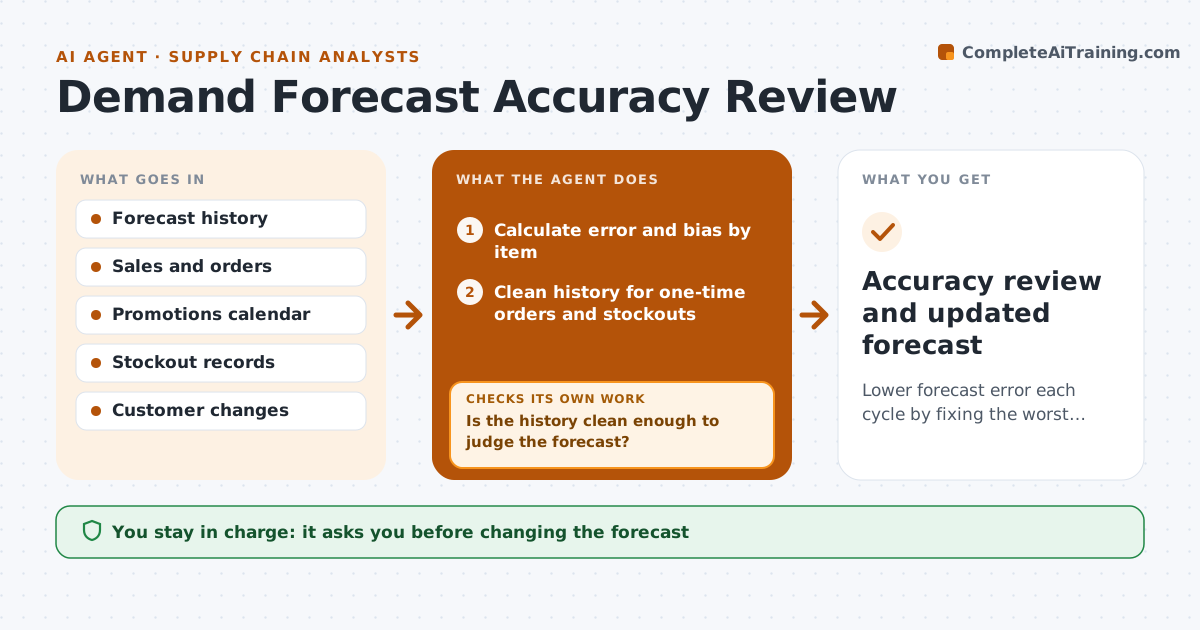
Lower forecast error each cycle by fixing the worst items' causes
What it does
Each month the forecast is compared with what sold, but few teams act on the errors, so the same items miss again. This agent calculates forecast error and bias by item and family, then ranks items by the cost of their error, not just the percentage. Before blaming the forecast, it checks that the sales history is clean: it removes one-time orders and uses orders instead of shipments where stockouts hid demand. If the data is not clean, it fixes the history and recalculates. For the worst items it looks for causes such as promotions, lost customers or a model that misses seasonality. It drafts adjustment suggestions for the next cycle with the reason for each. The planner approves any change to the forecast.
How it works
Follow the arrows from top to bottom. The orange dashed arrow is the loop: when a check fails, the agent goes back and tries again.
Read the steps as a list
- Month sales close
- Calculate error and bias by item
- Clean history for one-time orders and stockouts
- Is the history clean enough to judge the forecast?If not: mark the outliers and recalculate error. Back to step 3.
- Rank items by error cost and find causes
- Draft forecast adjustments
- Planner approves forecast changesThe agent waits here for your OK.
- Accuracy review and updated forecast
How it decides
It ranks items by error value and requires a likely cause before suggesting a change.
- Bias over the set level for three months needs action
- Use orders when stockouts hide demand
- Rank by cost, not percent
Make it yours
Every agent is a starting point. You choose these settings for your own situation.
- Error measure used
- Number of items reviewed
- Bias threshold
- Outlier rules
What keeps you in control
It always asks you first
- Changing the forecast
Hard limits
- Never changes the forecast directly
It stops when
- Done: review approved
- Stop: sales data incomplete; wait for close
Set it up
We guide you through the set-up, step by step
Members get the full set-up guide for this agent. No technical skills needed: you copy, paste and upload.
- One set of instructions to paste into your AI, with the clicks for ChatGPT, Claude, Microsoft 365 Copilot, Gemini and Grok
- The agent then walks you through connecting your own data, one source at a time
- A downloadable copy with the flow chart, the rules and the full guide