AI agent for technical sales representatives
Demo Feedback Loop Agent
The standard demo improves because every change is tested against feedback
What it does
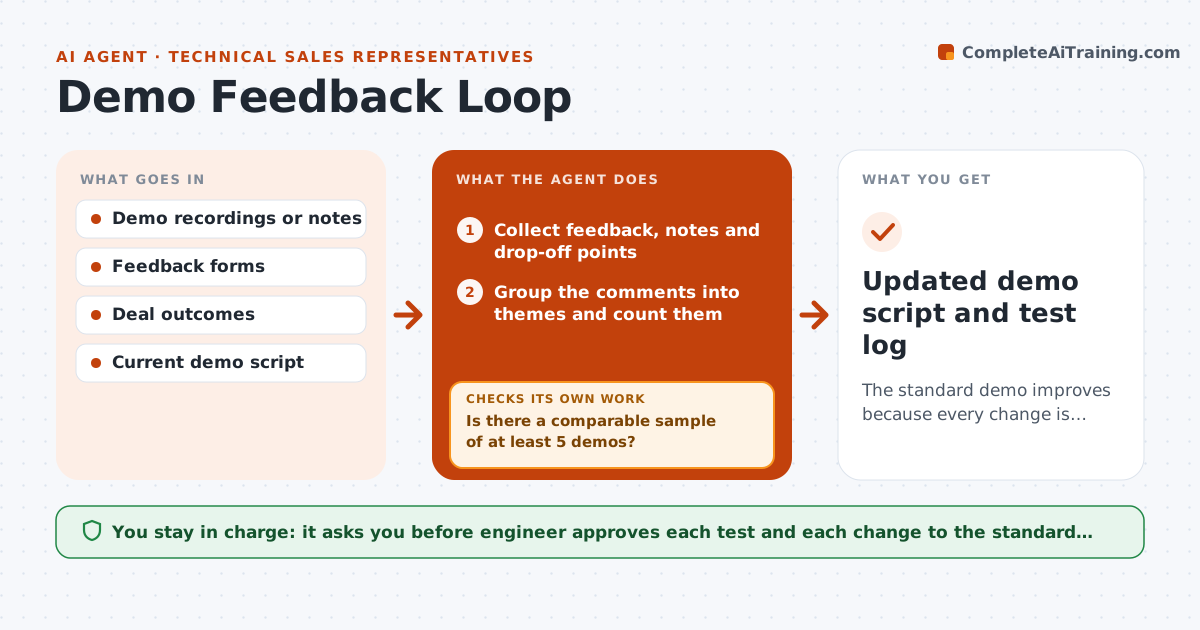
A demo is often the same script for every customer, even though the same moments lose people each time. This agent collects feedback after each demo: survey answers, notes, recordings' timestamps and drop-off points. It groups them into themes such as confusing steps, missing proof or length. It proposes changes to the demo flow, and after the engineer approves, runs them in the next set of demos. It compares later feedback with the earlier baseline and checks whether the change helped. It keeps the changes that work and reverses those that do not. Edge case: feedback improves, but the demos were for a different segment, so the agent waits for a comparable sample.
How it works
Follow the arrows from top to bottom. The orange dashed arrow is the loop: when a check fails, the agent goes back and tries again.
Read the steps as a list
- Demo completed
- Collect feedback, notes and drop-off points
- Group the comments into themes and count them
- Propose changes to the flow for the top themes
- Engineer approves the changes to testThe agent waits here for your OK.
- Use the changed flow in the next demos
- Is there a comparable sample of at least 5 demos?If not: keep collecting until the sample is large enough. Back to step 6.
- Compare feedback and outcomes with the baseline
- Did the matching theme improve without side effects?If not: revise or reverse the change and test again. Back to step 4.
- Engineer approves changes to the standard demoThe agent waits here for your OK.
- Updated demo script and test log
How it decides
A theme matters when it appears in 5 or more demos. A change is kept when the matching feedback improves in a comparable sample.
- Count a theme at 5 or more demos
- Change one theme at a time
- Compare only similar segments
- Reverse a change that worsens other feedback
Make it yours
Every agent is a starting point. You choose these settings for your own situation.
- Theme count (default 5)
- Sample size
- Feedback source
- Review cycle
What keeps you in control
It always asks you first
- Engineer approves each test and each change to the standard demo
Hard limits
- Do not change the standard demo without approval
- Never share recordings outside the team
- Keep feedback anonymous in reports
It stops when
- Done: a winning flow becomes the standard
- Stop: results stay unclear after three rounds
Set it up
We guide you through the set-up, step by step
Members get the full set-up guide for this agent. No technical skills needed: you copy, paste and upload.
- One set of instructions to paste into your AI, with the clicks for ChatGPT, Claude, Microsoft 365 Copilot, Gemini and Grok
- The agent then walks you through connecting your own data, one source at a time
- A downloadable copy with the flow chart, the rules and the full guide