AI agent for medical billers
Denial Management and Appeal Agent
Denials worked before deadlines and causes reduced
What it does
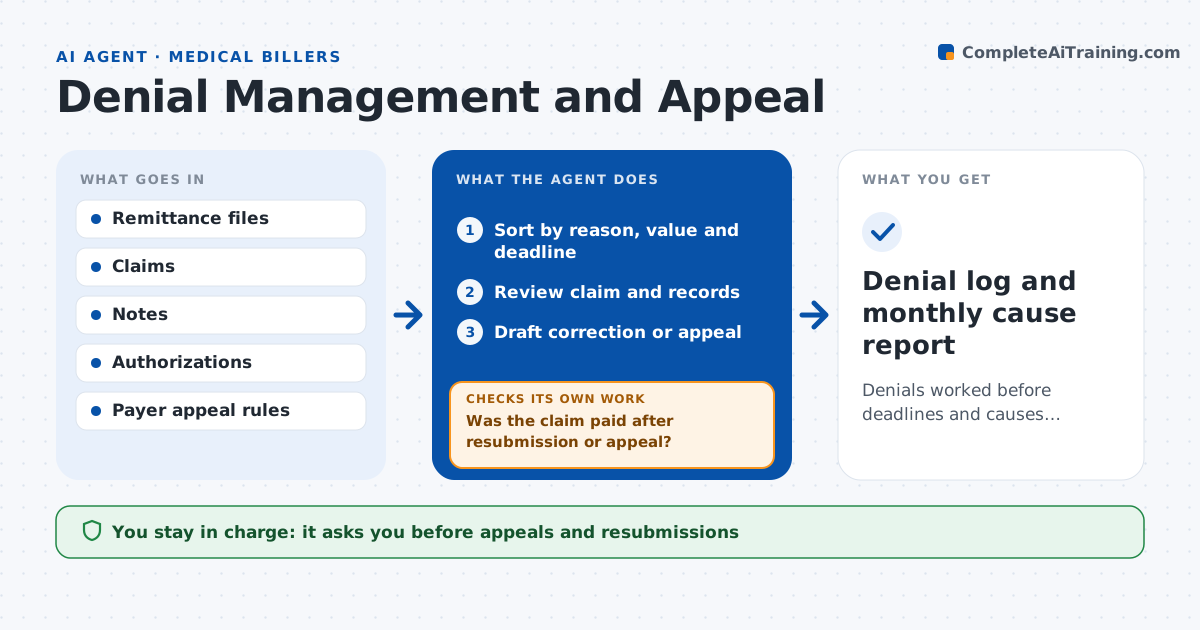
Denied claims pile up and many are never appealed before the deadline, which leaves earned revenue unpaid. When denials arrive on remittance files, this agent sorts them by reason code, value and deadline. For each one it reads the claim, notes and records to find the cause: missing authorization, coding issue, eligibility or timely filing. It decides whether to correct and resubmit or to appeal, and drafts the corrected claim or appeal letter with supporting records. Coding denials go to coder review first. The biller approves every submission. It tracks deadlines and later checks whether each claim was paid. If not, it drafts a second appeal or suggests a write-off for the biller to approve. Each month it reports the top denial causes. Edge case: the authorization exists under a different date, so the agent attaches it.
How it works
Follow the arrows from top to bottom. The orange dashed arrow is the loop: when a check fails, the agent goes back and tries again.
Read the steps as a list
- Denials posted
- Sort by reason, value and deadline
- Review claim and records
- Draft correction or appeal
- Biller approves submissionThe agent waits here for your OK.
- Was the claim paid after resubmission or appeal?If not: review the response and prepare the next level or write-off request. Back to step 3.
- Denial log and monthly cause report
How it decides
It sorts denials by value and deadline, and picks resubmit or appeal by reason code and evidence.
- Deadline within 10 days: top priority
- Coding denial: send to coder review
- Under $25 and over two denials: suggest write-off
Make it yours
Every agent is a starting point. You choose these settings for your own situation.
- Priority rules
- Write-off limit
- Appeal templates
- Report format
What keeps you in control
It always asks you first
- Appeals and resubmissions
- Write-offs
Hard limits
- Never alters medical records
- Never writes off without approval
It stops when
- Done: denial resolved
- Stop: final level exhausted
Set it up
We guide you through the set-up, step by step
Members get the full set-up guide for this agent. No technical skills needed: you copy, paste and upload.
- One set of instructions to paste into your AI, with the clicks for ChatGPT, Claude, Microsoft 365 Copilot, Gemini and Grok
- The agent then walks you through connecting your own data, one source at a time
- A downloadable copy with the flow chart, the rules and the full guide