AI agent for benefits administrators
Dependent Eligibility Audit Agent
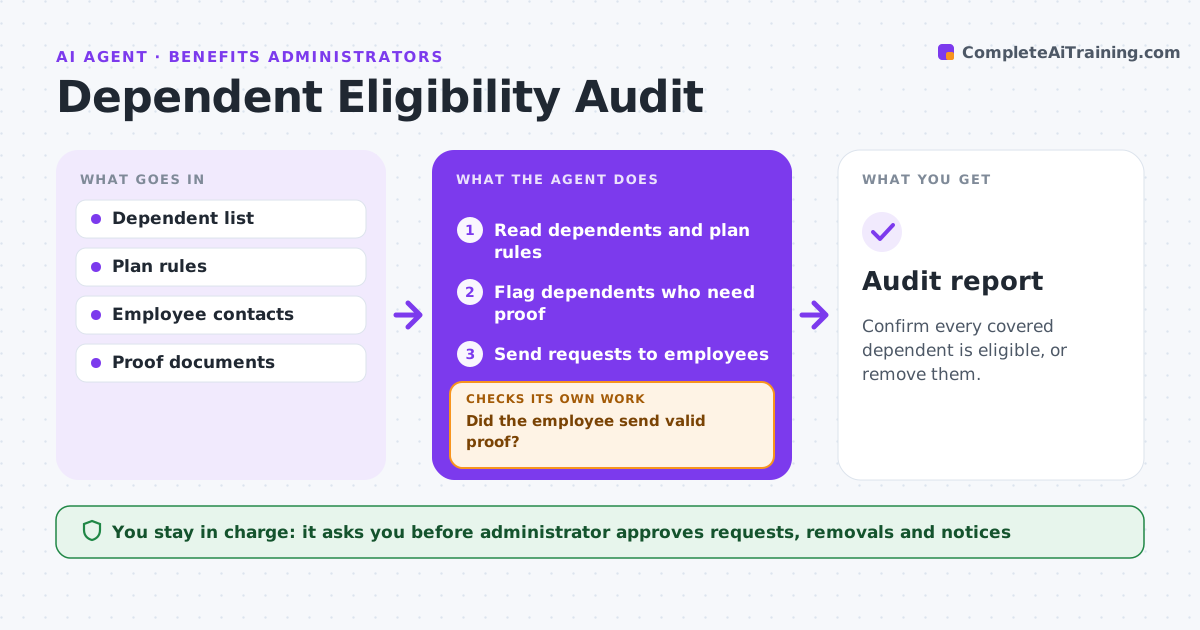
Confirm every covered dependent is eligible, or remove them.
What it does
Plans can cover dependents who are no longer eligible, for example children past the age limit. Once a year, this agent lists all dependents, flags those who may be ineligible, and requests proof from employees, such as a marriage or birth record. It tracks replies. Employees who do not reply get further reminders. After the final reminder, the list of proposed removals goes to the administrator, who approves the removals and the notices. The agent then checks that the carrier removed each person. Edge case: a dependent has a disability that allows coverage past the age limit, so the agent asks for the disability record.
How it works
Follow the arrows from top to bottom. The orange dashed arrow is the loop: when a check fails, the agent goes back and tries again.
Read the steps as a list
- Annual audit begins
- Read dependents and plan rules
- Flag dependents who need proof
- Administrator approves the request letterThe agent waits here for your OK.
- Send requests to employees
- Track replies and record the proof
- Did the employee send valid proof?If not: send up to three reminders at 7-day intervals. Back to step 6.
- Draft the removal list for no reply or invalid proof
- Administrator approves removals and noticesThe agent waits here for your OK.
- Did the carrier confirm each removal?If not: resubmit the carrier request. Back to step 3.
- Audit report
How it decides
A dependent is verified when proof matches the rule. No reply after three reminders goes to the administrator for removal.
- Ask for proof for every dependent on the first audit
- Send three reminders
- Flag disability exceptions
- Never remove without approval
Make it yours
Every agent is a starting point. You choose these settings for your own situation.
- Reminder count and gap (default 3, 7 days)
- Proof accepted
- Audit date
- Notice wording
What keeps you in control
It always asks you first
- Administrator approves requests, removals and notices
Hard limits
- Never remove coverage without approval
- Protect proof documents
It stops when
- Done: all dependents verified or removed
- Stop: dispute, administrator handles
Set it up
We guide you through the set-up, step by step
Members get the full set-up guide for this agent. No technical skills needed: you copy, paste and upload.
- One set of instructions to paste into your AI, with the clicks for ChatGPT, Claude, Microsoft 365 Copilot, Gemini and Grok
- The agent then walks you through connecting your own data, one source at a time
- A downloadable copy with the flow chart, the rules and the full guide