AI agent for paralegals
Deposition Digest Source Check Agent
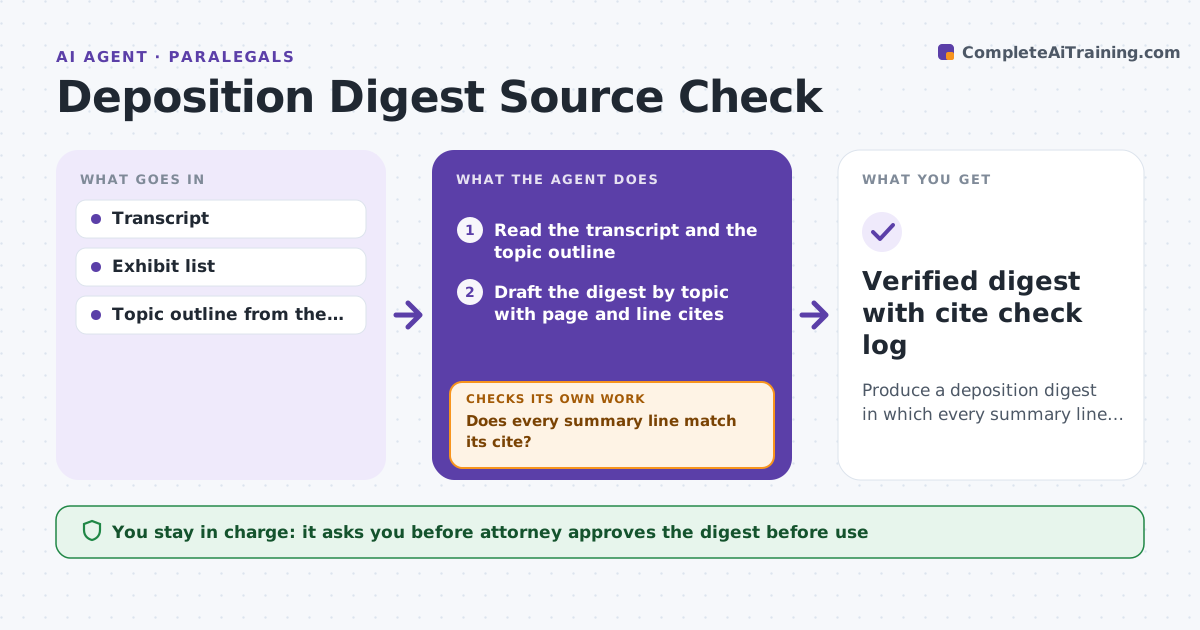
Produce a deposition digest in which every summary line matches the transcript at the cited page and line.
What it does
Paralegals who summarize depositions by page and line often find that a summary drifts from what the witness actually said, or that a cite points to the wrong line. The agent reads the transcript and builds a digest by topic with page and line cites. It then reopens each cite and compares it with the summary text, flags mismatches, and rewrites them. It also cross-checks key facts against the exhibits. It repeats until the cites all match. The attorney approves the digest before it is used. Edge case: the summary says the witness saw the contract on 3 May, but the transcript says after the signing, so the agent corrects and marks it.
How it works
Follow the arrows from top to bottom. The orange dashed arrow is the loop: when a check fails, the agent goes back and tries again.
Read the steps as a list
- Transcript received
- Read the transcript and the topic outline
- Draft the digest by topic with page and line cites
- Reopen each cite and compare with the summary text
- Does every summary line match its cite?If not: Rewrite the mismatched lines using the transcript words and re-check. Back to step 3.
- Cross-check key dates and names against exhibits
- Do the key facts agree with the exhibits?If not: Flag the conflict in the digest and note both sources. Back to step 3.
- Add a list of open points and conflicts
- Attorney approves the digestThe agent waits here for your OK.
- Verified digest with cite check log
How it decides
A summary line passes only when the cited page and line contain the same facts, without addition or change. Key facts are also checked against the exhibits.
- A cite that does not support the line is rewritten
- Dates, names and amounts must match exactly
- Conflicts with exhibits are noted, not resolved
- Run the full cite check twice before sending to the attorney
Make it yours
Every agent is a starting point. You choose these settings for your own situation.
- Digest format (topic or chronological)
- Cite style
- Key facts cross-checked
- Number of verification passes (default 2)
What keeps you in control
It always asks you first
- Attorney approves the digest before use
Hard limits
- Never adds facts that are not in the transcript
- Never shares a digest outside the matter
It stops when
- Done: digest passes the cite check and is approved
- Stop: transcript has gaps, so the paralegal is told which pages
Set it up
We guide you through the set-up, step by step
Members get the full set-up guide for this agent. No technical skills needed: you copy, paste and upload.
- One set of instructions to paste into your AI, with the clicks for ChatGPT, Claude, Microsoft 365 Copilot, Gemini and Grok
- The agent then walks you through connecting your own data, one source at a time
- A downloadable copy with the flow chart, the rules and the full guide