AI agent for technical writers
Deprecation Docs Sweep Agent
A docs site with no instructions for removed features and a clear note for deprecated ones
What it does
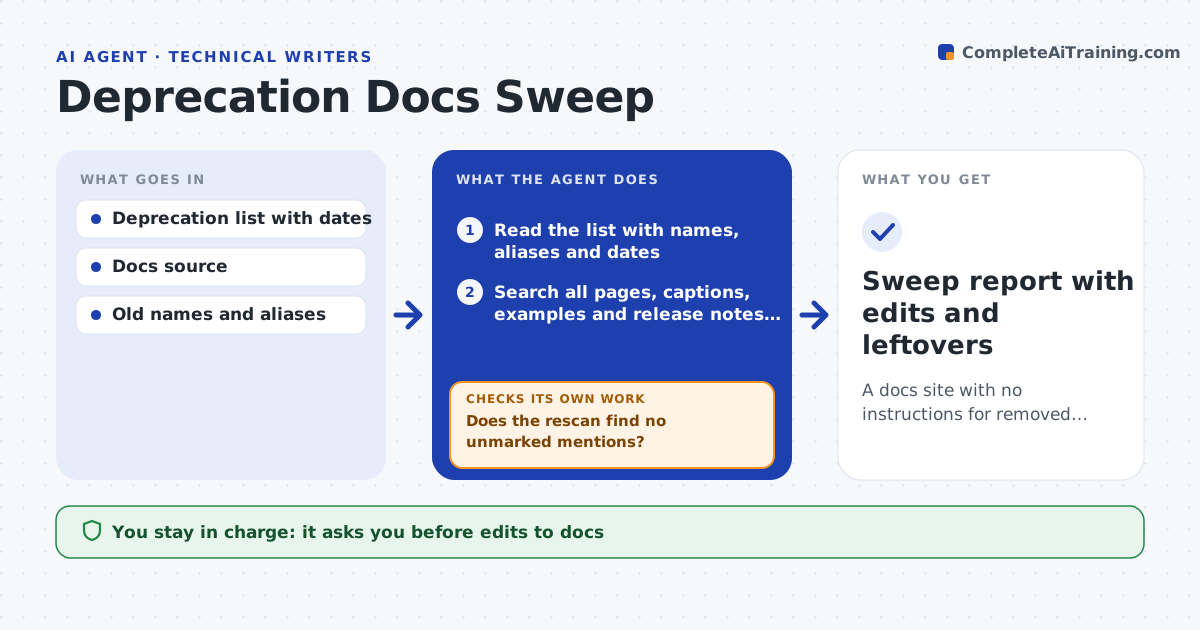
When engineering removes a feature, the docs still describe it for months, and readers follow steps that no longer work. This agent reads the deprecation and removal list from engineering and searches every docs page, screenshot caption, code example and release note for mentions of each item, including old names. It drafts an edit for each hit: a banner, a removal of the text, or a pointer to the replacement. It flags pages that need a new section because the replacement works differently. After the writer approves the edits, it applies them in a draft build, rescans the whole site to confirm nothing remains, and reports any leftover. It repeats until clean. Edge case: a feature was removed in the product but a partner guide still describes it.
How it works
Follow the arrows from top to bottom. The orange dashed arrow is the loop: when a check fails, the agent goes back and tries again.
Read the steps as a list
- Engineering publishes a deprecation or removal list
- Read the list with names, aliases and dates
- Search all pages, captions, examples and release notes for each name
- List each hit and decide banner, removal or replacement pointer
- Flag pages that need a new section for the replacement
- Writer approves the editsThe agent waits here for your OK.
- Apply edits in a draft build and rescan the site
- Does the rescan find no unmarked mentions?If not: add the new hits to the list and draft edits for them. Back to step 3.
- Do all replacement links and dates check out?If not: fix the link or date and rescan. Back to step 7.
- Writer approves publishingThe agent waits here for your OK.
- Sweep report with edits and leftovers
How it decides
A page needs a banner when a feature is deprecated, and a rewrite when it is removed. A leftover mention counts as clean only if it is clearly marked as removed.
- Add a banner for deprecated features and remove text for removed ones
- Search old names and aliases too
- Flag a page that needs a replacement section
- Leave a mention only if marked as removed
Make it yours
Every agent is a starting point. You choose these settings for your own situation.
- Where the removal list comes from
- Banner wording
- Sites searched
- Alias list
What keeps you in control
It always asks you first
- Edits to docs
- Publishing
Hard limits
- Never deletes whole pages
- Never publishes without approval
It stops when
- Done: rescan clean and edits published
- Stop: the removal list lacks dates or replacements
Set it up
We guide you through the set-up, step by step
Members get the full set-up guide for this agent. No technical skills needed: you copy, paste and upload.
- One set of instructions to paste into your AI, with the clicks for ChatGPT, Claude, Microsoft 365 Copilot, Gemini and Grok
- The agent then walks you through connecting your own data, one source at a time
- A downloadable copy with the flow chart, the rules and the full guide