AI agent for real estate developers
Design Consultant Procurement Agent
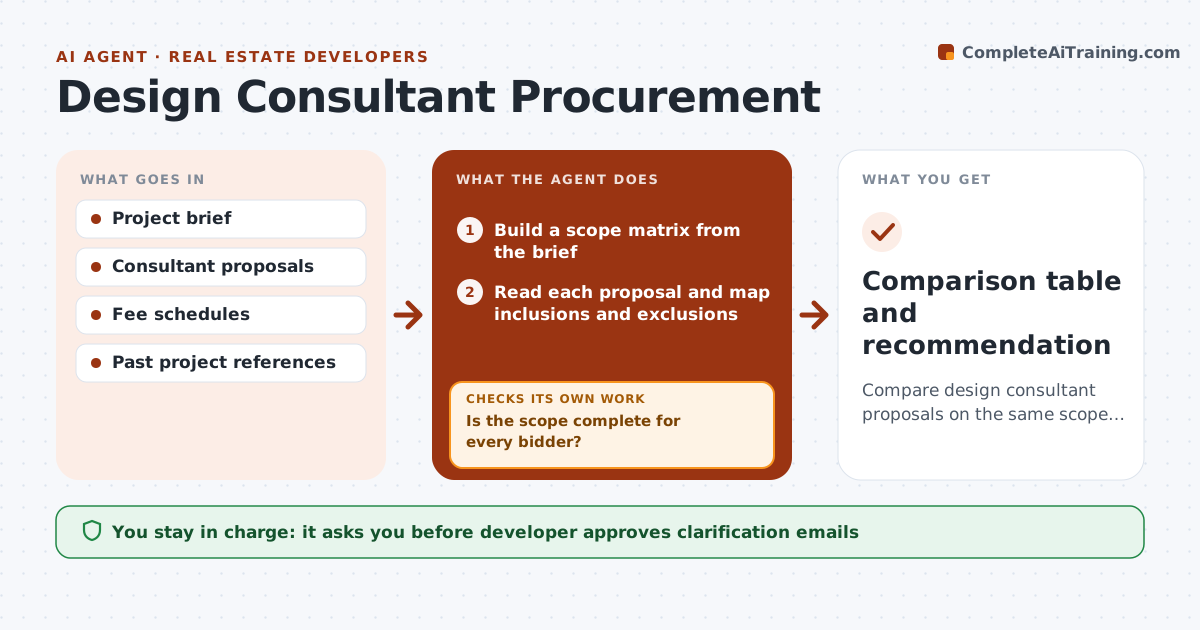
Compare design consultant proposals on the same scope and fee basis before the developer awards
What it does
Consultant proposals differ in scope, fee basis and exclusions, so the cheapest bid is rarely the best. The agent builds a scope matrix from the project brief that lists each service, phase and deliverable. It reads each proposal and maps what is included and excluded, then normalizes fees to a common basis, such as lump sum per phase. It flags missing items, such as site surveys or permit support, and drafts clarification questions. After answers come in, it rebuilds the comparison and updates the ranking. The developer approves the shortlist and the award. Edge case: one bid excludes construction administration, so the agent adds an estimate and labels it as the agent's estimate.
How it works
Follow the arrows from top to bottom. The orange dashed arrow is the loop: when a check fails, the agent goes back and tries again.
Read the steps as a list
- Proposals received
- Build a scope matrix from the brief
- Read each proposal and map inclusions and exclusions
- Normalize fees to a common basis
- Is the scope complete for every bidder?If not: Draft clarification questions for the gaps and wait for answers. Back to step 2.
- Developer approves sending clarificationsThe agent waits here for your OK.
- Rebuild the comparison with answers
- Score proposals on scope, fee, experience and schedule
- Do scores and totals still hold after the answers?If not: Recompute the scores and rerank. Back to step 7.
- Developer approves the shortlist and awardThe agent waits here for your OK.
- Comparison table and recommendation
How it decides
Each proposal is mapped to one scope matrix; fees are compared only after scope gaps are priced or clarified.
- Treat a missing item as an exclusion until confirmed
- Add a labeled estimate for excluded standard services
- Weight scope completeness above price (default 40/30)
- Request clarification when any scope gap exceeds 5% of fee
Make it yours
Every agent is a starting point. You choose these settings for your own situation.
- Scoring weights (default 40 scope, 30 fee)
- Phases and services in the matrix
- Gap threshold for clarifications (default 5%)
- Number of references to check
What keeps you in control
It always asks you first
- Developer approves clarification emails
- Developer approves the shortlist and award
Hard limits
- Never send questions or an award without the developer's approval
- Always label estimates as agent estimates
It stops when
- Done: shortlist approved and award chosen
- Stop: fewer than two proposals are complete
Set it up
We guide you through the set-up, step by step
Members get the full set-up guide for this agent. No technical skills needed: you copy, paste and upload.
- One set of instructions to paste into your AI, with the clicks for ChatGPT, Claude, Microsoft 365 Copilot, Gemini and Grok
- The agent then walks you through connecting your own data, one source at a time
- A downloadable copy with the flow chart, the rules and the full guide