AI agent for graphic designers
Design Export Transparency Agent
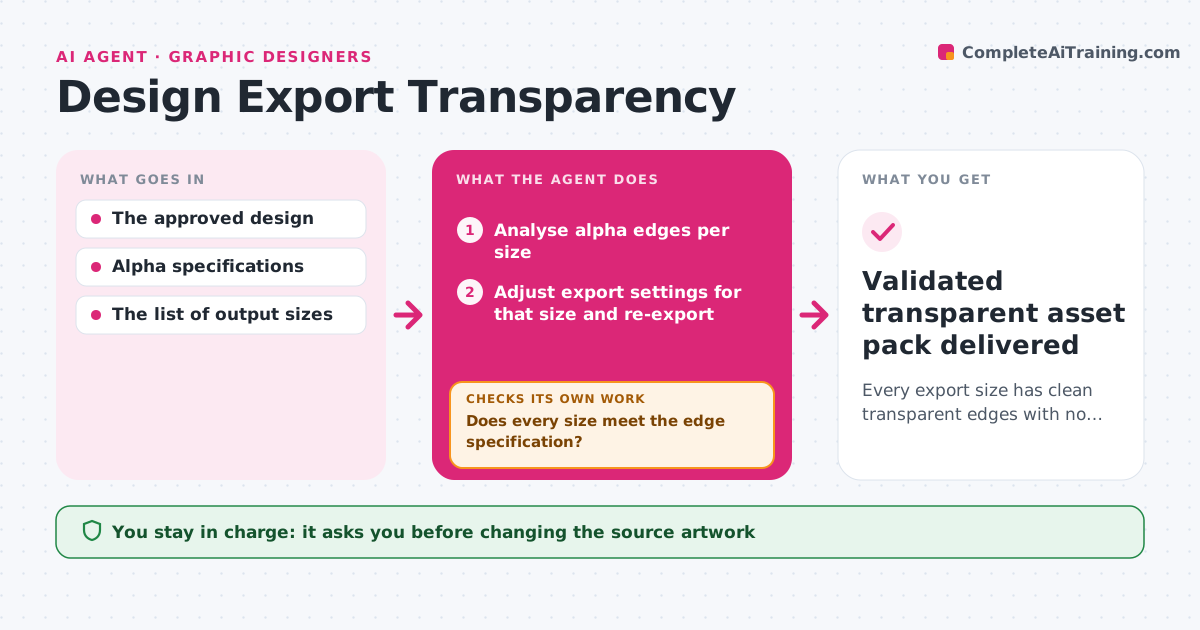
Every export size has clean transparent edges with no halos or leftover backgrounds.
What it does
Transparent exports such as logos, product cut-outs and icons often come out with a faint white halo, a hidden background or jagged edges, especially at small sizes. Spotting this by eye on every size is unreliable. This agent analyzes the alpha channel edges of each exported size and checks them against the edge specification. For a failing size it picks a correction: a different matte color for halos, edge contraction for fringes, or another resampling filter for jagged edges. It re-exports only that size and compares both the edges and the interior transparency. If a fix changes pixels inside the image, it reverts and tries a narrower adjustment. Sizes that already pass are left alone. The production lead approves the final asset pack. Edge case: a logo with intentional soft shadows is not treated as a halo when the brief marks it.
How it works
Follow the arrows from top to bottom. The orange dashed arrow is the loop: when a check fails, the agent goes back and tries again.
Read the steps as a list
- Asset exported in all sizes
- Analyse alpha edges per size
- Does every size meet the edge specification?If not: choose a correction for the failing size. Back to step 2.
- Adjust export settings for that size and re-export
- Compare edges and interior transparency
- Did the fix keep interior transparency intact?If not: revert and try a narrower adjustment. Back to step 4.
- Production lead approves the asset packThe agent waits here for your OK.
- Validated transparent asset pack delivered
How it decides
It measures edge pixels per size, picks the correction for the specific defect (halo, fringe, jaggies), and accepts a change only when edges improve and interior transparency stays intact.
- Correction type: matte color for halos, edge contraction for fringes, different resampling for jaggies.
- Scope: apply a fix to one size rather than all when only one fails.
- Revert: when interior pixels change.
Make it yours
Every agent is a starting point. You choose these settings for your own situation.
- Edge specification (default no halo above 2% brightness difference on the target background)
- Target backgrounds to test against (default white, black and the brand color)
- Corrections the agent may use (default matte, edge contraction, resampling)
- Sizes in the export set (default 16 to 512 pixels)
- Who approves the asset pack (default the production lead)
What keeps you in control
It always asks you first
- Changing the source artwork
- Delivery
Hard limits
- Source artwork is never changed.
It stops when
- Done: all sizes pass.
- Needs a human: the source artwork itself has a hard edge problem.
Set it up
We guide you through the set-up, step by step
Members get the full set-up guide for this agent. No technical skills needed: you copy, paste and upload.
- One set of instructions to paste into your AI, with the clicks for ChatGPT, Claude, Microsoft 365 Copilot, Gemini and Grok
- The agent then walks you through connecting your own data, one source at a time
- A downloadable copy with the flow chart, the rules and the full guide