AI agent for graphic designers
Print Color Exception Agent
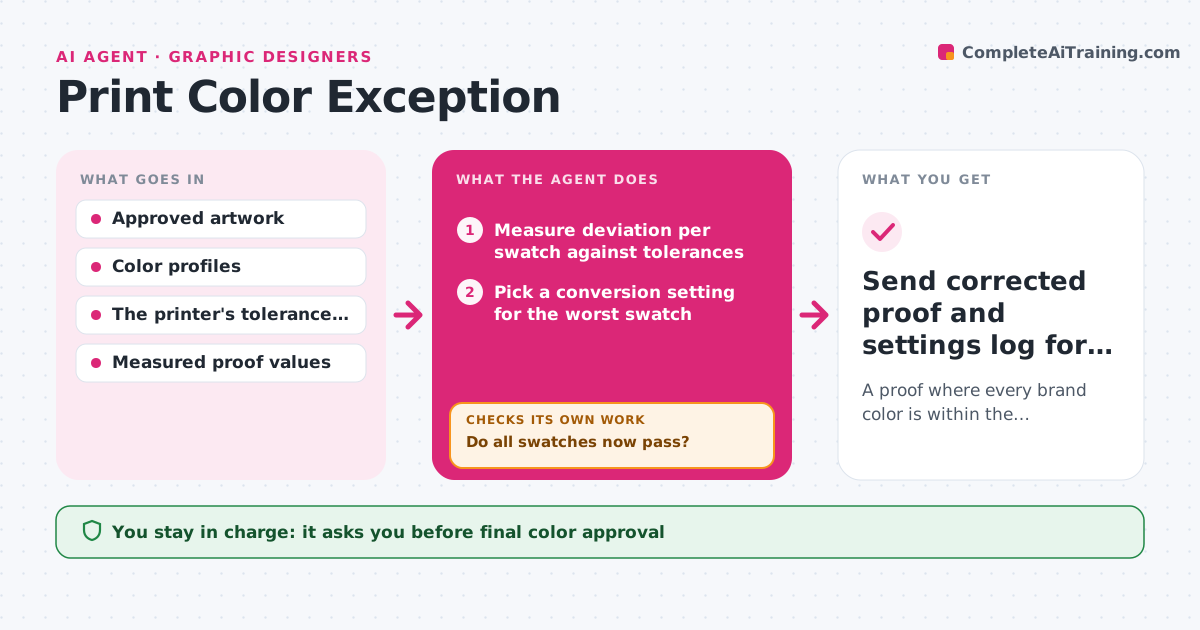
A proof where every brand color is within the printer's tolerance.
What it does
Print proofs often fail the printer's color tolerances: a brand red comes out too orange, a blue too purple. Fixing it means adjusting conversion settings and re-proofing, and a fix for one color can break another. This agent reads the proof report, measures the deviation of every swatch against the printer's tolerance, and starts with the worst one. It applies one permitted conversion setting to a copy of the file, renders a new soft proof and measures every swatch again. If the change fixes one color but pushes another out of tolerance, it rolls back and tries the next setting. When nothing reaches a color on that press, it reports the closest value it can achieve. The designer approves the corrected proof before it goes to print. Edge case: a fluorescent spot color that no process mix can reach is reported, not forced.
How it works
Follow the arrows from top to bottom. The orange dashed arrow is the loop: when a check fails, the agent goes back and tries again.
Read the steps as a list
- Proof report with failing swatches
- Measure deviation per swatch against tolerances
- Pick a conversion setting for the worst swatch
- Apply the setting in a copy and render a soft proof
- Do all swatches now pass?If not: roll back if another swatch broke; try the next setting. Back to step 3.
- Designer approves the corrected proofThe agent waits here for your OK.
- Send corrected proof and settings log for printing
How it decides
It ranks failing swatches by deviation, picks the conversion setting most likely to correct the worst one, and after every change re-measures all swatches. Improvements that break another swatch are rolled back.
- Which swatch first: the largest deviation.
- Keep or roll back: keep only changes that do not push other swatches out of tolerance.
- Give up on a color: when no permitted setting reaches it, report the closest achievable value.
Make it yours
Every agent is a starting point. You choose these settings for your own situation.
- Color tolerance per swatch (default 3 delta-E, or the printer's own figure)
- Conversion settings the agent may change (default rendering intent, black generation, spot-to-process mapping)
- Maximum settings tried before reporting the closest value (default 6)
- Which brand colors are critical and must pass (default primary logo colors)
- Who approves the final proof (default the designer of record)
What keeps you in control
It always asks you first
- Final color approval
- Submission to the printer
Hard limits
- Works on copies only.
- Never sends files to the printer without approval.
It stops when
- Done: all swatches pass.
- Limit reached: a color is out of the press gamut; report the closest option.
Set it up
We guide you through the set-up, step by step
Members get the full set-up guide for this agent. No technical skills needed: you copy, paste and upload.
- One set of instructions to paste into your AI, with the clicks for ChatGPT, Claude, Microsoft 365 Copilot, Gemini and Grok
- The agent then walks you through connecting your own data, one source at a time
- A downloadable copy with the flow chart, the rules and the full guide