AI agent for ux writers
Design File Copy Extraction and Sync Agent
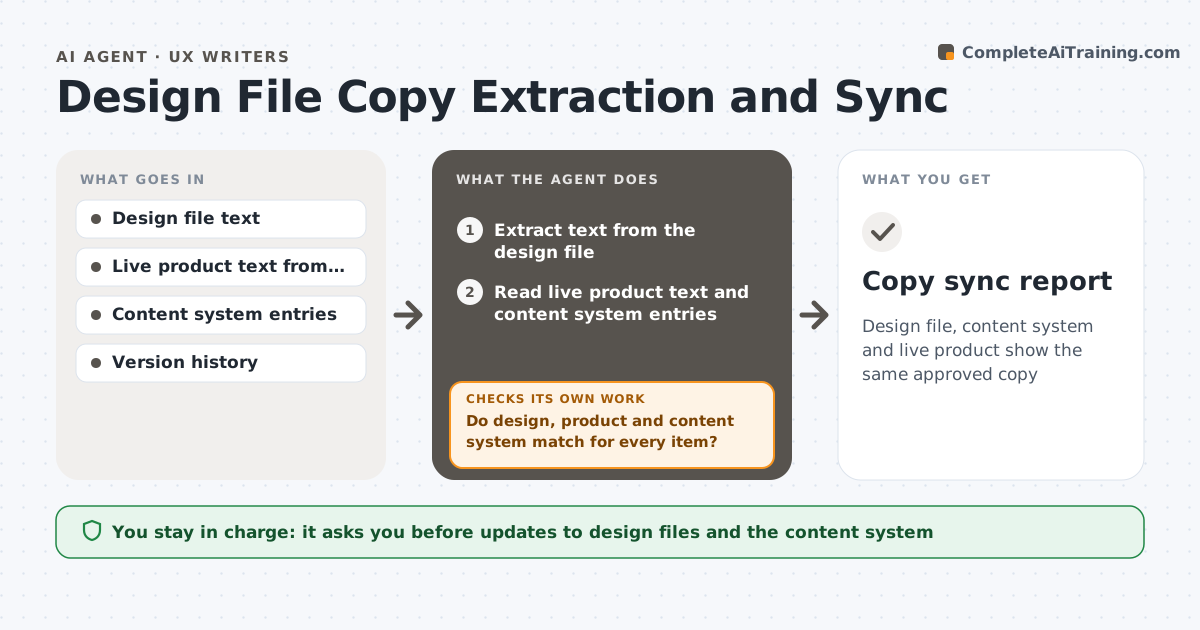
Design file, content system and live product show the same approved copy
What it does
Copy in design files and copy in the live product drift apart as each team makes small edits. This agent extracts the text from the design file, compares it to the live product and the content system, and flags mismatches. It drafts updates in the right place, such as the design file, the content system or a ticket for engineering. After each sync it rechecks that the three sources now agree. The writer approves changes. Edge case: a button says Save in the design and Submit in the live product, so the agent checks which was approved last and asks the writer rather than guessing.
How it works
Follow the arrows from top to bottom. The orange dashed arrow is the loop: when a check fails, the agent goes back and tries again.
Read the steps as a list
- Weekly sync or design ready
- Extract text from the design file
- Read live product text and content system entries
- Match items across the three sources
- Do design, product and content system match for every item?If not: list each mismatch with its source and last change date. Back to step 4.
- Check which version was approved last
- Draft updates for the right place
- Writer approves the changesThe agent waits here for your OK.
- Apply approved updates to the draft files and create tickets
- Do the three sources now agree?If not: list what is still different and redraft. Back to step 4.
- Copy sync report
How it decides
The most recently approved copy wins. If approval status is unknown, the writer decides.
- Prefer the most recently approved version
- Ask the writer when approval is unclear
- Create a ticket for live product changes, never edit directly
- Ignore placeholder text marked as such
Make it yours
Every agent is a starting point. You choose these settings for your own situation.
- Files and screens included
- Sync schedule
- Source of truth rules
- Ticket tool
What keeps you in control
It always asks you first
- Updates to design files and the content system
- Tickets for the live product
Hard limits
- Never edits the live product
- Never overwrites approved copy without writer approval
It stops when
- Done: all sources match
- Stop: design file access is missing
Set it up
We guide you through the set-up, step by step
Members get the full set-up guide for this agent. No technical skills needed: you copy, paste and upload.
- One set of instructions to paste into your AI, with the clicks for ChatGPT, Claude, Microsoft 365 Copilot, Gemini and Grok
- The agent then walks you through connecting your own data, one source at a time
- A downloadable copy with the flow chart, the rules and the full guide