AI agent for translators
Communications Localization Coordination Agent
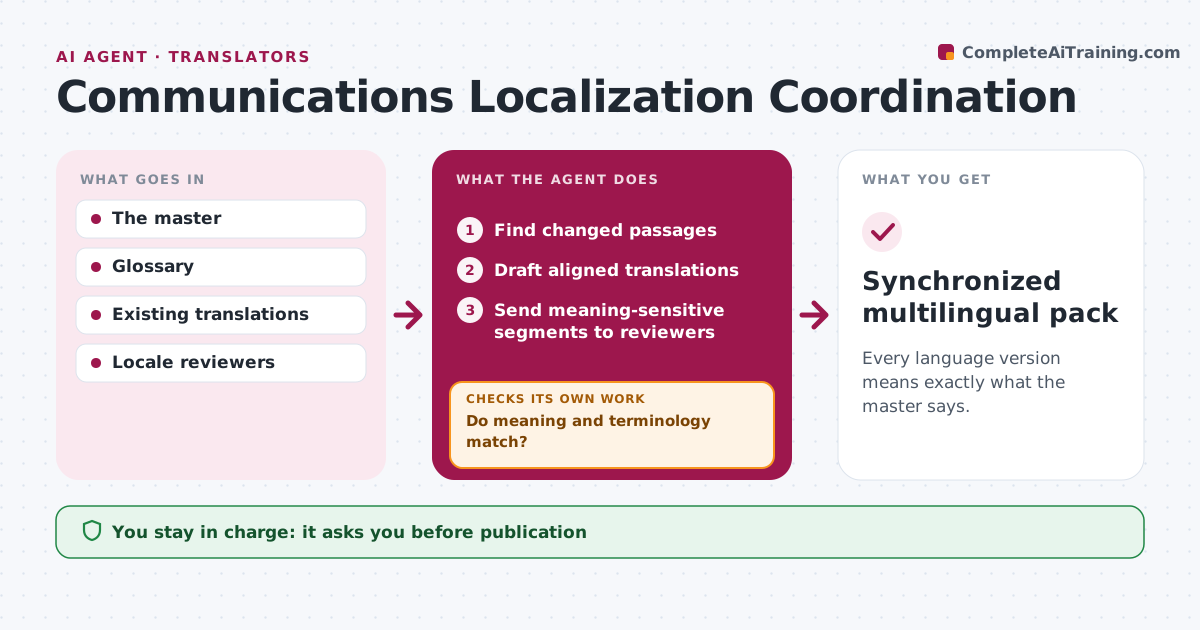
Every language version means exactly what the master says.
What it does
Translated announcements drift from the approved meaning as the master is revised. When the master changes, this agent finds the changed passages and drafts aligned translations for only those passages. It checks each one for meaning and approved terminology, for example product names and legal phrases. Segments that fail are redrafted. Passages where meaning is sensitive, such as legal, safety or pricing text, go to a locale reviewer. It then assembles each language version and checks that it lines up with the master section by section. The locale reviewer gives final approval. Edge case: the German draft drops a 'not', so the segment goes to the reviewer.
How it works
Follow the arrows from top to bottom. The orange dashed arrow is the loop: when a check fails, the agent goes back and tries again.
Read the steps as a list
- Master announcement revised
- Find changed passages
- Draft aligned translations
- Do meaning and terminology match?If not: redraft or route to a reviewer. Back to step 3.
- Send meaning-sensitive segments to reviewers
- Assemble each language version
- Does every version align with the master section by section?If not: fix the misaligned section. Back to step 6.
- Locale reviewer approvesThe agent waits here for your OK.
- Synchronized multilingual pack
How it decides
It regenerates or routes segments that fail meaning or terminology checks.
- Meaning-sensitive segments always go to a reviewer.
- Use only approved terms for names and legal phrases.
- Redraft only changed passages, not the whole document.
Make it yours
Every agent is a starting point. You choose these settings for your own situation.
- Languages in scope
- Approved terminology list per language
- Which passage types always go to a reviewer
- Reviewer per locale
What keeps you in control
It always asks you first
- Publication
- Final language approval
Hard limits
- No publication.
It stops when
- Done: all languages approved.
Set it up
We guide you through the set-up, step by step
Members get the full set-up guide for this agent. No technical skills needed: you copy, paste and upload.
- One set of instructions to paste into your AI, with the clicks for ChatGPT, Claude, Microsoft 365 Copilot, Gemini and Grok
- The agent then walks you through connecting your own data, one source at a time
- A downloadable copy with the flow chart, the rules and the full guide