AI agent for biomedical engineers
Design Input Interview Synthesis and Traceability Agent
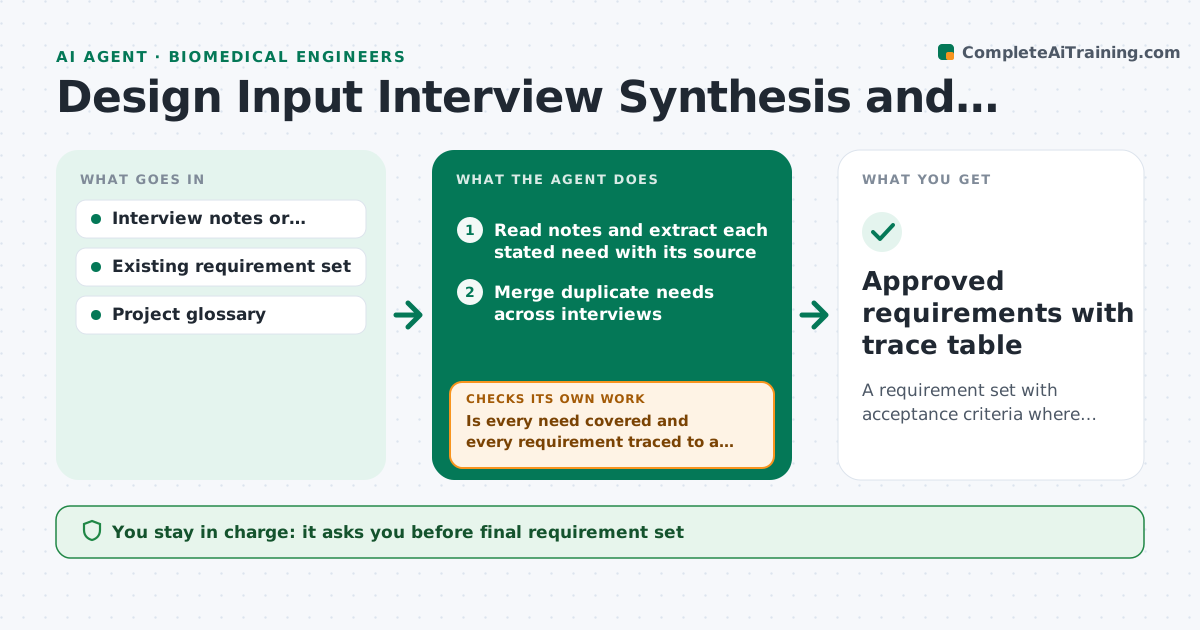
A requirement set with acceptance criteria where every clinical need is traced and every requirement has a source
What it does
Clinical interviews produce pages of notes, but the needs inside them rarely reach traceable requirements. This agent reads interview notes and pulls out each stated need with its source. It merges duplicates, drafts a requirement for each need with an acceptance criterion, and builds a trace table from need to requirement. Then it checks that every need is covered and every requirement points back to a need. Ambiguous needs, such as a clinician asking for something faster without a number, are put on a question list for the engineer. When answers arrive it redrafts and rechecks coverage. The engineer approves the requirement set. Edge case: two surgeons ask for opposite handle sizes, so the agent records a conflict and asks for a decision instead of choosing.
How it works
Follow the arrows from top to bottom. The orange dashed arrow is the loop: when a check fails, the agent goes back and tries again.
Read the steps as a list
- New interview notes are filed
- Read notes and extract each stated need with its source
- Merge duplicate needs across interviews
- Draft one requirement per need with an acceptance criterion
- Build the need-to-requirement trace table
- Is every need covered and every requirement traced to a need?If not: add missing requirements or remove orphans, then rebuild the table. Back to step 4.
- List ambiguous and conflicting needs as questions
- Read the engineer's answers and redraft affected requirements
- Does every requirement now have a measurable criterion?If not: rewrite the criterion or return the need to the question list. Back to step 4.
- Engineer approves the requirement setThe agent waits here for your OK.
- Approved requirements with trace table
How it decides
A need becomes a requirement only when it can be tested. Vague or conflicting needs go to the engineer rather than being resolved by the agent.
- Mark a need ambiguous when it has no unit or threshold
- Merge needs only when wording and intent match
- Record opposing needs as conflicts with both sources
- Add no requirement without a source need
Make it yours
Every agent is a starting point. You choose these settings for your own situation.
- Requirement wording template
- Trace table columns
- Which interview types to include
- Merge strictness for duplicates
What keeps you in control
It always asks you first
- Final requirement set
- Resolution of any conflicting needs
Hard limits
- Never invents a need that no interviewee stated
- Never picks between conflicting clinician needs
It stops when
- Done: full coverage and all criteria measurable
- Stop: no interview notes available for a stated need
Set it up
We guide you through the set-up, step by step
Members get the full set-up guide for this agent. No technical skills needed: you copy, paste and upload.
- One set of instructions to paste into your AI, with the clicks for ChatGPT, Claude, Microsoft 365 Copilot, Gemini and Grok
- The agent then walks you through connecting your own data, one source at a time
- A downloadable copy with the flow chart, the rules and the full guide