AI agent for industrial designers
Design-to-Engineering Handoff Package Agent
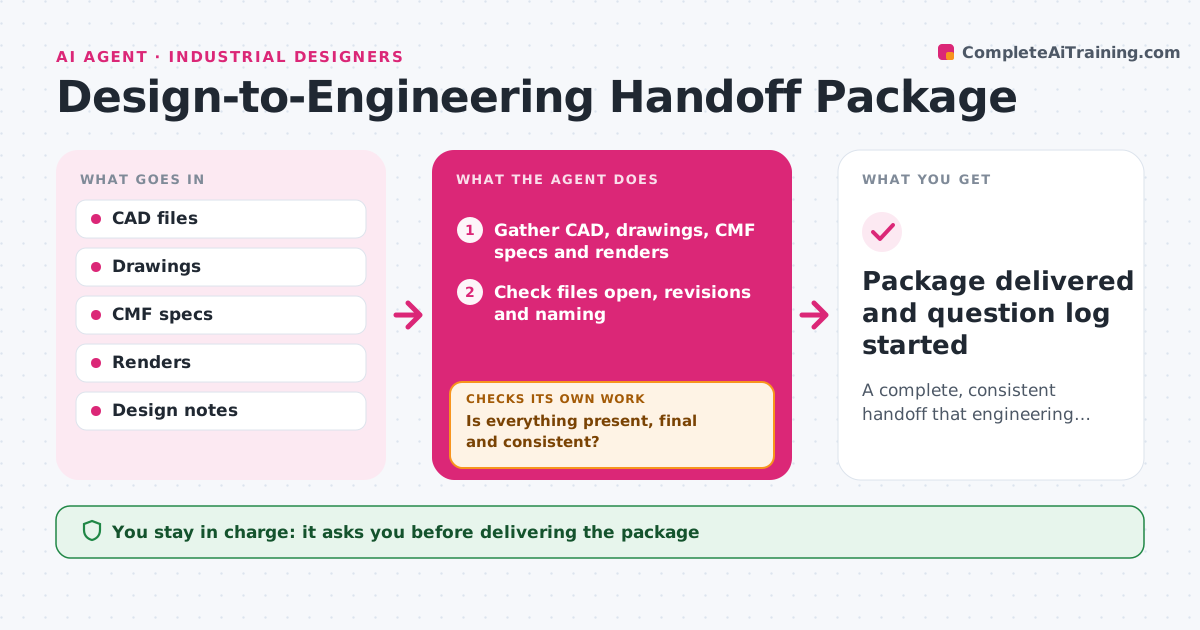
A complete, consistent handoff that engineering can work from
What it does
Handoffs from industrial design to engineering go wrong when files are missing, at the wrong revision or labeled inconsistently. When a design is ready to hand off, this agent assembles the package: CAD surfaces, control drawings, color, material and finish specs, critical appearance areas, design intent notes and approved renders. It checks that every file opens, is at the final revision and follows the naming rules, and that every finish code matches the master list. Missing or inconsistent items go back to the designer and are rechecked once fixed. It drafts the handoff note and meeting agenda. After handoff, it logs engineering questions and drafts answers for the designer. The designer approves the package. Edge case: a render that shows an older color is flagged and replaced.
How it works
Follow the arrows from top to bottom. The orange dashed arrow is the loop: when a check fails, the agent goes back and tries again.
Read the steps as a list
- Design ready for handoff
- Gather CAD, drawings, CMF specs and renders
- Check files open, revisions and naming
- Match CMF codes and renders with the spec
- Is everything present, final and consistent?If not: send gaps to the designer and recheck. Back to step 3.
- Draft handoff note and agenda
- Designer approves the packageThe agent waits here for your OK.
- Package delivered and question log started
How it decides
The package is ready only when every required file is present, final and consistent.
- Renders must match current CMF
- File names follow the project convention
- Critical appearance areas must be marked
Make it yours
Every agent is a starting point. You choose these settings for your own situation.
- Required file list
- Naming convention
- Recipients
- Note template
What keeps you in control
It always asks you first
- Delivering the package
Hard limits
- Never changes design files
- Shares only with listed recipients
It stops when
- Done: package delivered
- Stop: design reopened
Set it up
We guide you through the set-up, step by step
Members get the full set-up guide for this agent. No technical skills needed: you copy, paste and upload.
- One set of instructions to paste into your AI, with the clicks for ChatGPT, Claude, Microsoft 365 Copilot, Gemini and Grok
- The agent then walks you through connecting your own data, one source at a time
- A downloadable copy with the flow chart, the rules and the full guide