AI agent for travel agents
Destination Event and Closure Watch Agent
Warn clients about disruptions to their trip in time to adjust the plan
What it does
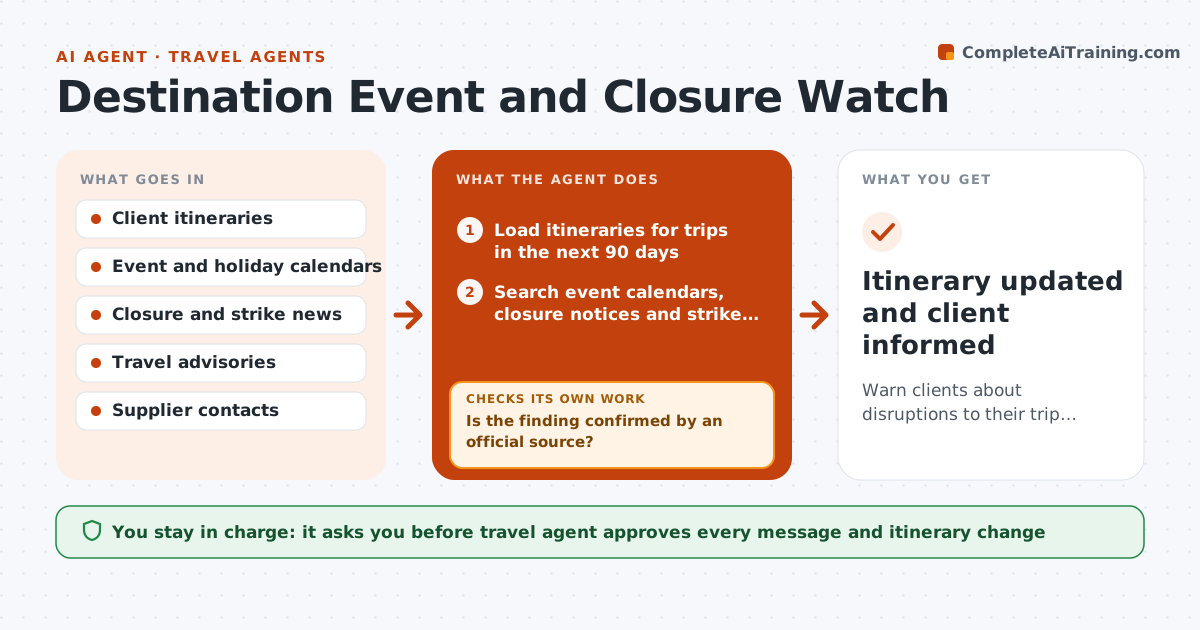
A client arrives in Rome to find the museum closed for a strike and the hotel doubled its price for a festival. Nobody told them because nobody looked. This agent watches. It checks each upcoming trip against event calendars, closure notices, strike news, weather and entry rule updates for every day and place on the itinerary. It flags impacts by day, proposes swaps such as moving a tour or switching a museum visit to another day, and rechecks closer to departure and during the trip. The agent approves any change sent to clients. Edge case: a strike is only announced. The agent labels it as unconfirmed and rechecks daily.
How it works
Follow the arrows from top to bottom. The orange dashed arrow is the loop: when a check fails, the agent goes back and tries again.
Read the steps as a list
- Weekly trip watch starts
- Load itineraries for trips in the next 90 days
- Search event calendars, closure notices and strike news for each place and date
- Match findings to booked activities by day
- Is the finding confirmed by an official source?If not: Label it unconfirmed and recheck daily. Back to step 3.
- Rate the impact and propose swaps or alternatives
- Travel agent approves what is sent to the clientThe agent waits here for your OK.
- Send the notice and update the itinerary draft
- Recheck closer to departure and during the trip
- Do the new bookings avoid all confirmed issues?If not: Propose another option and notify the agent. Back to step 5.
- Itinerary updated and client informed
How it decides
It rates each issue by impact on a booked activity and by certainty. Confirmed closures and strikes on a booked day rank above rumors.
- Confirmed closure on a booked day is high impact
- Unconfirmed strikes are rechecked every day
- Hotel price spikes over 30 percent are flagged
- Entry rule changes are always sent
Make it yours
Every agent is a starting point. You choose these settings for your own situation.
- Watch window (default 90 days)
- Daily check period (default 7 days)
- Sources to monitor
- Price spike threshold (default 30 percent)
- Client message tone
What keeps you in control
It always asks you first
- Travel agent approves every message and itinerary change
Hard limits
- Never changes bookings without approval
- Marks every item with its source and date
It stops when
- Done: trip completed with issues handled
- Stop: a safety advisory rises to the level of rerouting, hand to the agent at once
Set it up
We guide you through the set-up, step by step
Members get the full set-up guide for this agent. No technical skills needed: you copy, paste and upload.
- One set of instructions to paste into your AI, with the clicks for ChatGPT, Claude, Microsoft 365 Copilot, Gemini and Grok
- The agent then walks you through connecting your own data, one source at a time
- A downloadable copy with the flow chart, the rules and the full guide