AI agent for biomedical engineers
Device Complaint Trend Agent
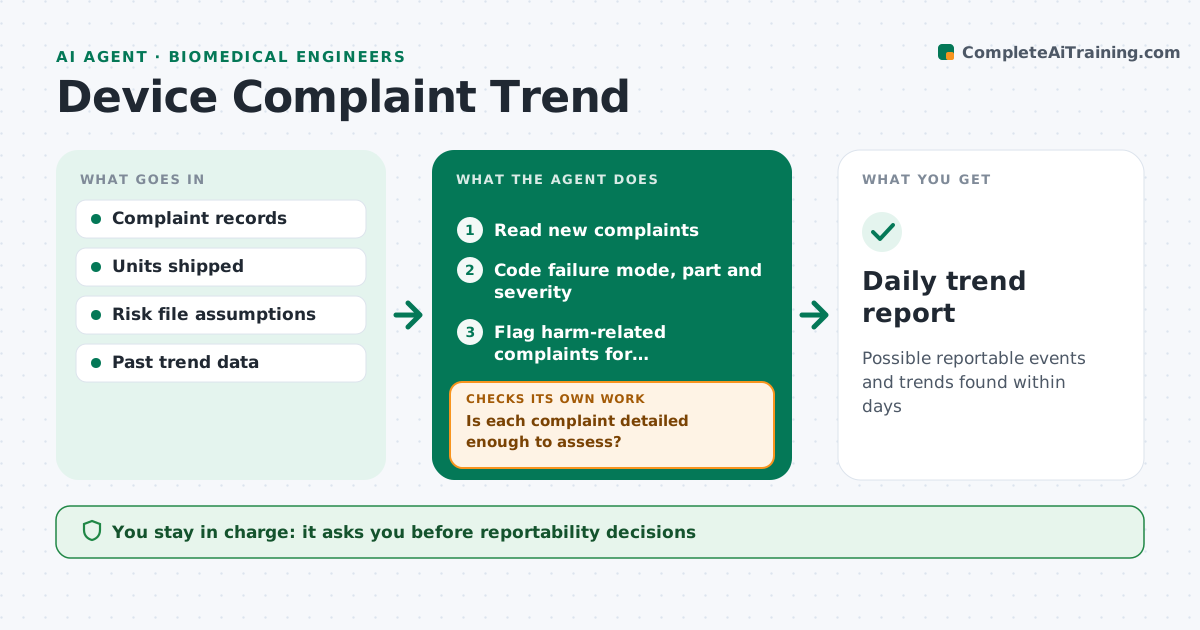
Possible reportable events and trends found within days
What it does
Device complaints must be assessed for trends and for events that may need reporting to regulators within strict timelines. Each day this agent reads new complaints and codes them by failure mode, device part and severity. It checks that each complaint has enough detail to assess, such as lot number, what happened and patient outcome. Incomplete ones go back to the complaint handler with specific questions, and the agent recodes them when answers arrive. Any complaint that mentions injury, death or a malfunction that could cause harm is flagged the same day for reportability review. It then compares failure rates with past periods and with the rates assumed in the risk file, and flags trends above thresholds. The engineer and regulatory staff make every reportability decision. Edge case: unclear wording that might describe a burn is flagged rather than coded as cosmetic.
How it works
Follow the arrows from top to bottom. The orange dashed arrow is the loop: when a check fails, the agent goes back and tries again.
Read the steps as a list
- Daily complaint review
- Read new complaints
- Code failure mode, part and severity
- Is each complaint detailed enough to assess?If not: send specific questions to the complaint handler. Back to step 3.
- Flag harm-related complaints for reportability review
- Compare failure rates with history and risk file
- Engineer and regulatory decide reportability and actionsThe agent waits here for your OK.
- Daily trend report
How it decides
It flags complaints with harm-related content immediately and flags failure modes whose rate is above the threshold or the risk file assumption.
- Flag any mention of injury or harm the same day
- Flag rates above the risk file assumption
- Treat unclear harm descriptions as possible harm
Make it yours
Every agent is a starting point. You choose these settings for your own situation.
- Trend thresholds by failure mode
- Harm keyword list
- Report time
- Comparison periods
What keeps you in control
It always asks you first
- Reportability decisions
- Opening a corrective action
Hard limits
- Never decides reportability
- Never contacts patients or users
It stops when
- Done: daily report filed
- Stop: complaint system unavailable; alert the team
Set it up
We guide you through the set-up, step by step
Members get the full set-up guide for this agent. No technical skills needed: you copy, paste and upload.
- One set of instructions to paste into your AI, with the clicks for ChatGPT, Claude, Microsoft 365 Copilot, Gemini and Grok
- The agent then walks you through connecting your own data, one source at a time
- A downloadable copy with the flow chart, the rules and the full guide