AI agent for animators
Dialogue Lip-Sync Timing Agent
Accurate lip-sync with less manual timing work
What it does
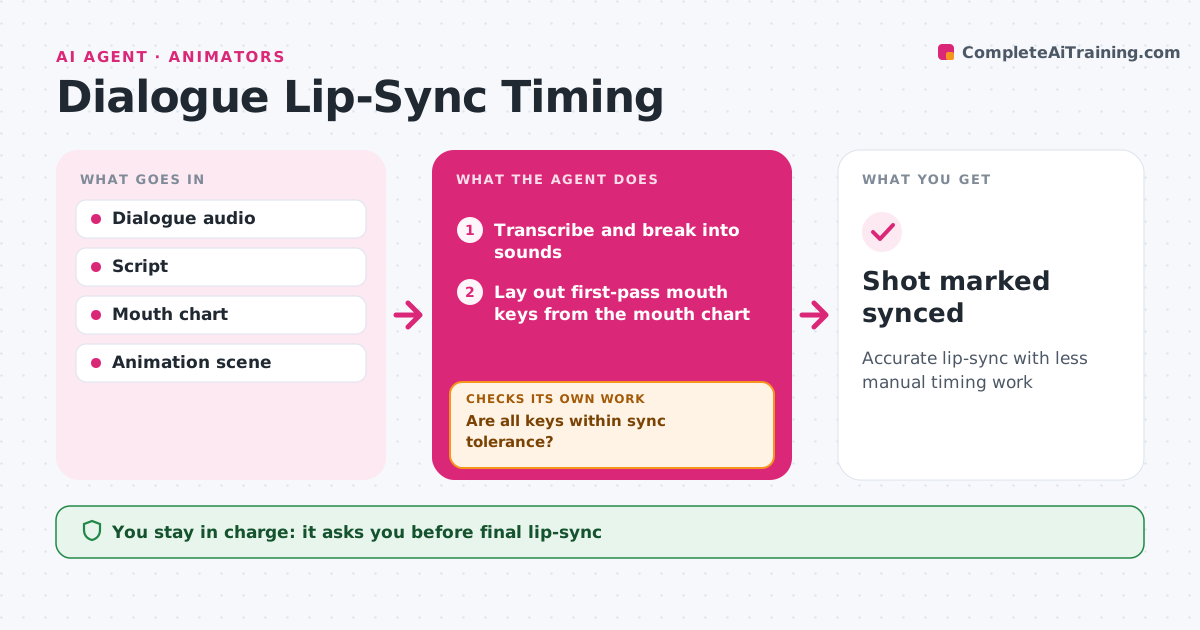
Getting mouths to match dialogue frame by frame is slow, careful work, and a new audio take can undo it. When dialogue audio arrives, this agent transcribes it, breaks it into sounds and lays out timed mouth shape keys on the timeline as a starting pass, following the project's mouth chart. The animator then refines the performance. After refinement, the agent checks sync by comparing mouth open and close keys with audio peaks and consonant hits. Frames that drift beyond the tolerance are listed for the animator, and the check runs again after fixes. If a new audio take replaces the old one, it re-aligns keys and flags the changed lines. The animator approves final timing. Edge case: a fast line with many sounds is simplified to key shapes.
How it works
Follow the arrows from top to bottom. The orange dashed arrow is the loop: when a check fails, the agent goes back and tries again.
Read the steps as a list
- Dialogue audio added
- Transcribe and break into sounds
- Lay out first-pass mouth keys from the mouth chart
- Animator refines the performance
- Are all keys within sync tolerance?If not: list drifting frames for the animator to fix. Back to step 4.
- Is the audio still the same take?If not: re-align keys to the new take and flag changed lines. Back to step 3.
- Prepare the sync report for the animator
- Animator approves final timingThe agent waits here for your OK.
- Shot marked synced
How it decides
It checks key timings against audio events and allows small, consistent offsets for readability.
- Tolerance of two frames
- Fast lines use key shapes only
- New takes re-align and flag changed lines
Make it yours
Every agent is a starting point. You choose these settings for your own situation.
- Sync tolerance
- Mouth chart
- Detail level
- Animation software
What keeps you in control
It always asks you first
- Final lip-sync
Hard limits
- Never overwrites the animator's keys without asking
- Never edits audio
It stops when
- Done: shot synced
- Stop: audio missing or corrupt
Set it up
We guide you through the set-up, step by step
Members get the full set-up guide for this agent. No technical skills needed: you copy, paste and upload.
- One set of instructions to paste into your AI, with the clicks for ChatGPT, Claude, Microsoft 365 Copilot, Gemini and Grok
- The agent then walks you through connecting your own data, one source at a time
- A downloadable copy with the flow chart, the rules and the full guide