AI agent for legal secretaries
Dictation to Document Agent
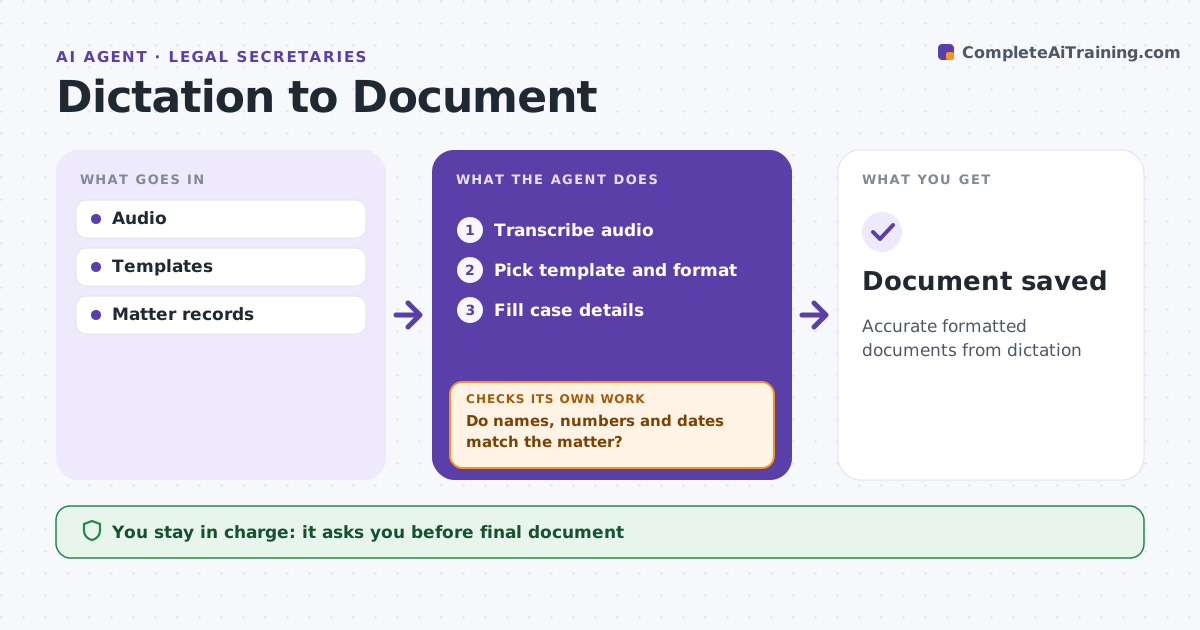
Accurate formatted documents from dictation
What it does
Turning dictation into finished letters, memos and pleadings takes secretaries hours, and a wrong case number or name can be embarrassing or worse. When an attorney records dictation, this agent transcribes it and identifies the document type. It formats the text into the firm template, using the court template for pleadings, and fills case details from the matter system. It marks words it is not confident about. It then checks names, case numbers and dates against the matter record. Anything that does not match or is unclear is marked for the secretary rather than guessed. The secretary reviews the marks and edits, and the attorney approves the final document before it is sent or filed. Edge case: the attorney says a client name that differs from the matter record, so the agent marks it instead of correcting it either way.
How it works
Follow the arrows from top to bottom. The orange dashed arrow is the loop: when a check fails, the agent goes back and tries again.
Read the steps as a list
- Dictation uploaded
- Transcribe audio
- Pick template and format
- Fill case details
- Do names, numbers and dates match the matter?If not: mark mismatches and unclear words. Back to step 3.
- Secretary reviews, attorney approvesThe agent waits here for your OK.
- Document saved
How it decides
It picks the template by document type and checks details against the matter.
- Low confidence word: mark
- Name differs from record: mark
- Pleading: court template
Make it yours
Every agent is a starting point. You choose these settings for your own situation.
- Templates
- Confidence threshold
- Marking style
- Matter fields
What keeps you in control
It always asks you first
- Final document
Hard limits
- Never sends documents
- Never guesses unclear words
It stops when
- Done: saved
- Stop: audio unclear
Set it up
We guide you through the set-up, step by step
Members get the full set-up guide for this agent. No technical skills needed: you copy, paste and upload.
- One set of instructions to paste into your AI, with the clicks for ChatGPT, Claude, Microsoft 365 Copilot, Gemini and Grok
- The agent then walks you through connecting your own data, one source at a time
- A downloadable copy with the flow chart, the rules and the full guide