AI agent for game designers
Difficulty Curve Tuning Agent
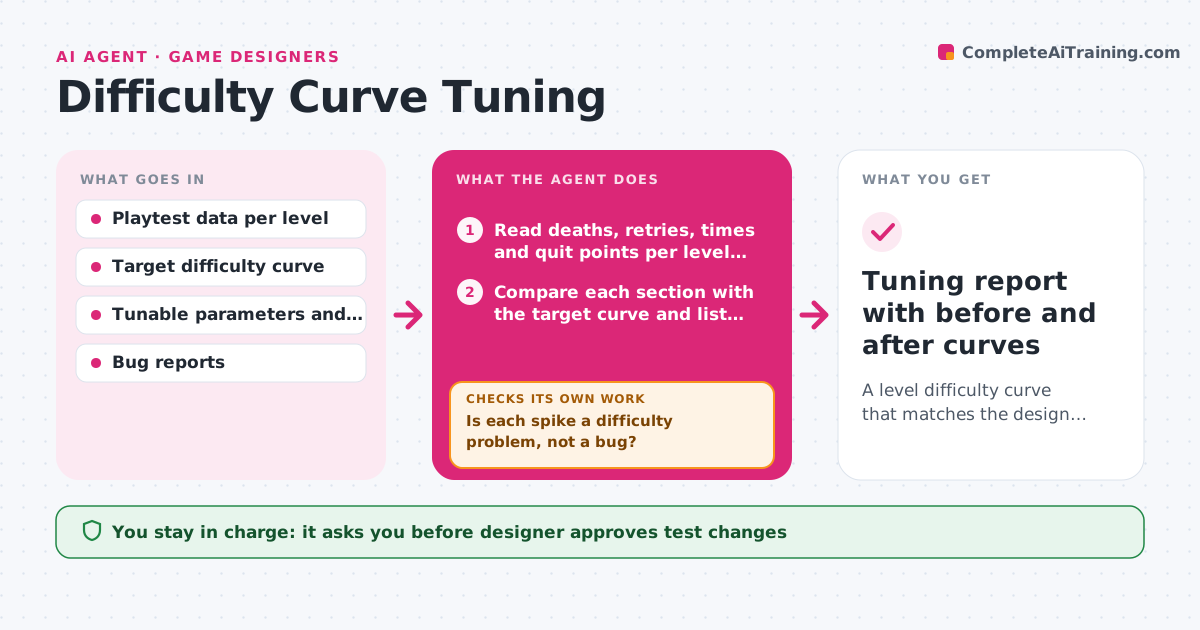
A level difficulty curve that matches the design target, verified across playtest rounds
What it does
A level feels fine to the team who built it, but playtest data shows 40 percent of players die at the same jump and a third of them quit. This agent reads the playtest data for each level, including deaths, completion time, retries and quit points, and compares it with the target difficulty curve. It finds spikes and drops, then proposes parameter changes such as enemy health, checkpoint spacing or platform gaps, and explains the evidence behind each. After the designer applies a change in a test build, the agent reads the next test batch, checks whether the spike flattened, and loops until the curve fits or the data shows another cause. It always separates difficulty from bugs. The designer approves each change to the shipped build. Edge case: a spike caused by a camera angle bug is reported as a bug, not tuned away.
How it works
Follow the arrows from top to bottom. The orange dashed arrow is the loop: when a check fails, the agent goes back and tries again.
Read the steps as a list
- Playtest batch completed
- Read deaths, retries, times and quit points per level section
- Compare each section with the target curve and list spikes
- Is each spike a difficulty problem, not a bug?If not: Move the spike to the bug list and re-run the comparison without it. Back to step 2.
- Propose parameter changes with the evidence for each
- Designer approves changes for the test buildThe agent waits here for your OK.
- Read the next playtest batch for the changed sections
- Did the spike fall within 25 percent of target?If not: Propose a different or larger change within the allowed range. Back to step 5.
- Compare adjacent sections for knock-on effects
- Designer approves the changes for the shipped buildThe agent waits here for your OK.
- Tuning report with before and after curves
How it decides
A spike is a section where deaths or retries exceed the target by more than 25 percent. It proposes the smallest parameter change in range and tests it before suggesting another.
- A spike is more than 25 percent above target deaths or retries
- Change one parameter at a time per section
- Keep parameters inside the allowed ranges
- Require at least 30 playthroughs per round before judging a change
Make it yours
Every agent is a starting point. You choose these settings for your own situation.
- Target curve per level
- Spike threshold (default 25 percent)
- Playthroughs needed per round (default 30)
- Parameters allowed to change
- Metrics used
What keeps you in control
It always asks you first
- Designer approves test changes
- Designer approves changes to the shipped build
Hard limits
- Never edit the build or parameter files itself
- Do not treat bug-driven spikes as tuning problems
It stops when
- Done: Each section is within tolerance of the target curve
- Stop: The data shows no improvement after 3 rounds, so the agent recommends a redesign discussion
Set it up
We guide you through the set-up, step by step
Members get the full set-up guide for this agent. No technical skills needed: you copy, paste and upload.
- One set of instructions to paste into your AI, with the clicks for ChatGPT, Claude, Microsoft 365 Copilot, Gemini and Grok
- The agent then walks you through connecting your own data, one source at a time
- A downloadable copy with the flow chart, the rules and the full guide