AI agent for game designers
Store Page and Review Monitor Agent
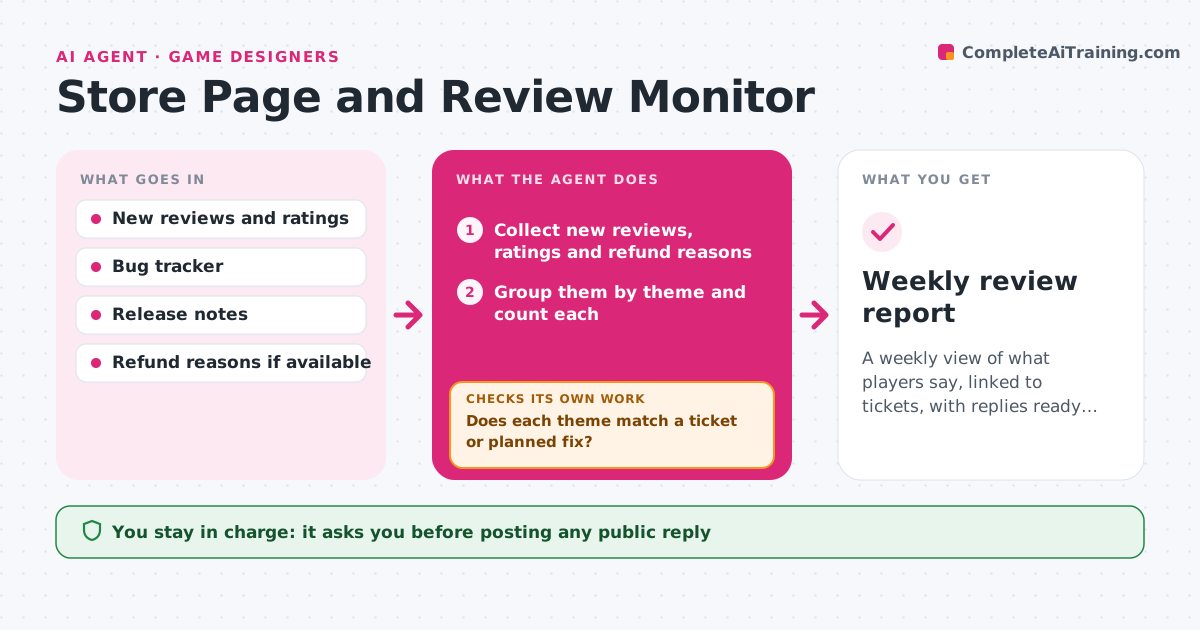
A weekly view of what players say, linked to tickets, with replies ready for approval
What it does
Review trends, bugs and refund reasons are scattered and spotted late. Each week this agent collects new reviews and ratings from the store page. It groups complaints and praise by theme, for example crashes on a device, price or difficulty. For each theme it checks whether it matches a known bug or planned fix in the tracker, and flags new ones with example quotes and counts. It then checks the tracker for linked tickets and for themes that were marked fixed but are still being reported. It drafts suggested public replies and update notes. The developer approves which public replies and store updates go out. Edge case: a review bombing burst on one day is marked as a spike, not a trend.
How it works
Follow the arrows from top to bottom. The orange dashed arrow is the loop: when a check fails, the agent goes back and tries again.
Read the steps as a list
- Weekly run
- Collect new reviews, ratings and refund reasons
- Group them by theme and count each
- Search the tracker for a matching ticket for each theme
- Does each theme match a ticket or planned fix?If not: flag it as new and attach quotes and counts. Back to step 3.
- Check themes marked fixed that are still being reported
- Are fixed themes really gone from reviews?If not: reopen the link to the ticket and note the evidence. Back to step 3.
- Draft public replies and update notes
- Developer approves replies and store updatesThe agent waits here for your OK.
- Weekly review report
How it decides
A theme is reported when it appears in at least 5 reviews or 10% of the week's reviews. A theme is marked known when a ticket matches it.
- Report a theme at 5 reviews or 10% of the week
- Mark a one-day burst as a spike
- Link a theme to a ticket by matching platform and symptom
- Reopen alerts when a fixed issue returns in 3 reviews
Make it yours
Every agent is a starting point. You choose these settings for your own situation.
- Theme threshold (default 5 reviews)
- Stores to include
- Tracker to link
- Reply tone
What keeps you in control
It always asks you first
- Posting any public reply
- Publishing a store page update
Hard limits
- Never posts a reply
- Never changes tickets without approval
It stops when
- Done: report with linked tickets and replies approved
- Stop: review data is unavailable
Set it up
We guide you through the set-up, step by step
Members get the full set-up guide for this agent. No technical skills needed: you copy, paste and upload.
- One set of instructions to paste into your AI, with the clicks for ChatGPT, Claude, Microsoft 365 Copilot, Gemini and Grok
- The agent then walks you through connecting your own data, one source at a time
- A downloadable copy with the flow chart, the rules and the full guide