AI agent for librarians
Digital Preservation File Check Agent
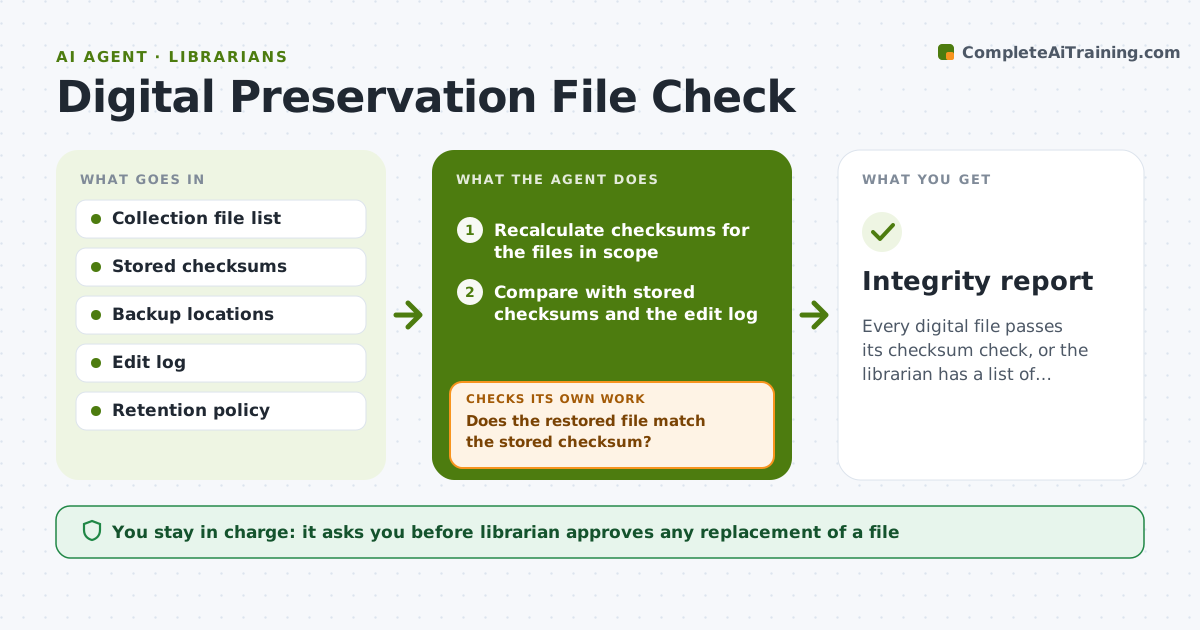
Every digital file passes its checksum check, or the librarian has a list of files that need decisions.
What it does
Files in digital collections can silently change or corrupt, and nobody notices until a patron cannot open an archive. The agent reads the stored checksum for every file, recalculates it on a schedule and finds mismatches. For each mismatch it finds a good copy in backup storage, restores the file, and rechecks the checksum after restoring. If the backup copy also fails, it tries another copy or marks the file as unrecoverable. It reports files it cannot repair, with the date they last passed. The librarian approves any replacement or deletion. Edge case: a file edited on purpose, where a changed checksum is expected and the log shows a recorded edit.
How it works
Follow the arrows from top to bottom. The orange dashed arrow is the loop: when a check fails, the agent goes back and tries again.
Read the steps as a list
- Scheduled integrity check
- Recalculate checksums for the files in scope
- Compare with stored checksums and the edit log
- List mismatches that have no logged edit
- Find a good copy in backup storage
- Restore the file to its place
- Does the restored file match the stored checksum?If not: Try the next backup copy, and if none matches mark the file unrecoverable. Back to step 5.
- Rerun the check for the restored file and neighbors
- Are all mismatches repaired or listed?If not: Return to the unresolved files and repeat. Back to step 3.
- Librarian approves any replacement or deletionThe agent waits here for your OK.
- Integrity report
How it decides
It treats a changed checksum without a logged edit as corruption, and counts a file as fixed only after the restored copy matches the stored value.
- A mismatch with no logged edit is corruption
- Restore only from a copy that passes its own checksum
- Keep the corrupt file in a quarantine folder
- Report unrecoverable files the same day
Make it yours
Every agent is a starting point. You choose these settings for your own situation.
- Collections in scope
- Check frequency
- Backup locations in order
- Checksum type used
What keeps you in control
It always asks you first
- Librarian approves any replacement of a file
- Librarian approves any deletion
Hard limits
- Never delete or overwrite a file without a quarantine copy
- Never touch files outside the collection scope
It stops when
- Done: all files verified or listed as unrecoverable
- Stop: backup storage is unavailable
Set it up
We guide you through the set-up, step by step
Members get the full set-up guide for this agent. No technical skills needed: you copy, paste and upload.
- One set of instructions to paste into your AI, with the clicks for ChatGPT, Claude, Microsoft 365 Copilot, Gemini and Grok
- The agent then walks you through connecting your own data, one source at a time
- A downloadable copy with the flow chart, the rules and the full guide