AI agent for psychiatrists
Disability and Employer Letter Request Agent
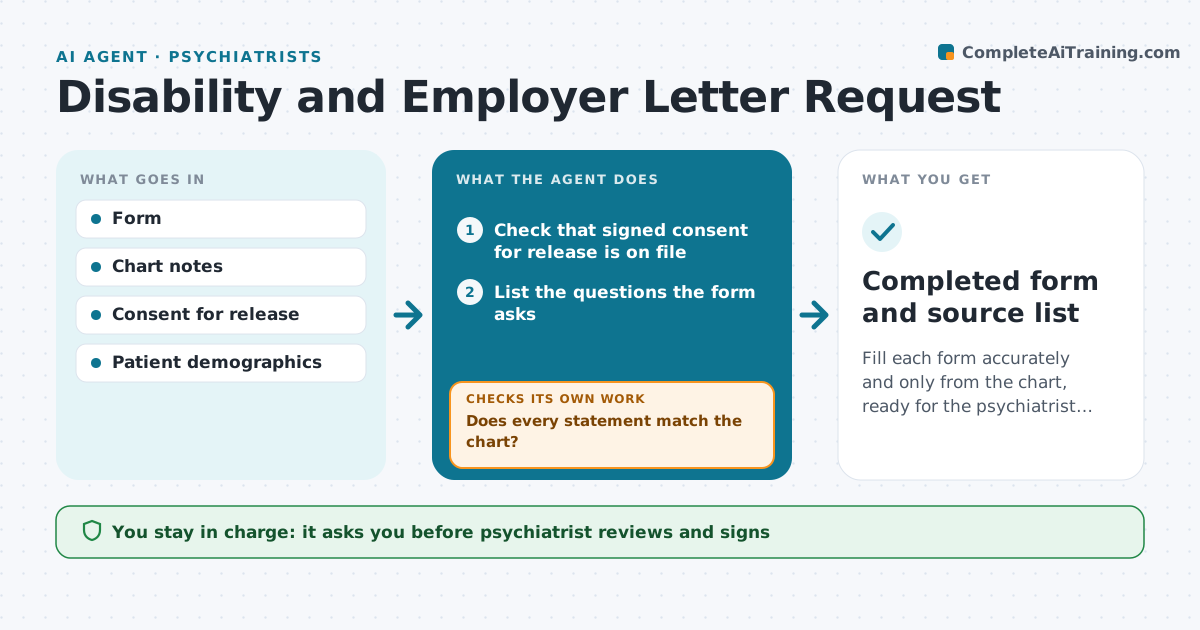
Fill each form accurately and only from the chart, ready for the psychiatrist to sign.
What it does
Disability and employer forms ask for diagnoses, dates, limits and prognosis, and the psychiatrist must find these in the chart while seeing patients. This agent starts when a form arrives. It identifies what the form asks, collects the relevant history, dates and functional notes from the chart, and drafts each answer. Every statement is checked against the chart so nothing goes beyond what the notes say. Where the notes are silent, it leaves the field blank and lists the question for the psychiatrist. It checks the consistency between answers, such as dates and diagnoses. The psychiatrist reviews, edits and signs. Edge case: the patient's consent for release is missing, so the agent stops and asks staff to obtain it.
How it works
Follow the arrows from top to bottom. The orange dashed arrow is the loop: when a check fails, the agent goes back and tries again.
Read the steps as a list
- A form arrives
- Check that signed consent for release is on file
- List the questions the form asks
- Collect matching history and dates from the chart
- Draft each answer with its chart source
- Does every statement match the chart?If not: remove or soften the statement and mark the field for the psychiatrist. Back to step 4.
- Are dates and diagnoses consistent across fields?If not: correct from the chart and note the change. Back to step 4.
- List gaps and questions for the psychiatrist
- Psychiatrist reviews and signsThe agent waits here for your OK.
- Completed form and source list
How it decides
It fills a field only when the chart supports it and marks the source. Gaps go to the psychiatrist.
- Stop if consent is missing
- Leave blank anything not in the chart
- Flag any statement about work ability for the psychiatrist
- Check dates against visit dates
Make it yours
Every agent is a starting point. You choose these settings for your own situation.
- Forms covered
- Chart sections to read
- Consent rule
- Turnaround target (default 5 days)
What keeps you in control
It always asks you first
- Psychiatrist reviews and signs
- Psychiatrist approves any release of the form
Hard limits
- Never state a diagnosis or restriction not in the notes
- Never send the form
It stops when
- Done: signed form returned to staff
- Stop: consent missing or patient withdraws
Set it up
We guide you through the set-up, step by step
Members get the full set-up guide for this agent. No technical skills needed: you copy, paste and upload.
- One set of instructions to paste into your AI, with the clicks for ChatGPT, Claude, Microsoft 365 Copilot, Gemini and Grok
- The agent then walks you through connecting your own data, one source at a time
- A downloadable copy with the flow chart, the rules and the full guide