AI agent for physicians
Missed Appointment Risk Outreach Agent
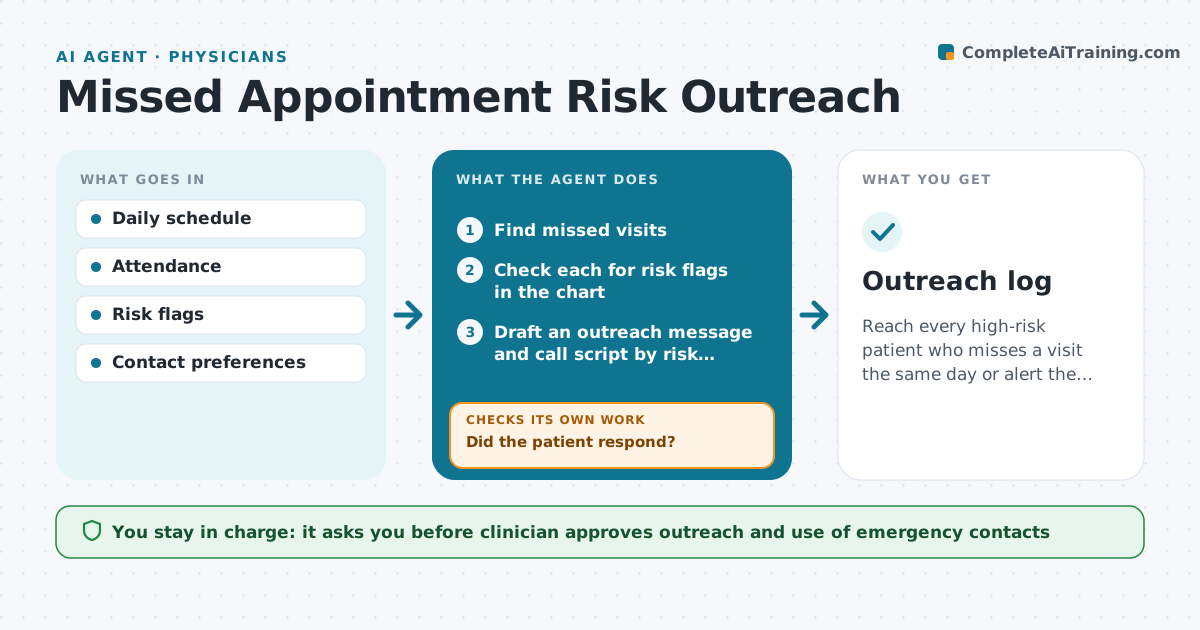
Reach every high-risk patient who misses a visit the same day or alert the clinician.
What it does
A missed visit can mean a crisis for a high-risk patient, but the front desk may not know who is high risk. This agent reads the schedule every day and finds patients who did not attend. It checks the chart for risk flags such as recent discharge, suicidal ideation or medication changes. For high-risk patients it drafts a short outreach message and call script, and it can try another contact such as an emergency contact if the clinician allows it. If the patient does not answer the first call, it tries a second contact and tells the clinician by the end of day. The clinician approves all outreach. Edge case: the patient's chart says no voicemail, so the agent uses text only.
How it works
Follow the arrows from top to bottom. The orange dashed arrow is the loop: when a check fails, the agent goes back and tries again.
Read the steps as a list
- Daily schedule closes
- Find missed visits
- Check each for risk flags in the chart
- Draft an outreach message and call script by risk level
- Clinician approves outreachThe agent waits here for your OK.
- Make the first contact by the preferred method
- Did the patient respond?If not: try a second contact, such as the emergency contact if allowed. Back to step 6.
- Record the result
- Has the clinician been told of every unreached high-risk patient?If not: send the clinician a list before the end of day. Back to step 7.
- Outreach log
How it decides
A missed visit with a risk flag triggers same-day outreach. Others get a standard rebooking message.
- Treat any recent discharge or suicide risk flag as high
- Try a second contact after no answer
- Tell the clinician by end of day
- Respect contact limits in the chart
Make it yours
Every agent is a starting point. You choose these settings for your own situation.
- Risk flags that count as high
- Contact order and hours
- End of day report time (default 4:30 p.m.)
- Standard message for lower risk
What keeps you in control
It always asks you first
- Clinician approves outreach and use of emergency contacts
Hard limits
- Never contact anyone outside the chart's approved contacts
- Never leave clinical detail in a voicemail or text
It stops when
- Done: patient reached or clinician informed
- Stop: patient has asked not to be contacted
Set it up
We guide you through the set-up, step by step
Members get the full set-up guide for this agent. No technical skills needed: you copy, paste and upload.
- One set of instructions to paste into your AI, with the clicks for ChatGPT, Claude, Microsoft 365 Copilot, Gemini and Grok
- The agent then walks you through connecting your own data, one source at a time
- A downloadable copy with the flow chart, the rules and the full guide