AI agent for medical records clerks
Disclosure Accounting Agent
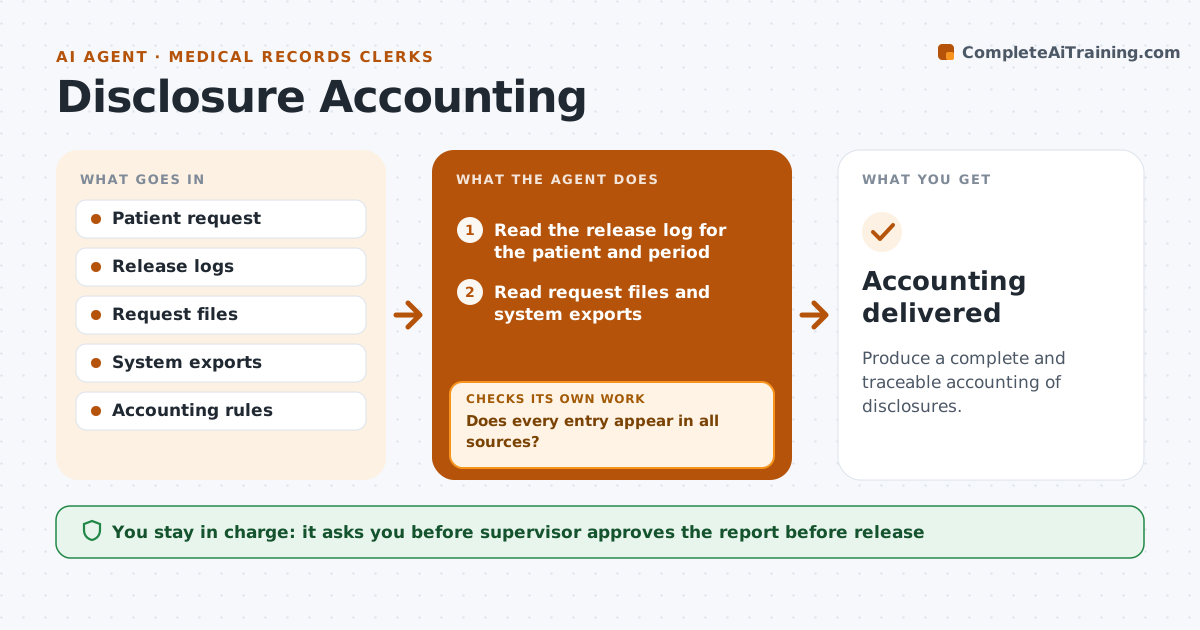
Produce a complete and traceable accounting of disclosures.
What it does
When a patient asks who has received their records, the disclosure log is often incomplete. This agent compares the release log, the request files and the exports from the record system. It finds disclosures that appear in one place but not the others, and traces each one to the original request. It builds the accounting report for the period the patient asked about. If the sources disagree, it keeps tracing each entry back to the original request until the log is complete. The supervisor approves the report before release. Edge case: disclosures for treatment and payment are excluded from the list when the rules say so, and the agent notes the rule used.
How it works
Follow the arrows from top to bottom. The orange dashed arrow is the loop: when a check fails, the agent goes back and tries again.
Read the steps as a list
- Patient requests an accounting
- Read the release log for the patient and period
- Read request files and system exports
- Match entries across the three sources
- Does every entry appear in all sources?If not: Trace the entry to the original request and add it or note why not. Back to step 3.
- Apply the accounting rules for what to include
- Does each listed disclosure have a date, recipient and purpose?If not: Look up the missing detail in the request file. Back to step 5.
- Build the accounting report
- Supervisor approves release to the patientThe agent waits here for your OK.
- Accounting delivered
How it decides
It counts a disclosure when any source shows it and it falls in scope, and it keeps tracing until each has an original request.
- Cover the 6 years before the request
- Exclude treatment, payment and operations when the rules allow
- List date, recipient, description and purpose
- Never fill a gap with a guess
Make it yours
Every agent is a starting point. You choose these settings for your own situation.
- Period covered (default 6 years)
- Exclusions the rules allow
- Report format
- Source systems
What keeps you in control
It always asks you first
- Supervisor approves the report before release
Hard limits
- Never invent an entry
- Never release the report without approval
It stops when
- Done: a complete report is approved
- Stop: an entry cannot be traced and the supervisor decides how to note it
Set it up
We guide you through the set-up, step by step
Members get the full set-up guide for this agent. No technical skills needed: you copy, paste and upload.
- One set of instructions to paste into your AI, with the clicks for ChatGPT, Claude, Microsoft 365 Copilot, Gemini and Grok
- The agent then walks you through connecting your own data, one source at a time
- A downloadable copy with the flow chart, the rules and the full guide