AI agent for paralegals
Discovery Response Tracking Agent
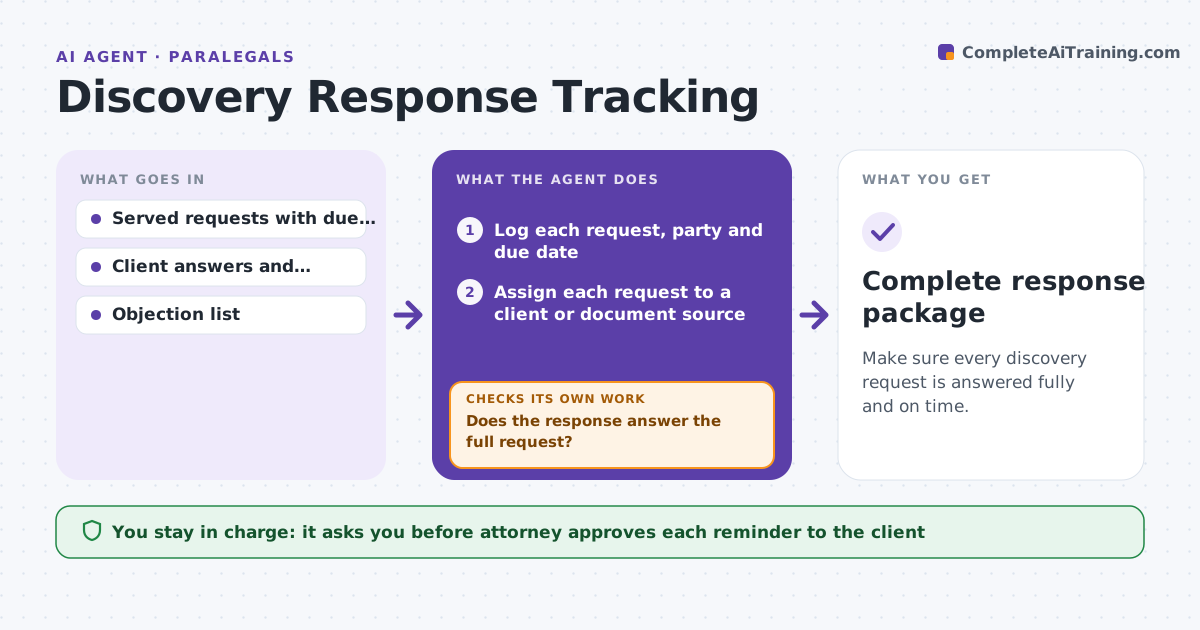
Make sure every discovery request is answered fully and on time.
What it does
Written discovery creates many deadlines at once: interrogatories, requests for production and requests for admission, each with different parties and objections. The agent logs each request and its due date, tracks client answers and documents as they come in, and compares each response with the question asked to see if it answers it. It lists unanswered items and drafts reminder messages to the client with the specific items needed. It re-checks as materials arrive until the response is complete. The attorney approves the reminders and the final verified response. Edge case: the client answers question 7 with a document that only covers one of the two years requested.
How it works
Follow the arrows from top to bottom. The orange dashed arrow is the loop: when a check fails, the agent goes back and tries again.
Read the steps as a list
- Discovery requests are served
- Log each request, party and due date
- Assign each request to a client or document source
- Collect answers and documents as they arrive
- Compare each response with the question asked
- Does the response answer the full request?If not: List the missing part and draft a client reminder. Back to step 3.
- Attorney approves each reminderThe agent waits here for your OK.
- Send the approved reminder and set a follow-up date
- Is every item complete or objected to before the deadline?If not: Escalate to the attorney with a proposed extension request. Back to step 4.
- Attorney approves the final verified responseThe agent waits here for your OK.
- Complete response package
How it decides
An item is complete when the answer or documents respond to what was asked, for the full period and scope. Anything else goes back to the client.
- Items due within 7 days are chased every 2 days
- A response that covers part of the period is incomplete
- Each objection is listed with the request it applies to
- Escalate any open item 3 days before the deadline
Make it yours
Every agent is a starting point. You choose these settings for your own situation.
- Reminder frequency (default every 2 days in the last week)
- Escalation time before the deadline (default 3 days)
- Request types tracked
- Who is the client contact
What keeps you in control
It always asks you first
- Attorney approves each reminder to the client
- Attorney approves the final verified response
Hard limits
- Never sends a message or response without attorney approval
- Never decides which objections to assert
It stops when
- Done: response served
- Stop: attorney agrees an extension, so dates are reset
Set it up
We guide you through the set-up, step by step
Members get the full set-up guide for this agent. No technical skills needed: you copy, paste and upload.
- One set of instructions to paste into your AI, with the clicks for ChatGPT, Claude, Microsoft 365 Copilot, Gemini and Grok
- The agent then walks you through connecting your own data, one source at a time
- A downloadable copy with the flow chart, the rules and the full guide