AI agent for systems administrators
DNS and DHCP Hygiene Agent
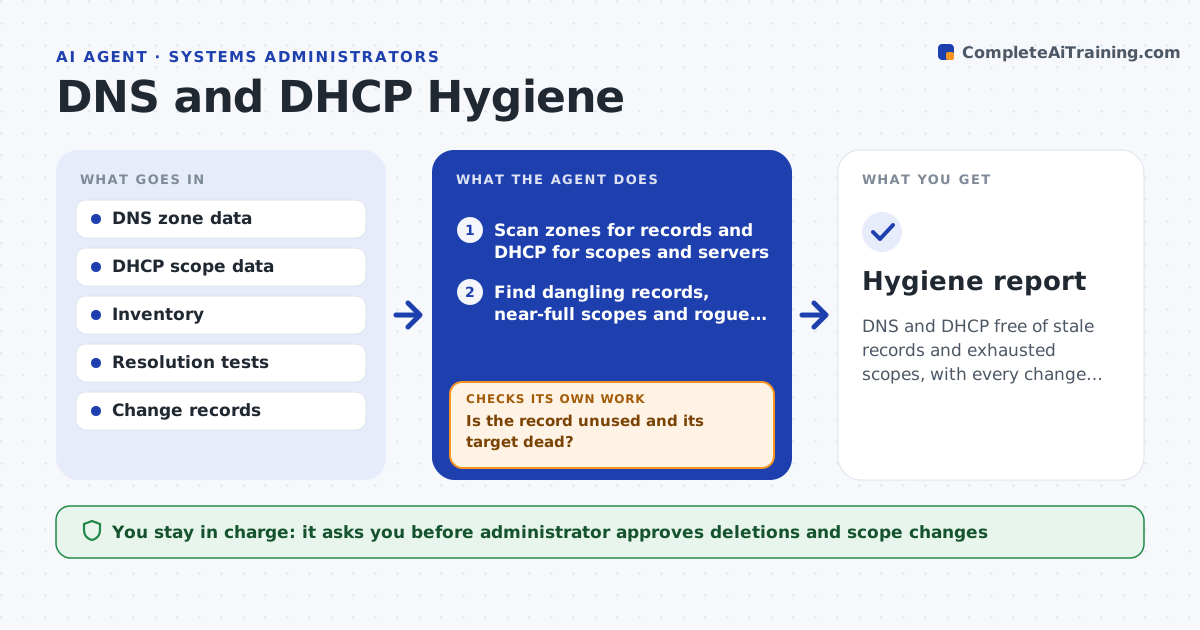
DNS and DHCP free of stale records and exhausted scopes, with every change verified
What it does
Stale records and full address scopes cause failures that are hard to trace. This agent scans DNS for dangling records and DHCP for scopes that are nearly full or rogue servers. It tests each suspect record to confirm it points nowhere useful, and proposes removals. After approved changes, it rechecks name resolution for the affected names and the lease availability in the scopes. Anything that fails goes back. The administrator approves deletions. Edge case: a record points to a decommissioned server but an old script still uses the name, so the agent flags the dependency before deletion.
How it works
Follow the arrows from top to bottom. The orange dashed arrow is the loop: when a check fails, the agent goes back and tries again.
Read the steps as a list
- Monthly DNS and DHCP review
- Scan zones for records and DHCP for scopes and servers
- Find dangling records, near-full scopes and rogue servers
- Test each suspect record and look up recent queries
- Is the record unused and its target dead?If not: keep it, note the dependency and ask the owner. Back to step 3.
- Draft removals and scope changes
- Administrator approves deletions and scope changesThe agent waits here for your OK.
- Apply the approved changes
- Do affected names resolve and do scopes have free leases?If not: restore the record or adjust the scope and retest. Back to step 8.
- Hygiene report
How it decides
A record is stale when its target does not respond and no recent query uses it. A scope is at risk above a set share of use.
- Treat a record as stale when the target is down for 30 days and no queries use it
- Flag scopes above 90% use
- Flag any DHCP server not on the approved list
- Retest names after every deletion
Make it yours
Every agent is a starting point. You choose these settings for your own situation.
- Stale days (default: 30)
- Scope warning level (default: 90%)
- Zones in scope
- Query log source
What keeps you in control
It always asks you first
- Administrator approves deletions and scope changes
Hard limits
- Never deletes a record without approval
- Never changes a scope without approval
It stops when
- Done: the changes are verified
- Stop: zone data cannot be read
Set it up
We guide you through the set-up, step by step
Members get the full set-up guide for this agent. No technical skills needed: you copy, paste and upload.
- One set of instructions to paste into your AI, with the clicks for ChatGPT, Claude, Microsoft 365 Copilot, Gemini and Grok
- The agent then walks you through connecting your own data, one source at a time
- A downloadable copy with the flow chart, the rules and the full guide