AI agent for systems engineers
Server Build Baseline Verification Agent
A server that matches the secure baseline, with every difference fixed or recorded as an approved exception
What it does
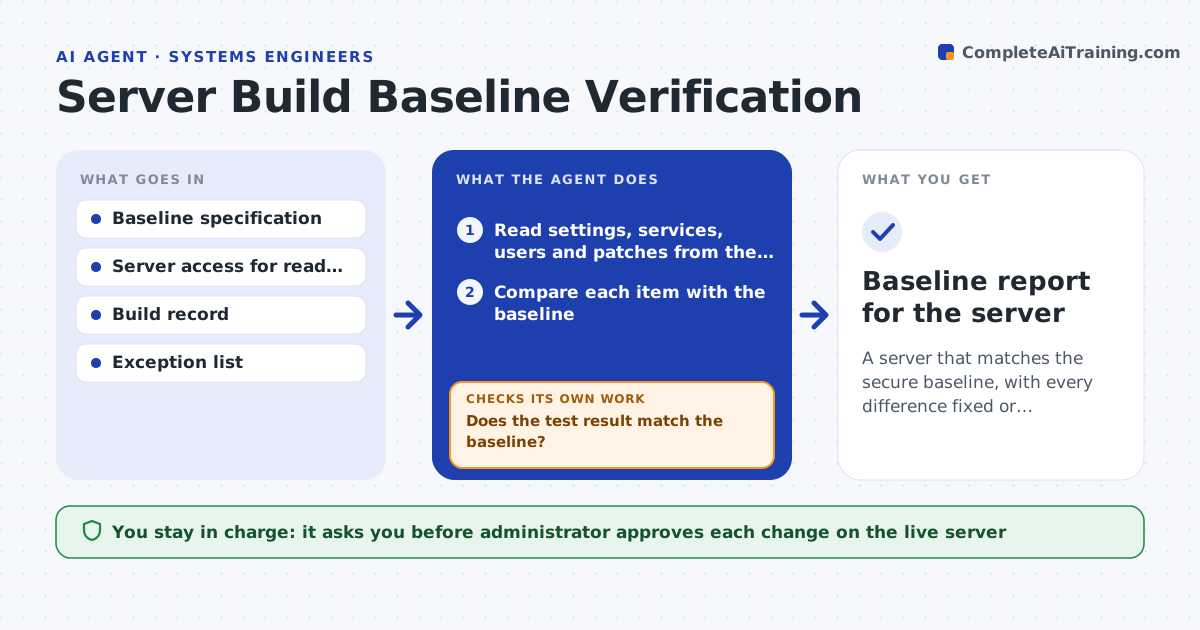
New servers often differ from the secure baseline, and nobody notices until an audit. After a build, this agent compares the server's settings, running services, user accounts and patch level with the baseline. It lists each difference and applies fixes in a test run first. It then checks again and loops until the server matches or it cannot fix something. Only after that does it prepare the changes for the live server. The administrator approves changes on the live server. Edge case: an application needs a service the baseline forbids, so the agent records an exception request instead of removing it.
How it works
Follow the arrows from top to bottom. The orange dashed arrow is the loop: when a check fails, the agent goes back and tries again.
Read the steps as a list
- Server build finishes
- Read settings, services, users and patches from the server
- Compare each item with the baseline
- List differences and mark known exceptions
- Apply fixes in a test run
- Does the test result match the baseline?If not: revise the fix for the item that still differs and test again. Back to step 4.
- Administrator approves changes on the live serverThe agent waits here for your OK.
- Apply the approved changes to the live server
- Does the live server now match the baseline?If not: list what still differs and ask for a decision. Back to step 4.
- Baseline report for the server
How it decides
A difference is a defect unless it appears on the approved exception list. Fixes are tested before being proposed for the live server.
- Treat any item not in the baseline or exception list as a difference
- Test fixes on a copy before the live server
- Record an exception request when a needed service breaks the baseline
- Recheck every item after changes
Make it yours
Every agent is a starting point. You choose these settings for your own situation.
- Baseline version
- Exception list owner
- Items to compare
- Test environment
What keeps you in control
It always asks you first
- Administrator approves each change on the live server
Hard limits
- Never changes a live server without approval
- Never removes accounts without confirmation
It stops when
- Done: the server matches the baseline or exceptions are approved
- Stop: the baseline version is missing
Set it up
We guide you through the set-up, step by step
Members get the full set-up guide for this agent. No technical skills needed: you copy, paste and upload.
- One set of instructions to paste into your AI, with the clicks for ChatGPT, Claude, Microsoft 365 Copilot, Gemini and Grok
- The agent then walks you through connecting your own data, one source at a time
- A downloadable copy with the flow chart, the rules and the full guide