AI agent for technical writers
Doc Feedback Triage Agent
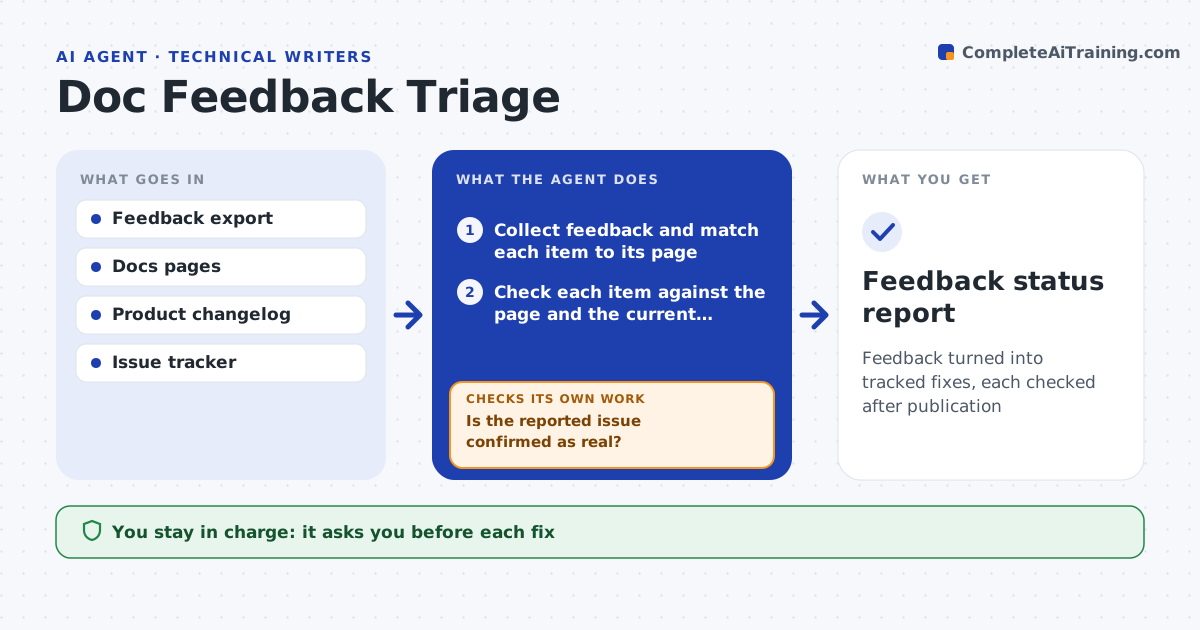
Feedback turned into tracked fixes, each checked after publication
What it does
Readers click Was this helpful and leave comments, but the comments sit in a table nobody reads. This agent collects feedback weekly and matches each item to its page. It checks whether the issue is real by comparing the comment with the page, the product and recent changes. A report of a wrong step, for example, is tested against current product behavior. It sorts items into real errors, unclear writing, missing content and noise. For real items, it drafts a fix and tracks status through review and publication. After publication, it watches feedback on that page for the next weeks and checks whether complaints stop. If they continue, it reopens the item. The writer approves all fixes. Edge case: ten comments say the same thing about a section the writer thinks is clear.
How it works
Follow the arrows from top to bottom. The orange dashed arrow is the loop: when a check fails, the agent goes back and tries again.
Read the steps as a list
- Weekly feedback export arrives
- Collect feedback and match each item to its page
- Check each item against the page and the current product
- Is the reported issue confirmed as real?If not: label it noise or a question and move on. Back to step 3.
- Sort confirmed items into error, unclear or missing content
- Draft a fix for each and rank by page traffic
- Writer approves the fixesThe agent waits here for your OK.
- Watch feedback on the page for 4 weeks after publication
- Did complaints about the issue stop?If not: reopen the item and draft a different fix. Back to step 6.
- Writer approves closing itemsThe agent waits here for your OK.
- Feedback status report
How it decides
A feedback item is real when the page disagrees with current product behavior or when several readers report the same confusion.
- Treat three or more matching comments as confirmed
- Check product behavior before accepting a report of a wrong step
- Rank by page traffic
- Reopen an item if complaints continue after publication
Make it yours
Every agent is a starting point. You choose these settings for your own situation.
- Feedback sources
- Confirmed-item threshold (default 3)
- Watch period (default 4 weeks)
- Page traffic data source
What keeps you in control
It always asks you first
- Each fix
- Closing an item
Hard limits
- Never publishes changes
- Never replies to readers
It stops when
- Done: confirmed items fixed and complaints dropped
- Stop: feedback cannot be matched to pages
Set it up
We guide you through the set-up, step by step
Members get the full set-up guide for this agent. No technical skills needed: you copy, paste and upload.
- One set of instructions to paste into your AI, with the clicks for ChatGPT, Claude, Microsoft 365 Copilot, Gemini and Grok
- The agent then walks you through connecting your own data, one source at a time
- A downloadable copy with the flow chart, the rules and the full guide