AI agent for industrial engineers
Dock Door Utilization Study Agent
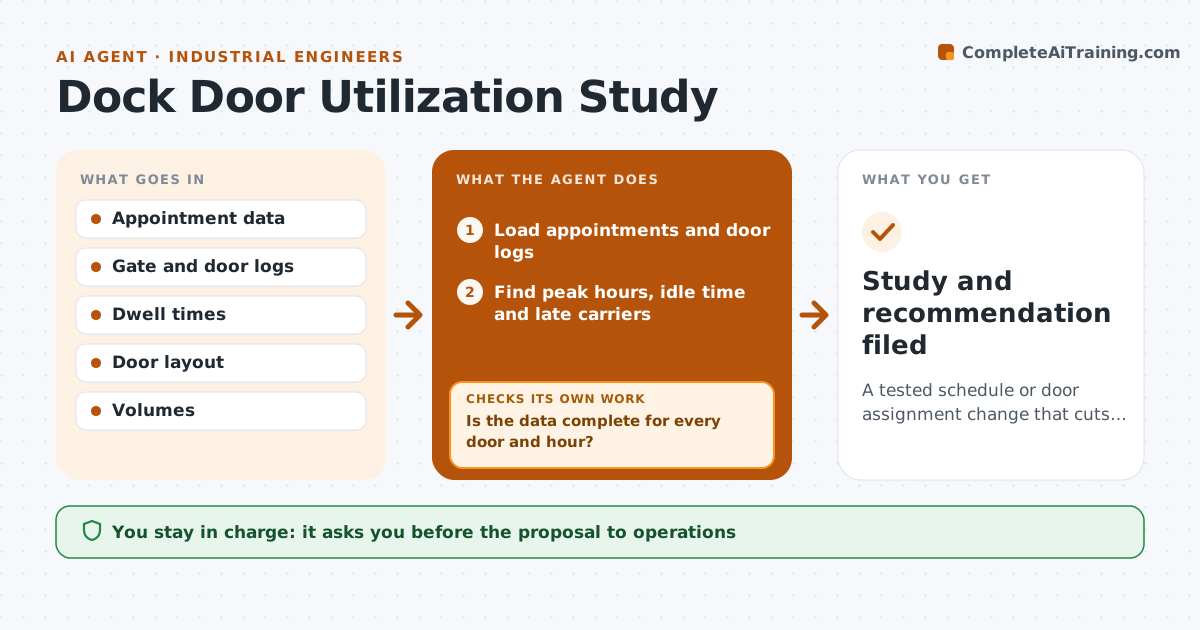
A tested schedule or door assignment change that cuts waiting at the dock
What it does
Door congestion is blamed on volume, but the true pattern is unknown. This agent compares appointments, arrival and departure times and door use by hour. It finds the peaks and the idle time and the carriers that cause the delays. It then tests changes, such as new appointment spacing or different door assignment, in a simple simulation using the same data. If the result is weak, it adjusts the settings and tests again. It reports the best option with its risks. The engineer approves the proposal. Edge case: one door is used for returns that do not appear in the appointment data, so the agent asks for the missing data first.
How it works
Follow the arrows from top to bottom. The orange dashed arrow is the loop: when a check fails, the agent goes back and tries again.
Read the steps as a list
- Study requested or congestion alert
- Load appointments and door logs
- Is the data complete for every door and hour?If not: list the gaps and request the missing data, then reload. Back to step 2.
- Find peak hours, idle time and late carriers
- Build a simple model of door use
- Test a schedule or assignment change in the model
- Does waiting time fall by the target without a new peak?If not: change spacing or assignment and rerun the test. Back to step 6.
- Write up the best option with risks
- Engineer approves the proposalThe agent waits here for your OK.
- Study and recommendation filed
How it decides
A proposal is kept when the simulation shows a meaningful drop in waiting without pushing another hour over capacity.
- Aim for a 20 percent cut in average dwell
- Reject options that push any hour over 90 percent door use
- Exclude outliers over 6 hours
- Ask for missing door data before testing
Make it yours
Every agent is a starting point. You choose these settings for your own situation.
- Dwell target (default 20 percent)
- Door capacity limit (default 90 percent)
- Data period
- Outlier cutoff
What keeps you in control
It always asks you first
- The proposal to operations
Hard limits
- Never change the live schedule
- Never treat a model as proof
It stops when
- Done: proposal approved
- Stop: data covers fewer than 4 weeks
Set it up
We guide you through the set-up, step by step
Members get the full set-up guide for this agent. No technical skills needed: you copy, paste and upload.
- One set of instructions to paste into your AI, with the clicks for ChatGPT, Claude, Microsoft 365 Copilot, Gemini and Grok
- The agent then walks you through connecting your own data, one source at a time
- A downloadable copy with the flow chart, the rules and the full guide