AI agent for judges
Docket Aging and Case Management Agent
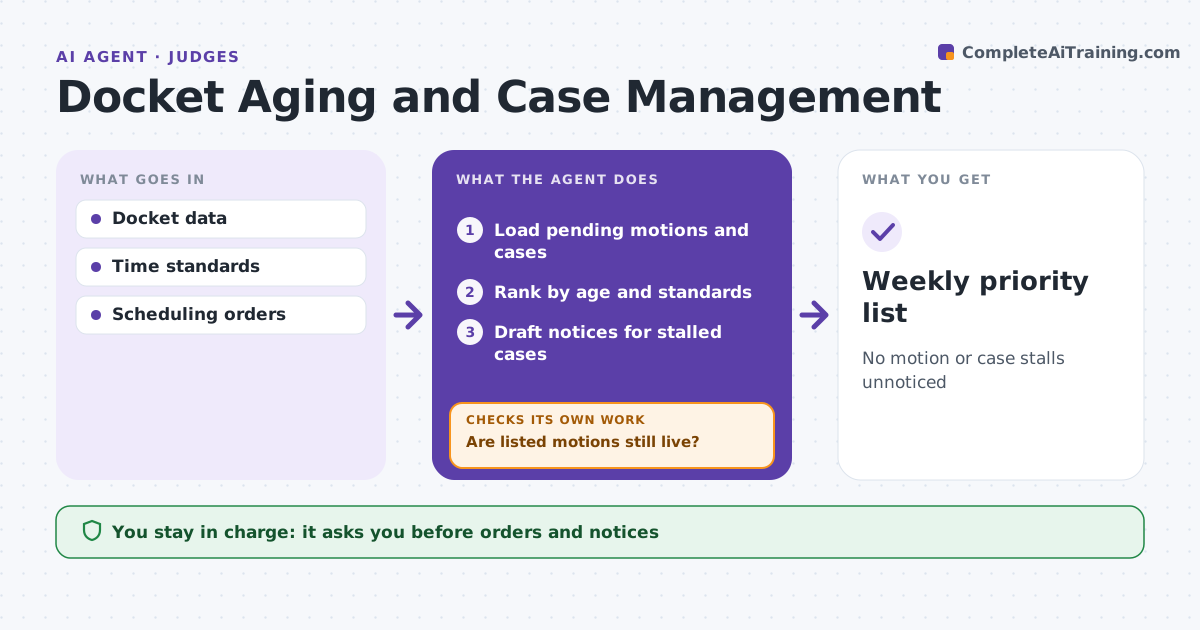
No motion or case stalls unnoticed
What it does
A busy judge's docket hides stalled cases and aging motions that count against time standards. Each week this agent lists pending motions by age, cases without activity, overdue scheduling deadlines and cases near time standards. Motions pending over 90 days go to the top, and cases with no activity in 120 days are proposed for a status conference. Before listing, it checks whether each motion is still live, since settlement or dismissal can make it moot. It removes moot items, reloads the docket and checks again. It drafts the weekly priority list plus orders to show cause or status conference notices for stalled cases. The judge approves every order, notice and the priorities. Edge case: a motion looks pending but the case settled last week, so the agent confirms on the docket before listing it.
How it works
Follow the arrows from top to bottom. The orange dashed arrow is the loop: when a check fails, the agent goes back and tries again.
Read the steps as a list
- Weekly docket review
- Load pending motions and cases
- Rank by age and standards
- Are listed motions still live?If not: remove moot items and reload. Back to step 2.
- Draft notices for stalled cases
- Judge approves orders and prioritiesThe agent waits here for your OK.
- Weekly priority list
How it decides
It ranks matters by age and time standards.
- Motion pending over 90 days: top
- No activity in 120 days: status conference
- Settled case: remove
Make it yours
Every agent is a starting point. You choose these settings for your own situation.
- Age thresholds
- Time standards
- List format
- Notice templates
What keeps you in control
It always asks you first
- Orders and notices
Hard limits
- Never issues orders
- Never changes the docket
It stops when
- Done: list ready
- Stop: docket data unavailable
Set it up
We guide you through the set-up, step by step
Members get the full set-up guide for this agent. No technical skills needed: you copy, paste and upload.
- One set of instructions to paste into your AI, with the clicks for ChatGPT, Claude, Microsoft 365 Copilot, Gemini and Grok
- The agent then walks you through connecting your own data, one source at a time
- A downloadable copy with the flow chart, the rules and the full guide