AI agent for proofreaders
Docs Pull Request Review Agent
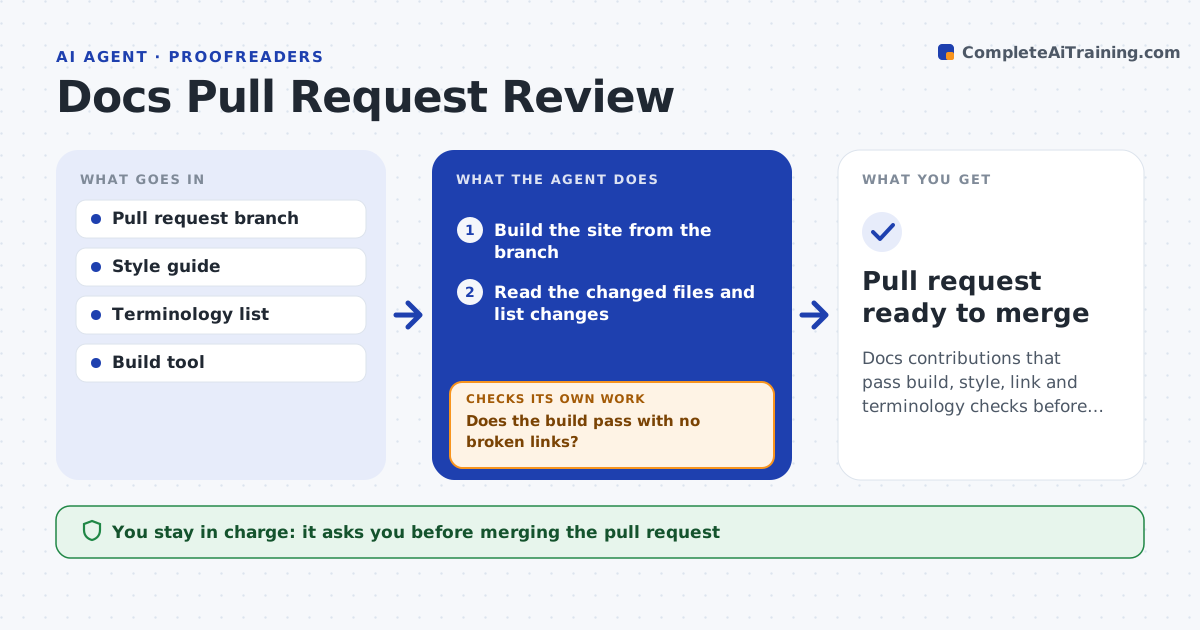
Docs contributions that pass build, style, link and terminology checks before the writer's review
What it does
Engineers add useful documentation, but the quality varies and the writer ends up fixing style, links and terms by hand. On each docs pull request, this agent builds the site from the branch and checks that it compiles. It then checks the changed files against the style guide, heading rules, link validity and approved terminology. It posts suggested edits as comments, grouped by importance. When the contributor pushes new commits, the agent rebuilds, checks again, clears the items that are fixed and flags new ones. It repeats until the build and the checks pass. The writer reads the final changes and approves the merge. Edge case: a code sample compiles but contradicts the text above it.
How it works
Follow the arrows from top to bottom. The orange dashed arrow is the loop: when a check fails, the agent goes back and tries again.
Read the steps as a list
- Docs pull request is opened or updated
- Build the site from the branch
- Read the changed files and list changes
- Check style rules, headings, links and terminology
- Does the build pass with no broken links?If not: post the errors with fix suggestions. Back to step 2.
- Post suggested edits grouped by importance
- Recheck after the contributor pushes updates
- Are all blocking items resolved?If not: keep open items and flag new ones. Back to step 2.
- Write a short summary of changes and remaining suggestions
- Writer approves the mergeThe agent waits here for your OK.
- Pull request ready to merge
How it decides
Build errors and broken links block a merge. Style and term issues are suggestions unless they break a hard rule in the style guide.
- Block on build failures and broken links
- Treat banned terms as blocking
- Mark style comments as suggestions
- Check that code samples match the text near them
Make it yours
Every agent is a starting point. You choose these settings for your own situation.
- Style guide used
- Blocking versus suggestion rules
- Terminology list
- Repositories covered
What keeps you in control
It always asks you first
- Merging the pull request
Hard limits
- Never merges on its own
- Never edits the contributor's branch
It stops when
- Done: build and checks pass and writer approves
- Stop: the branch will not build and the contributor does not respond
Set it up
We guide you through the set-up, step by step
Members get the full set-up guide for this agent. No technical skills needed: you copy, paste and upload.
- One set of instructions to paste into your AI, with the clicks for ChatGPT, Claude, Microsoft 365 Copilot, Gemini and Grok
- The agent then walks you through connecting your own data, one source at a time
- A downloadable copy with the flow chart, the rules and the full guide