AI agent for administrative assistants
Document Version and Filing Cleanup Agent
Leave one current version per document in a clear folder structure with nothing broken or lost.
What it does
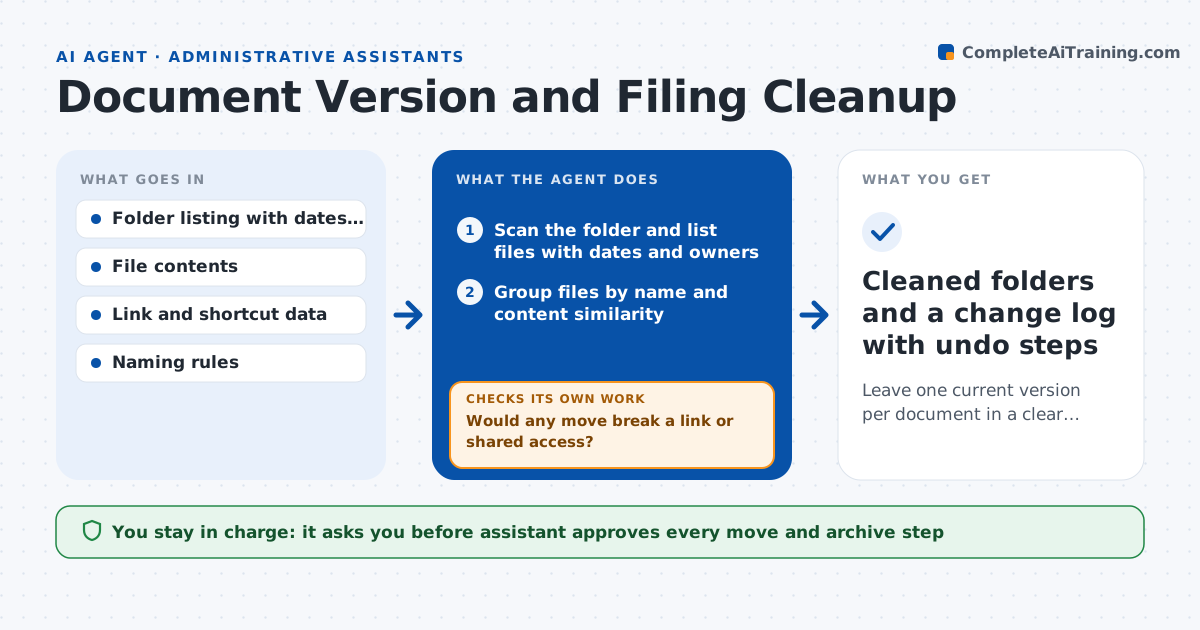
A shared drive grows messy: report_final, report_final2 and report_FINAL_use_this all sit in the same folder, and nobody knows which one is current. This agent scans folders and groups files by name and content similarity. In each group it identifies the latest version using dates, edit history and content, and proposes a clear filing structure. Before proposing any move, it checks which links, shortcuts and documents point to the files so nothing breaks. If a move would break a link, it changes the plan and tests again. Old versions go to an archive folder, never to the trash. Edge case: signed contracts stay untouched. The assistant approves every move and archive step.
How it works
Follow the arrows from top to bottom. The orange dashed arrow is the loop: when a check fails, the agent goes back and tries again.
Read the steps as a list
- Cleanup requested for a folder
- Scan the folder and list files with dates and owners
- Group files by name and content similarity
- Pick the likely current version in each group
- Propose a folder structure and new names
- Search for links and shortcuts that point to each file
- Would any move break a link or shared access?If not: keep that file in place or add a redirect note, then rebuild the plan. Back to step 4.
- List files that are not clear duplicates for manual review
- Assistant approves moves and archivingThe agent waits here for your OK.
- Cleaned folders and a change log with undo steps
How it decides
It treats the newest edit that matches the group content as current, and moves only files with no links that would break.
- Treat files with 90 percent matching content as versions of one document
- Never touch files marked signed or locked
- Archive, never delete, any older version
- Leave a file in place if more than 3 links point to its location
Make it yours
Every agent is a starting point. You choose these settings for your own situation.
- Folders in scope
- Content similarity threshold (default 90 percent)
- Archive folder location
- File types to skip
- Naming pattern for current versions
What keeps you in control
It always asks you first
- Assistant approves every move and archive step
- Assistant approves any change to shared folder structure
Hard limits
- Never deletes files
- Never moves files that are locked, signed or in legal hold
It stops when
- Done: all approved moves made and the change log saved
- Stop: the folder contains legal or HR records, escalate for a decision
Set it up
We guide you through the set-up, step by step
Members get the full set-up guide for this agent. No technical skills needed: you copy, paste and upload.
- One set of instructions to paste into your AI, with the clicks for ChatGPT, Claude, Microsoft 365 Copilot, Gemini and Grok
- The agent then walks you through connecting your own data, one source at a time
- A downloadable copy with the flow chart, the rules and the full guide