AI agent for carpenters
Door and Window Rough Opening Check Agent
Every rough opening framed to fit the units actually ordered
What it does
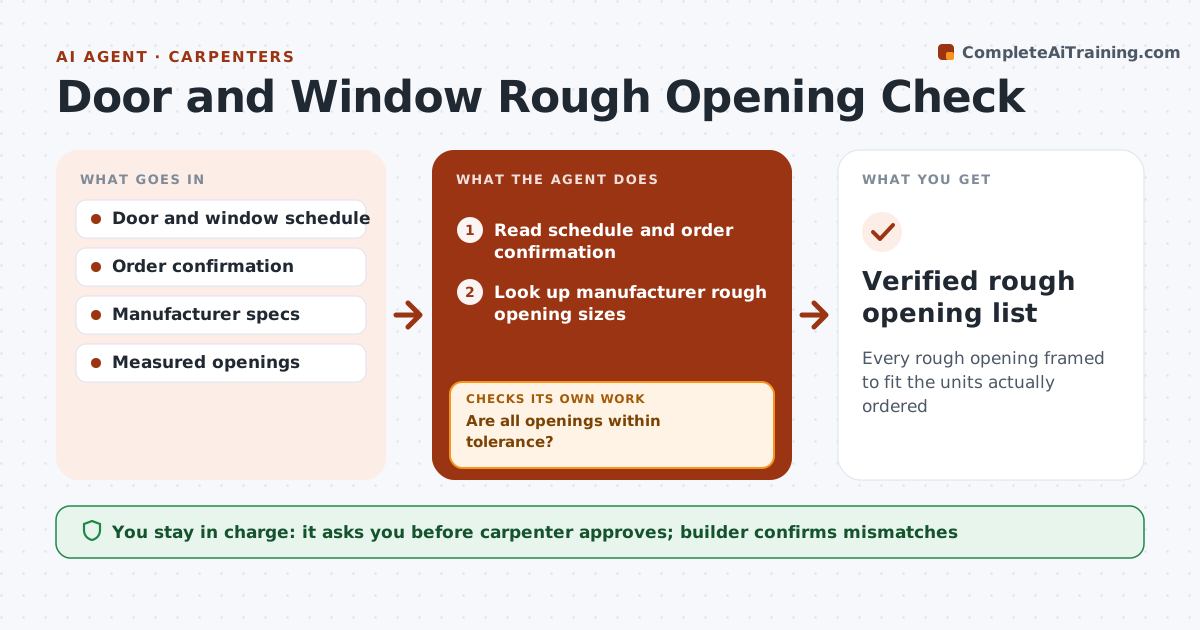
Each door and window needs a rough opening sized to the unit actually ordered, not just the plan label, and a wrong opening means reframing on delivery day. This agent reads the door and window schedule and the order confirmation, looks up the manufacturer's rough opening sizes, and builds a list by location. If the ordered unit differs from the schedule, it flags it to confirm with the builder. After framing, the carpenter enters measured openings, and the agent compares them with the required sizes and a default 1/4 inch tolerance. Openings outside tolerance are flagged to reframe and re-measure before units arrive. Manufacturer sizes always rule. The carpenter approves the list and the fixes. Edge case: an order mismatch is never quietly corrected in the list.
How it works
Follow the arrows from top to bottom. The orange dashed arrow is the loop: when a check fails, the agent goes back and tries again.
Read the steps as a list
- Framing about to start
- Read schedule and order confirmation
- Look up manufacturer rough opening sizes
- Build rough opening list by location
- Compare measured openings after framing
- Are all openings within tolerance?If not: flag openings to reframe and re-measure. Back to step 5.
- Carpenter approves the listThe agent waits here for your OK.
- Verified rough opening list
How it decides
Required size comes from the manufacturer specs for the ordered unit. Measured openings must be within tolerance.
- Manufacturer sizes rule
- Tolerance 1/4 inch default
- Order mismatches confirmed with builder
Make it yours
Every agent is a starting point. You choose these settings for your own situation.
- Tolerance
- Manufacturers
- Measurement format
- Approvals
What keeps you in control
It always asks you first
- Carpenter approves; builder confirms mismatches
Hard limits
- Never changes orders
- Uses manufacturer data
It stops when
- Done: all openings verified
- Stop: units not yet ordered
Set it up
We guide you through the set-up, step by step
Members get the full set-up guide for this agent. No technical skills needed: you copy, paste and upload.
- One set of instructions to paste into your AI, with the clicks for ChatGPT, Claude, Microsoft 365 Copilot, Gemini and Grok
- The agent then walks you through connecting your own data, one source at a time
- A downloadable copy with the flow chart, the rules and the full guide