AI agent for legal assistants
E-Discovery Production Quality Check Agent
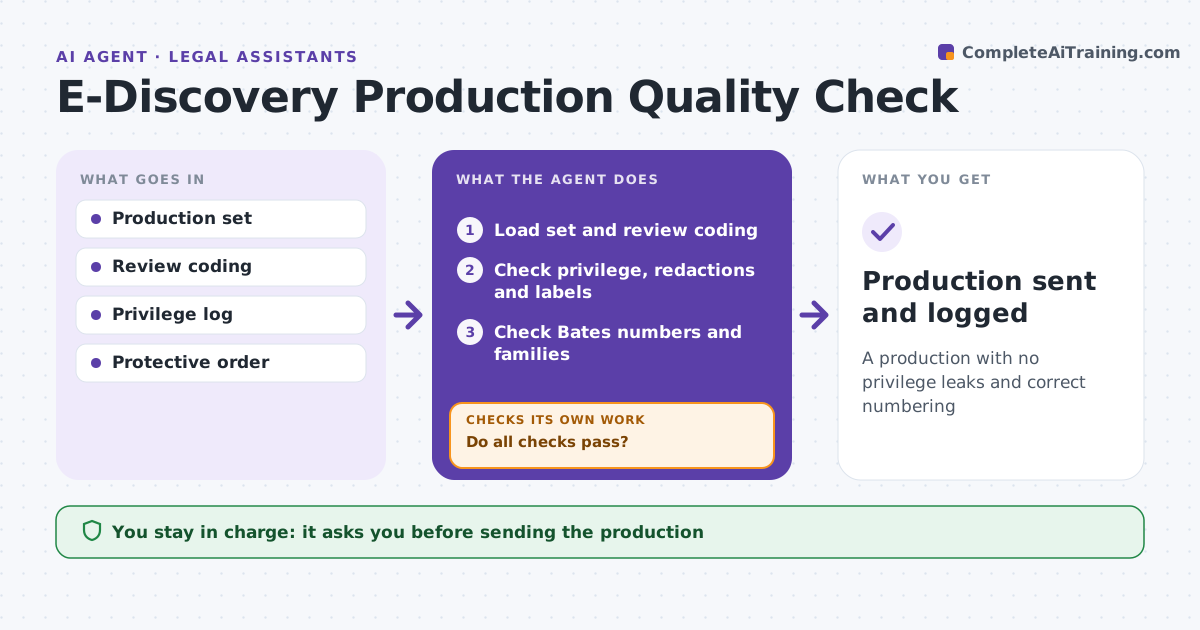
A production with no privilege leaks and correct numbering
What it does
One privileged document in a production can waive privilege, and Bates or labeling errors invite motions. Before a production goes out, this agent compares the production list with review coding: responsive, privileged and confidential. It checks that privileged documents are withheld and logged, redactions are applied, Bates numbers run in sequence without gaps, and confidentiality labels match coding. It checks that family groups are produced together, with slip sheets where part of a family is withheld. Each problem goes to a fix list. After fixes, it reruns every check, repeating until the set passes. The attorney approves the production before anything is sent; the agent never transmits it. Edge case: an attachment is privileged but its parent email is not, so the agent confirms the slip sheet is in place for the attachment.
How it works
Follow the arrows from top to bottom. The orange dashed arrow is the loop: when a check fails, the agent goes back and tries again.
Read the steps as a list
- Production set ready
- Load set and review coding
- Check privilege, redactions and labels
- Check Bates numbers and families
- Do all checks pass?If not: list problems and recheck after fixes. Back to step 3.
- Attorney approves productionThe agent waits here for your OK.
- Production sent and logged
How it decides
It compares production to coding and runs numbering and label checks.
- Privileged document in set: remove
- Bates gap: fix
- Family split: slip sheet
Make it yours
Every agent is a starting point. You choose these settings for your own situation.
- Checks
- Label rules
- Protective order terms
- Fix list format
What keeps you in control
It always asks you first
- Sending the production
Hard limits
- Never sends productions
- Never changes review coding
It stops when
- Done: production sent
- Stop: coding incomplete
Set it up
We guide you through the set-up, step by step
Members get the full set-up guide for this agent. No technical skills needed: you copy, paste and upload.
- One set of instructions to paste into your AI, with the clicks for ChatGPT, Claude, Microsoft 365 Copilot, Gemini and Grok
- The agent then walks you through connecting your own data, one source at a time
- A downloadable copy with the flow chart, the rules and the full guide