AI agent for legal operations managers
Legal Hold Acknowledgement Agent
Every hold has both acknowledgement and preservation evidence.
What it does
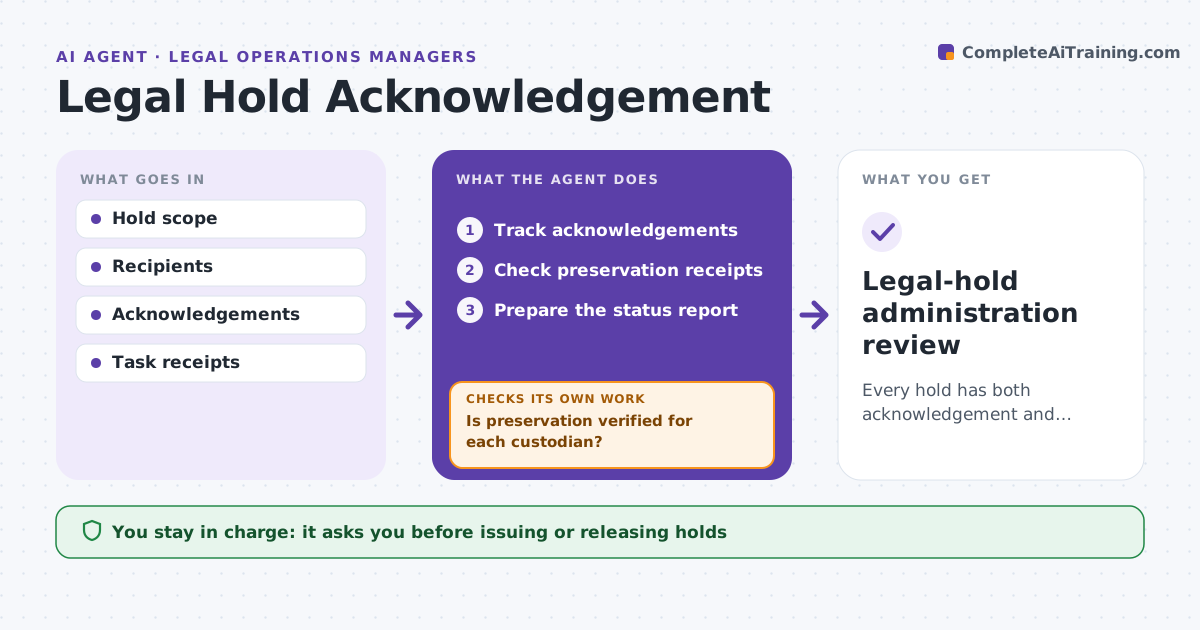
Legal hold acknowledgements are often confused with actual preservation of data. A custodian clicking 'I understand' does not mean their mailbox and files are preserved. When a hold is issued, and every week after, this agent tracks valid acknowledgements and checks for preservation receipts from IT, such as mailbox holds or file system snapshots. A read receipt never closes a preservation task. When evidence is missing, it drafts follow-ups to the right owner. It prepares a status report for legal ops. Issuing or releasing holds stays with people. Edge case: a custodian acknowledged the hold, but their laptop was replaced last month and the old drive has no preservation record, so the task stays open.
How it works
Follow the arrows from top to bottom. The orange dashed arrow is the loop: when a check fails, the agent goes back and tries again.
Read the steps as a list
- Hold issued or weekly check
- Track acknowledgements
- Check preservation receipts
- Is preservation verified for each custodian?If not: follow up on the missing evidence. Back to step 3.
- Prepare the status report
- Legal ops reviewsThe agent waits here for your OK.
- Legal-hold administration review
How it decides
It follows up on missing acknowledgements and preservation receipts separately.
- Acknowledged does not mean preserved.
- Each custodian needs a receipt for every data source.
- Missing evidence after the escalation period goes to legal ops.
Make it yours
Every agent is a starting point. You choose these settings for your own situation.
- Preservation receipt sources
- Follow-up schedule (default weekly)
- Days before escalation (default 7)
- Who reviews the report
What keeps you in control
It always asks you first
- Issuing or releasing holds
- Legal determinations
Hard limits
- No hold decisions.
It stops when
- Done: all verified.
Set it up
We guide you through the set-up, step by step
Members get the full set-up guide for this agent. No technical skills needed: you copy, paste and upload.
- One set of instructions to paste into your AI, with the clicks for ChatGPT, Claude, Microsoft 365 Copilot, Gemini and Grok
- The agent then walks you through connecting your own data, one source at a time
- A downloadable copy with the flow chart, the rules and the full guide