AI agent for paralegals
Litigation Chronology Source Agent
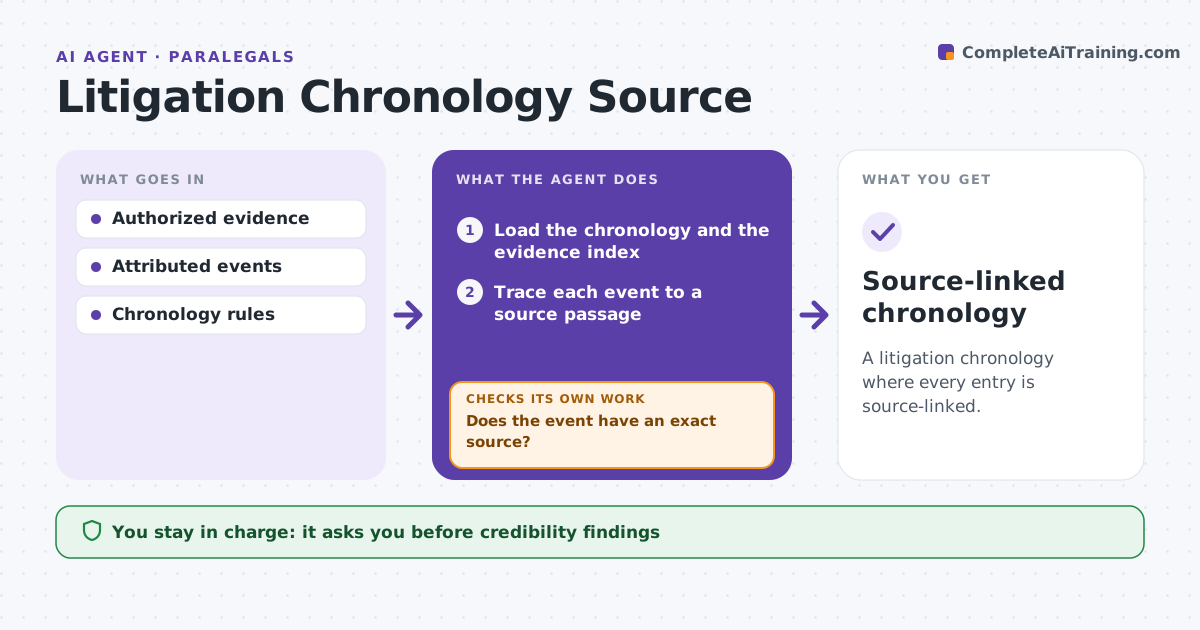
A litigation chronology where every entry is source-linked.
What it does
Litigation timelines often include events with no exact source, which weakens the case. When new evidence arrives, this agent traces each event in the chronology to a specific document and passage. If an event has no exact source, it searches the evidence set to resolve the date or attribution. If nothing is found, it marks the event as unverified rather than deleting or guessing. Contradictory sources are kept as separate entries. It updates the attributed chronology for the litigation team. It never judges credibility or draws legal conclusions. Edge case: two witnesses give different dates for a meeting, so both dates appear as separate entries with their sources.
How it works
Follow the arrows from top to bottom. The orange dashed arrow is the loop: when a check fails, the agent goes back and tries again.
Read the steps as a list
- New evidence arrives
- Load the chronology and the evidence index
- Trace each event to a source passage
- Does the event have an exact source?If not: search the evidence set or mark the event unverified. Back to step 3.
- Keep contradictory sources as separate entries
- Update the attributed chronology
- Litigation team reviewsThe agent waits here for your OK.
- Source-linked chronology
How it decides
It chooses searches that resolve specific gaps and never merges contradictory accounts.
- Mark an event unverified if it has no source.
- Contradictions stay as separate entries.
- Never delete an event; only mark its status.
Make it yours
Every agent is a starting point. You choose these settings for your own situation.
- Evidence sets searched
- Citation format for sources
- How unverified events are shown
- Who reviews the chronology
What keeps you in control
It always asks you first
- Credibility findings
- Legal conclusions
Hard limits
- No credibility findings.
It stops when
- Done: all events traced.
Set it up
We guide you through the set-up, step by step
Members get the full set-up guide for this agent. No technical skills needed: you copy, paste and upload.
- One set of instructions to paste into your AI, with the clicks for ChatGPT, Claude, Microsoft 365 Copilot, Gemini and Grok
- The agent then walks you through connecting your own data, one source at a time
- A downloadable copy with the flow chart, the rules and the full guide