AI agent for investor relations managers
Earnings Call Q&A Prep Agent
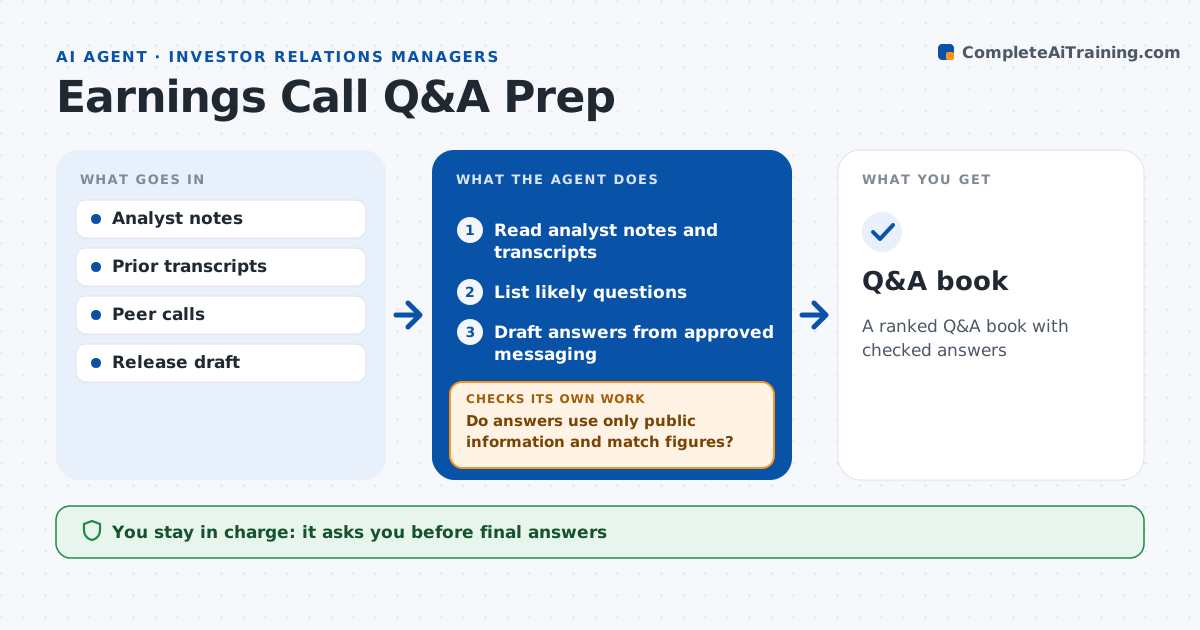
A ranked Q&A book with checked answers
What it does
Executives want no surprises on an earnings call, but preparing every likely question takes IR teams days. Two weeks before the call, this agent reads analyst notes, last quarter's transcript, peer calls and news, and lists likely questions by topic and analyst. Questions asked by three or more analysts last time and topics raised by peer news this week rank highest. It drafts answers from approved messaging and the release. It then checks that each answer uses only disclosed information and matches the release figures. If an answer needs information that is not yet public, it flags it for legal and rewrites it. The IR manager and executives approve every answer. Edge case: a peer cut guidance this week, so the agent adds a question on demand.
How it works
Follow the arrows from top to bottom. The orange dashed arrow is the loop: when a check fails, the agent goes back and tries again.
Read the steps as a list
- Call in two weeks
- Read analyst notes and transcripts
- List likely questions
- Draft answers from approved messaging
- Do answers use only public information and match figures?If not: rewrite or flag for legal. Back to step 4.
- IR and executives approveThe agent waits here for your OK.
- Q&A book
How it decides
It ranks questions by recurrence and topical news and checks answers against disclosure.
- Asked by 3 or more analysts last call: high likelihood
- Peer news this week: add question
- Non-public information: flag
Make it yours
Every agent is a starting point. You choose these settings for your own situation.
- Sources
- Number of questions
- Answer length
- Ranking method
What keeps you in control
It always asks you first
- Final answers
Hard limits
- Never discloses non-public information
- Never shares externally
It stops when
- Done: book approved
- Stop: release not final
Set it up
We guide you through the set-up, step by step
Members get the full set-up guide for this agent. No technical skills needed: you copy, paste and upload.
- One set of instructions to paste into your AI, with the clicks for ChatGPT, Claude, Microsoft 365 Copilot, Gemini and Grok
- The agent then walks you through connecting your own data, one source at a time
- A downloadable copy with the flow chart, the rules and the full guide