AI agent for fleet managers
Electric Vehicle Charging Schedule Agent
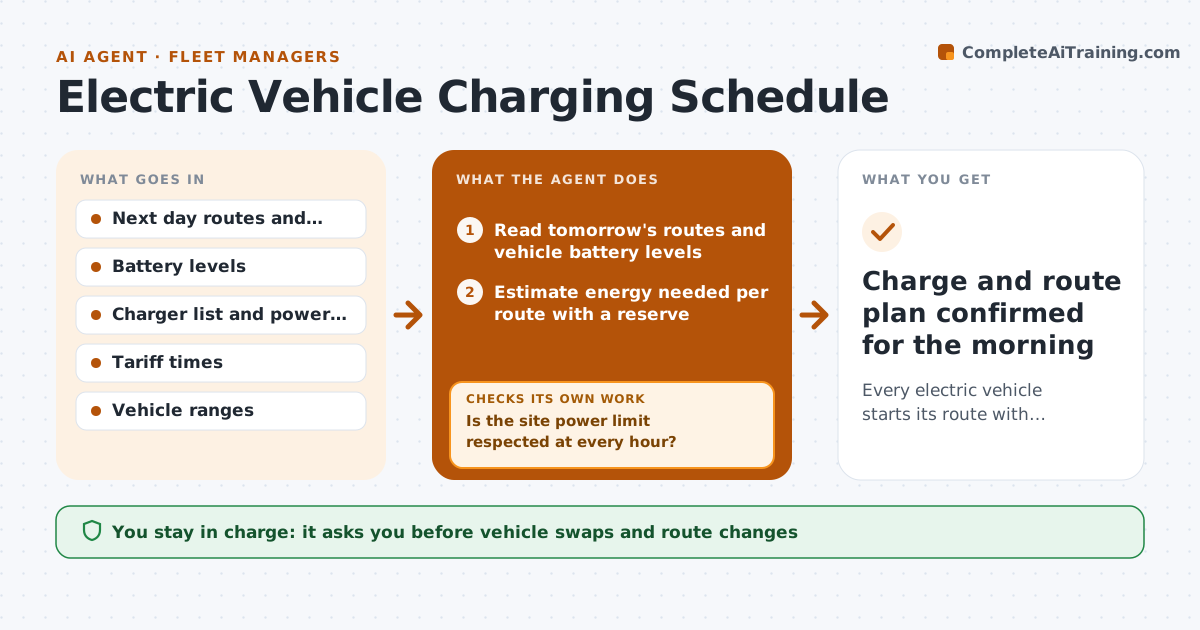
Every electric vehicle starts its route with enough charge at the lowest practical energy cost
What it does
Electric vehicles must be charged enough for tomorrow's routes without causing demand peaks that raise the bill. This agent reads tomorrow's routes and the current battery level of each vehicle. It plans charging times inside the tariff windows and the site's power limit. Overnight it checks the actual charge against the plan. If a vehicle falls short, it looks for a swap to another route or a shorter route. It never moves a vehicle without telling the manager. The manager approves swaps. Edge case: a charger fails at 02:00, so the agent reshuffles the plan across the remaining chargers and checks that the most urgent routes still get their charge.
How it works
Follow the arrows from top to bottom. The orange dashed arrow is the loop: when a check fails, the agent goes back and tries again.
Read the steps as a list
- Evening plan time reached
- Read tomorrow's routes and vehicle battery levels
- Estimate energy needed per route with a reserve
- Plan charging times inside the tariff and power limit
- Is the site power limit respected at every hour?If not: shift sessions to other hours and recheck the peak. Back to step 4.
- Read actual charge during the night
- Does each vehicle have enough charge for its route?If not: replan the remaining chargers and look for route swaps. Back to step 2.
- Manager approves any swap or route changeThe agent waits here for your OK.
- Charge and route plan confirmed for the morning
How it decides
A vehicle is ready when charge covers route distance plus a reserve. Charging is placed in the cheapest window unless the route start would be at risk.
- Keep a reserve of 15 percent above route need
- Use the cheapest tariff window unless departure is at risk
- Never exceed the site power limit
- Propose swaps only between vehicles with enough range
Make it yours
Every agent is a starting point. You choose these settings for your own situation.
- Reserve (default 15 percent)
- Power limit and tariff windows
- Route start times
- Which vehicles can swap
What keeps you in control
It always asks you first
- Vehicle swaps and route changes
Hard limits
- Never exceed the power limit
- Never swap routes without approval
It stops when
- Done: all vehicles ready by departure time
- Stop: charger system is offline and no backup exists
Set it up
We guide you through the set-up, step by step
Members get the full set-up guide for this agent. No technical skills needed: you copy, paste and upload.
- One set of instructions to paste into your AI, with the clicks for ChatGPT, Claude, Microsoft 365 Copilot, Gemini and Grok
- The agent then walks you through connecting your own data, one source at a time
- A downloadable copy with the flow chart, the rules and the full guide