AI agent for electricians
Electrical Test Record Agent
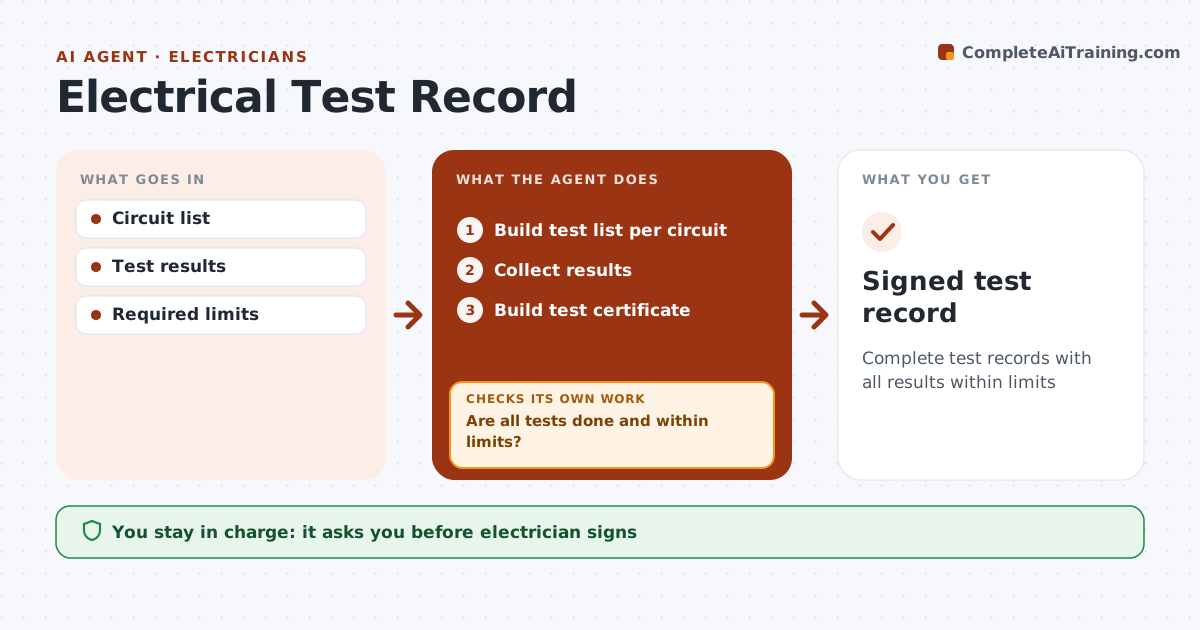
Complete test records with all results within limits
What it does
Many jobs, from new circuits to full rewires and commercial fit-outs, need test records such as continuity, insulation resistance, polarity and GFCI or AFCI trip tests before handover or inspection. Missing or failed tests found by an inspector mean a return trip. This agent provides the test list for the job type, collects results as the electrician enters them, and compares each with the required limits. It checks that every circuit has all its tests. Failures are flagged for repair, and after repairs it requires retest results before the circuit counts as passed. Values close to the limit are flagged for a second reading. It then builds the test certificate. The electrician reviews and signs the certificate; the agent never signs. Edge case: an insulation reading just above the minimum is flagged for a second reading rather than accepted.
How it works
Follow the arrows from top to bottom. The orange dashed arrow is the loop: when a check fails, the agent goes back and tries again.
Read the steps as a list
- Job complete
- Build test list per circuit
- Collect results
- Are all tests done and within limits?If not: flag failures for repair and retest. Back to step 3.
- Build test certificate
- Electrician signsThe agent waits here for your OK.
- Signed test record
How it decides
Each circuit needs each test within limits.
- All circuits tested
- Near-limit values rechecked
- Retest after repair
Make it yours
Every agent is a starting point. You choose these settings for your own situation.
- Test types
- Limits
- Certificate format
- Near-limit range
What keeps you in control
It always asks you first
- Electrician signs
Hard limits
- Never signs
- Never alters readings
It stops when
- Done: signed
- Stop: job incomplete
Set it up
We guide you through the set-up, step by step
Members get the full set-up guide for this agent. No technical skills needed: you copy, paste and upload.
- One set of instructions to paste into your AI, with the clicks for ChatGPT, Claude, Microsoft 365 Copilot, Gemini and Grok
- The agent then walks you through connecting your own data, one source at a time
- A downloadable copy with the flow chart, the rules and the full guide