AI agent for digital marketing specialists
Email Deliverability Health Agent
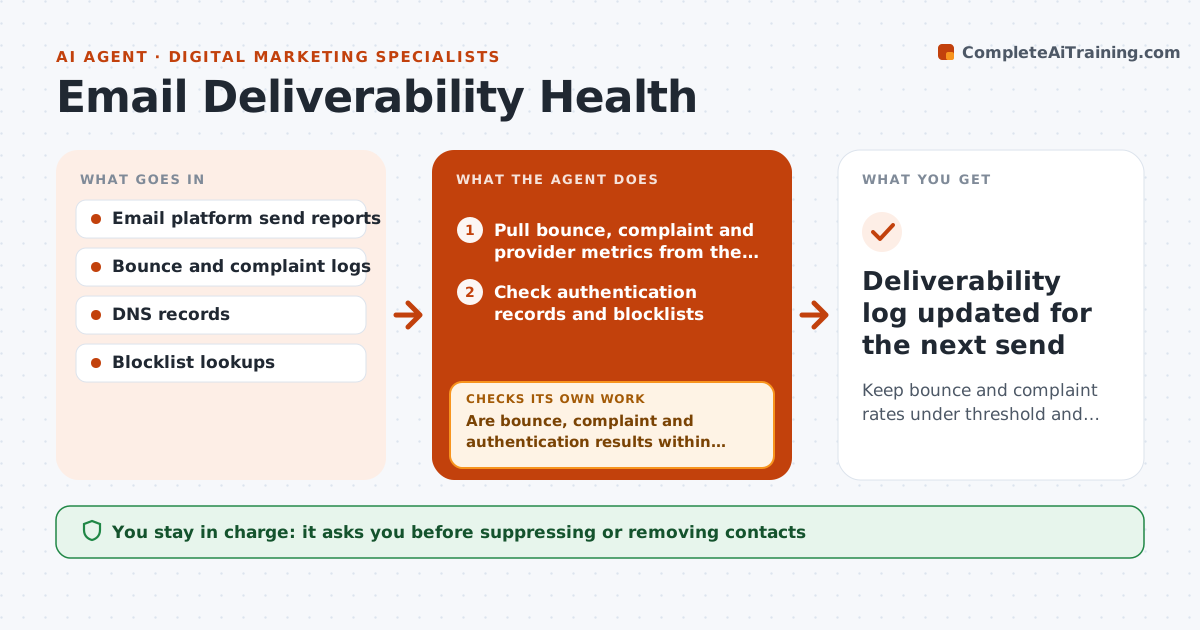
Keep bounce and complaint rates under threshold and catch sender reputation problems early
What it does
Email specialists send campaigns every week and often notice deliverability trouble only after open rates drop. A day after each send, this agent pulls bounce, complaint and inbox provider metrics from the email platform and checks authentication records and blocklists. If a metric crosses its threshold, it breaks results down by segment, provider and import source to find the cause, such as an old list, one provider throttling or a broken authentication record. Hard bounces above 2% trigger a segment breakdown, complaints above 0.1% trigger suppression of unengaged contacts, and an import with over 5% bounces is quarantined. It drafts fixes and, on the next send, checks whether they worked. The specialist approves list and settings changes. Edge case: a bounce spike from one imported list leads to quarantine for review, not deletion.
How it works
Follow the arrows from top to bottom. The orange dashed arrow is the loop: when a check fails, the agent goes back and tries again.
Read the steps as a list
- Campaign send plus 24 hours
- Pull bounce, complaint and provider metrics from the email platform
- Check authentication records and blocklists
- Are bounce, complaint and authentication results within thresholds?If not: break results down by segment, provider and import source to find the cause. Back to step 2.
- Identify the segment, provider or record behind the change
- Draft fixes such as suppression lists, quarantine or send throttling
- Specialist approves list and settings changesThe agent waits here for your OK.
- Did the next send return to within thresholds?If not: look for a second cause and draft further fixes. Back to step 5.
- Deliverability log updated for the next send
How it decides
It compares each metric with thresholds and finds the segment, provider or record that explains most of the change.
- Hard bounce above 2% triggers a segment breakdown
- Complaint rate above 0.1% triggers suppression of unengaged contacts
- Quarantine an import whose bounce rate is over 5%
Make it yours
Every agent is a starting point. You choose these settings for your own situation.
- Bounce and complaint thresholds
- Unengaged definition (default no open or click in 180 days)
- Check schedule
- Who approves list changes
What keeps you in control
It always asks you first
- Suppressing or removing contacts
- Changing sending settings or DNS records
Hard limits
- Never deletes contacts
- Never edits DNS records
It stops when
- Done: metrics within threshold for two sends
- Stop: email platform report unavailable
Set it up
We guide you through the set-up, step by step
Members get the full set-up guide for this agent. No technical skills needed: you copy, paste and upload.
- One set of instructions to paste into your AI, with the clicks for ChatGPT, Claude, Microsoft 365 Copilot, Gemini and Grok
- The agent then walks you through connecting your own data, one source at a time
- A downloadable copy with the flow chart, the rules and the full guide