AI agent for diplomats
Embassy Warden and Evacuation Roster Agent
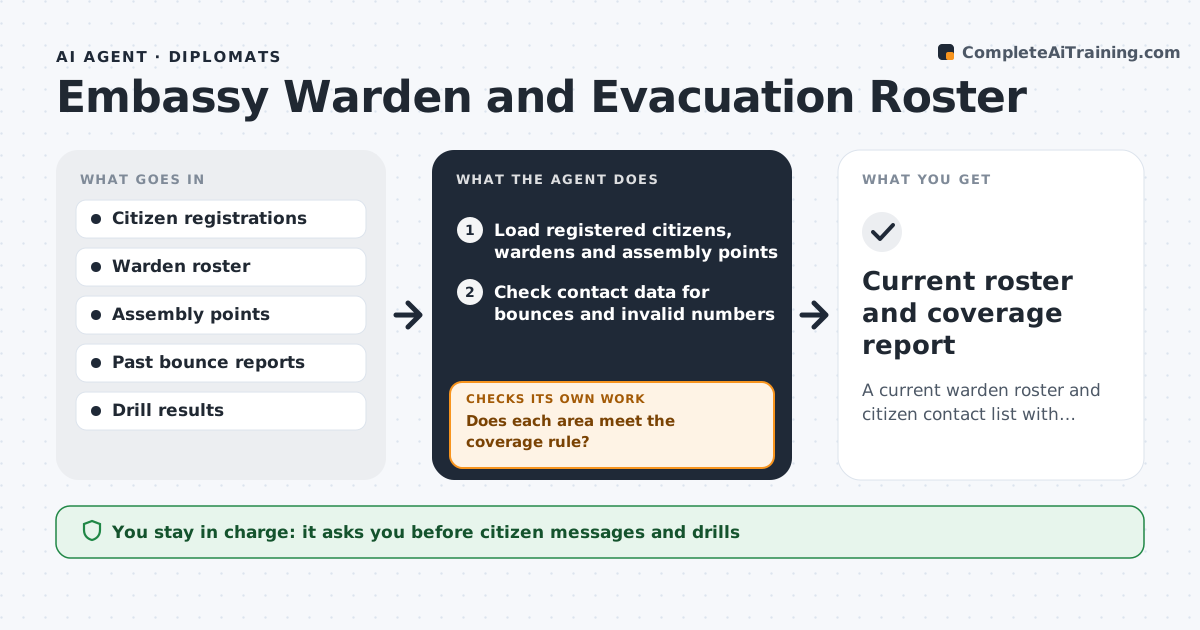
A current warden roster and citizen contact list with tested coverage in every area
What it does
In a crisis the embassy needs to reach its citizens within minutes, but contact lists are old and wardens have moved. This agent reviews the list of registered citizens, the wardens by area and the assembly points. It tests contact data for bounced emails and numbers that no longer work, and compares warden details with the staff and volunteer list. It flags areas where coverage is thin, such as a district with 300 citizens and one warden. It drafts a roster update and a drill plan with test messages and a schedule. After each drill, it checks the results, such as how many messages were delivered and acknowledged, and updates the gaps. The security officer approves before any citizen message is sent. Edge case: a warden who left the country is removed and the area is reassigned.
How it works
Follow the arrows from top to bottom. The orange dashed arrow is the loop: when a check fails, the agent goes back and tries again.
Read the steps as a list
- Quarterly review or drill completed
- Load registered citizens, wardens and assembly points
- Check contact data for bounces and invalid numbers
- Calculate reachable citizens and active wardens by area
- Does each area meet the coverage rule?If not: list the gaps and propose new wardens or contact outreach for the area. Back to step 3.
- Draft the roster update and the drill plan
- Security officer approves the drill and any citizen messageThe agent waits here for your OK.
- Run the drill messages and collect responses
- Did at least the target share of citizens acknowledge?If not: find the failed contacts, update the data and plan a second test. Back to step 3.
- Update the roster and gaps report
- Current roster and coverage report
How it decides
An area is covered when it has at least two active wardens and at least 85% of registered citizens are reachable. Areas below those levels are flagged.
- Require 2 active wardens per area
- Count a citizen as reachable only after a confirmed delivery or reply
- Set drill acknowledgement target at 85%
- Remove a warden who has left the post or country
Make it yours
Every agent is a starting point. You choose these settings for your own situation.
- Wardens needed per area (default 2)
- Acknowledgement target (default 85%)
- Drill frequency
- Contact channels used
What keeps you in control
It always asks you first
- Citizen messages and drills
Hard limits
- Never sends a citizen message without approval
- Never shares citizen contact data outside the embassy
It stops when
- Done: coverage rules are met and the roster is updated
- Stop: the registration data is unavailable
Set it up
We guide you through the set-up, step by step
Members get the full set-up guide for this agent. No technical skills needed: you copy, paste and upload.
- One set of instructions to paste into your AI, with the clicks for ChatGPT, Claude, Microsoft 365 Copilot, Gemini and Grok
- The agent then walks you through connecting your own data, one source at a time
- A downloadable copy with the flow chart, the rules and the full guide