AI agent for meteorologists
Emergency Partner Weather Briefing Agent
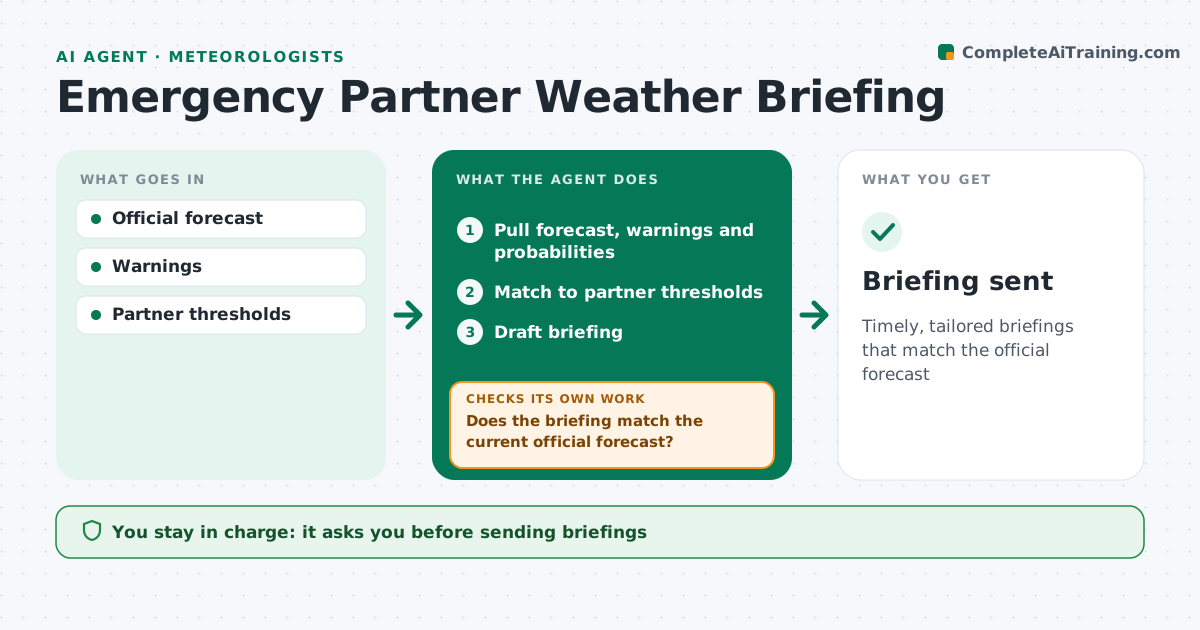
Timely, tailored briefings that match the official forecast
What it does
Before big storms, emergency managers, schools and utilities need briefings built around their own decisions, not a general forecast. This agent builds a briefing from the latest forecast, warnings and confidence, tailored to each partner's thresholds, such as the wind speed that closes a bridge. It checks that every number matches the current official forecast. If something is out of date, it updates it before you see the draft. When the forecast changes, it compares the new version with what each partner was last told and lists exactly what changed, so the next briefing leads with it. You approve and deliver every briefing. Edge case: a partner threshold that is reached only in a low-chance scenario is shown with its probability, so the partner can weigh it.
How it works
Follow the arrows from top to bottom. The orange dashed arrow is the loop: when a check fails, the agent goes back and tries again.
Read the steps as a list
- High-impact weather forecast
- Pull forecast, warnings and probabilities
- Match to partner thresholds
- Draft briefing
- Does the briefing match the current official forecast?If not: update with latest forecast. Back to step 2.
- Meteorologist approves and deliversThe agent waits here for your OK.
- Briefing sent
How it decides
It highlights where forecasts reach partner thresholds and with what confidence.
- Show probabilities for low-chance scenarios
- Highlight partner thresholds
- Flag forecast changes
Make it yours
Every agent is a starting point. You choose these settings for your own situation.
- Partner list and decision thresholds
- Briefing format (slides, email or call notes)
- Update timing
- Lowest probability to show
What keeps you in control
It always asks you first
- Sending briefings
Hard limits
- Never contradicts the official forecast
It stops when
- Done: briefing delivered
- Stop: forecast in flux; hold
Set it up
We guide you through the set-up, step by step
Members get the full set-up guide for this agent. No technical skills needed: you copy, paste and upload.
- One set of instructions to paste into your AI, with the clicks for ChatGPT, Claude, Microsoft 365 Copilot, Gemini and Grok
- The agent then walks you through connecting your own data, one source at a time
- A downloadable copy with the flow chart, the rules and the full guide