AI agent for meteorologists
Observation Quality Control Agent
Keep suspect station data out of analyses and verification with a reviewed, dated exclusion list.
What it does
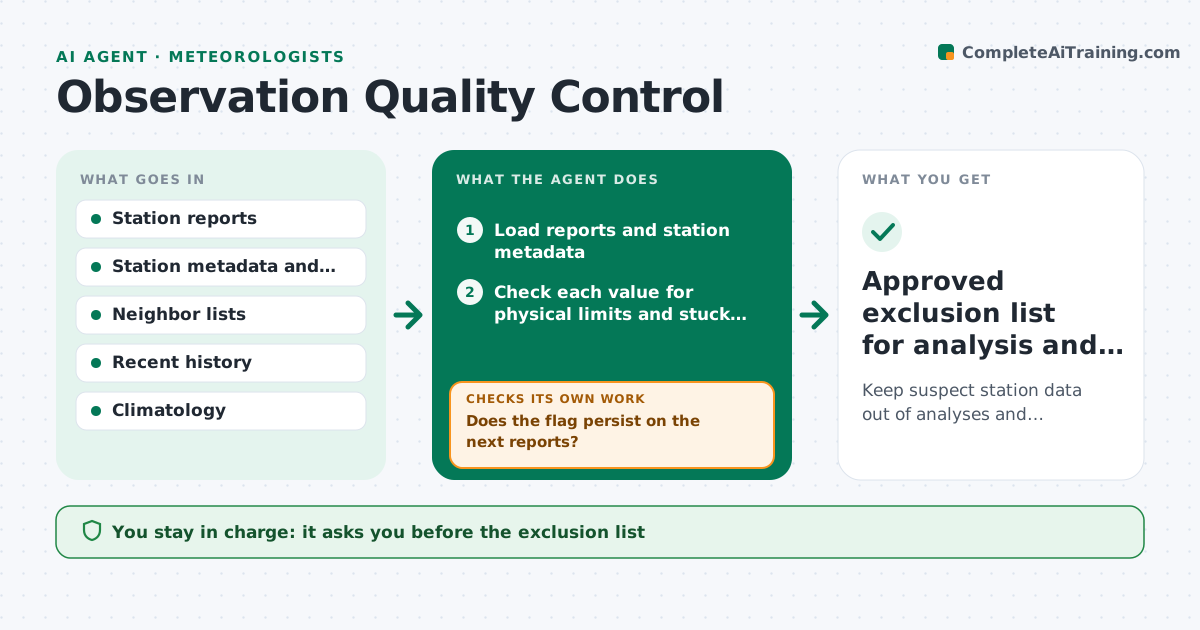
A frozen thermometer or a wind sensor stuck at zero can corrupt an analysis and make a good forecast look wrong in verification. This agent checks each station's readings against nearby stations, the station's own recent history and climatology. It flags values that are physically impossible, stuck or flat, spiking, or far from neighbors in a way that terrain cannot explain. It rechecks the flagged stations on later reports to see whether the problem clears or persists. It builds an exclusion list with dates for analysis and verification, and a note for the station operator. It never removes data or changes the list itself. The forecaster approves the exclusion list. Edge case: a cold valley station that differs from neighbors by terrain is not flagged.
How it works
Follow the arrows from top to bottom. The orange dashed arrow is the loop: when a check fails, the agent goes back and tries again.
Read the steps as a list
- New hourly reports arrive
- Load reports and station metadata
- Check each value for physical limits and stuck readings
- Compare with neighbors adjusted for elevation and with climatology
- Flag suspect values and stations
- Does the flag persist on the next reports?If not: clear the temporary flag and note it as a one-time spike. Back to step 2.
- Update the exclusion list with start dates
- Forecaster approves the exclusion listThe agent waits here for your OK.
- Draft a note to each station operator
- Did a station recover after a fix?If not: keep it excluded and recheck at the next report. Back to step 7.
- Approved exclusion list for analysis and verification
How it decides
It flags a value when it is impossible, stuck over several hours, or differs from the neighbor consensus by more than the allowed difference after adjusting for elevation.
- Flag a temperature that differs from neighbors by more than 8 C after elevation correction
- Flag a value unchanged for 6 hours or more when neighbors change
- Clear a flag only after 3 consecutive good reports
- Do not flag differences explained by terrain history
Make it yours
Every agent is a starting point. You choose these settings for your own situation.
- Variables checked
- Neighbor difference limit (default 8 C)
- Stuck value hours (default 6)
- Clearing rule (default 3 good reports)
- Operator contact list
What keeps you in control
It always asks you first
- The exclusion list
- Notes to operators
Hard limits
- Never delete observation data
- Record the reason for every exclusion
It stops when
- Done: list approved and kept current
- Stop: data feed is unavailable
Set it up
We guide you through the set-up, step by step
Members get the full set-up guide for this agent. No technical skills needed: you copy, paste and upload.
- One set of instructions to paste into your AI, with the clicks for ChatGPT, Claude, Microsoft 365 Copilot, Gemini and Grok
- The agent then walks you through connecting your own data, one source at a time
- A downloadable copy with the flow chart, the rules and the full guide