AI agent for meteorologists
River Stage and Rainfall Alert Agent
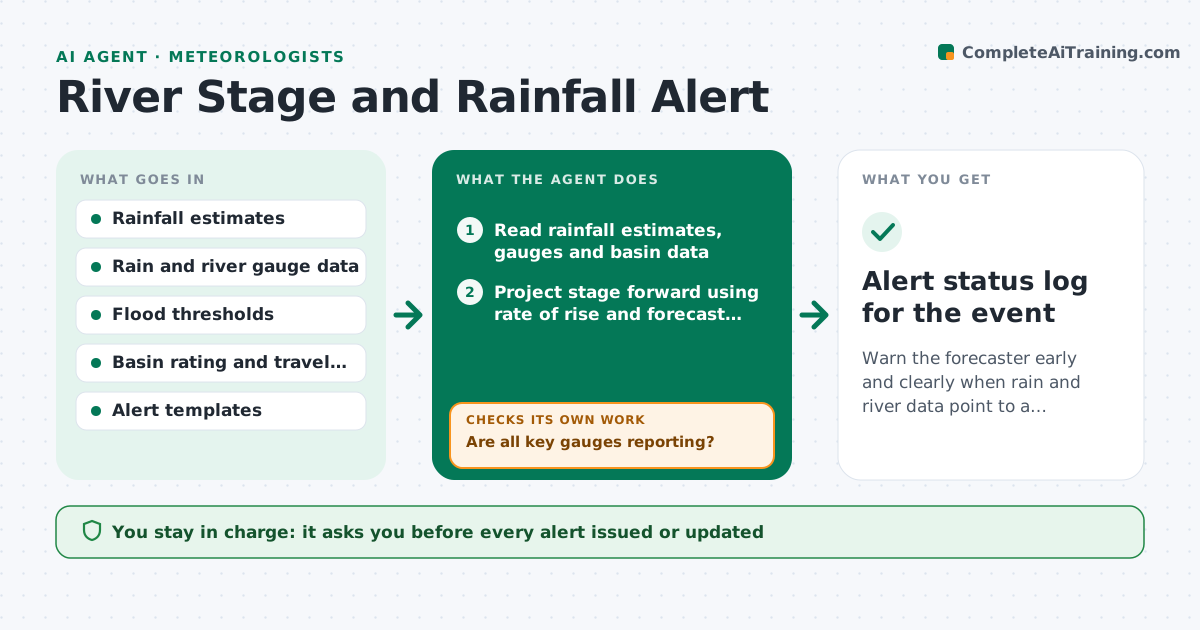
Warn the forecaster early and clearly when rain and river data point to a threshold crossing.
What it does
During a heavy rain event, a forecaster must watch rainfall estimates, soil wetness and river gauges at once, and do the arithmetic of how fast the river will rise. This agent combines radar rainfall estimates, rain gauge totals and river gauge readings for the basins the office covers. Each hour it projects stage forward using the basin's rating and the recent rate of rise, and compares the projection with flood thresholds. It flags basins where a threshold is likely to be crossed and by roughly when, then drafts alert text in the office's format. It checks the next hour's readings against its projection and corrects. It never issues alerts. The forecaster approves each one. Edge case: a gauge that stops reporting is marked as missing and the agent uses upstream gauges.
How it works
Follow the arrows from top to bottom. The orange dashed arrow is the loop: when a check fails, the agent goes back and tries again.
Read the steps as a list
- Event declared or hourly check
- Read rainfall estimates, gauges and basin data
- Are all key gauges reporting?If not: retry, mark the gauge missing and use upstream readings. Back to step 2.
- Project stage forward using rate of rise and forecast rainfall
- Compare projected stage with flood thresholds
- Flag basins likely to cross a threshold and estimate timing
- Draft alert text from the template
- Forecaster approves each alertThe agent waits here for your OK.
- Did the next hour's readings match the projection within the error limit?If not: refit the rate and rainfall inputs, then reproject and redraft. Back to step 4.
- Alert status log for the event
How it decides
It projects stage from the recent rate and expected rainfall, and flags a basin when the projected stage reaches the threshold within the set lead time.
- Flag a basin when the projection reaches the action stage within 6 hours
- Refit when the projection error exceeds 0.3 m
- Use upstream gauges when a gauge is silent for 2 reports
- Redraft the alert text when timing changes by more than 2 hours
Make it yours
Every agent is a starting point. You choose these settings for your own situation.
- Basins and thresholds
- Lead time for flags (default 6 hours)
- Projection error limit (default 0.3 m)
- Alert template
- Check interval
What keeps you in control
It always asks you first
- Every alert issued or updated
Hard limits
- Never issue or send an alert
- Always show the data behind a projection
It stops when
- Done: event ends and levels fall below action stage
- Stop: data feeds fail
Set it up
We guide you through the set-up, step by step
Members get the full set-up guide for this agent. No technical skills needed: you copy, paste and upload.
- One set of instructions to paste into your AI, with the clicks for ChatGPT, Claude, Microsoft 365 Copilot, Gemini and Grok
- The agent then walks you through connecting your own data, one source at a time
- A downloadable copy with the flow chart, the rules and the full guide