AI agent for meteorologists
Ensemble Spread and Confidence Agent
Give the forecaster a clear, consistent read on forecast confidence after every ensemble run.
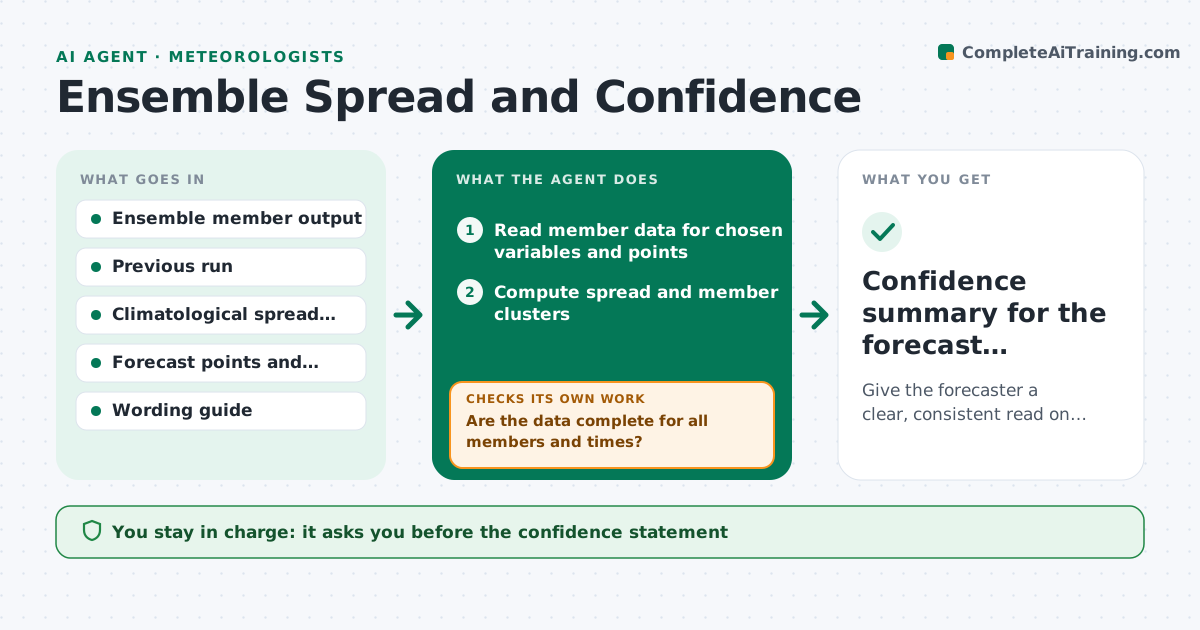
What it does
Ensemble forecasts hold a lot of information about uncertainty, but a forecaster on shift usually scans a few plots and decides by feel. This agent reads each ensemble run and computes spread for the key variables at chosen places and times, such as rainfall totals, wind speed, temperature and snow level. It compares the spread with typical spread for the season and flags places where members disagree strongly, or where a few members show a high impact outcome. It then checks the result against the previous run to see whether confidence is rising or falling. It drafts suggested wording on confidence for the forecast discussion. It never publishes. The forecaster approves the wording. Edge case: a bimodal split is described as two scenarios, not an average.
How it works
Follow the arrows from top to bottom. The orange dashed arrow is the loop: when a check fails, the agent goes back and tries again.
Read the steps as a list
- New ensemble run available
- Read member data for chosen variables and points
- Compute spread and member clusters
- Compare to the seasonal norm and the previous run
- Are the data complete for all members and times?If not: retry the data pull and note any missing members in the result. Back to step 2.
- Flag high spread cases and bimodal splits
- Draft confidence wording using the wording guide
- Does the wording match the computed spread class?If not: revise the wording until it agrees. Back to step 6.
- Forecaster approves the confidence statementThe agent waits here for your OK.
- Confidence summary for the forecast discussion
How it decides
It labels spread low, medium or high against the seasonal norm, and flags a split when members fall in two clusters. It reports a change in confidence when spread moves by more than a set amount from the last run.
- Label spread high when it exceeds 1.5 times the seasonal norm
- Describe a split as two scenarios when two clear clusters exist
- Note a confidence change when spread shifts by more than 25% from the last run
- Skip members with missing data and say so
Make it yours
Every agent is a starting point. You choose these settings for your own situation.
- Variables and locations
- High spread factor (default 1.5)
- Change threshold (default 25%)
- Wording style
- Run times to process
What keeps you in control
It always asks you first
- The confidence statement
Hard limits
- Never publish forecast text
- State when members are missing
It stops when
- Done: forecaster approves the statement
- Stop: fewer than most members are available
Set it up
We guide you through the set-up, step by step
Members get the full set-up guide for this agent. No technical skills needed: you copy, paste and upload.
- One set of instructions to paste into your AI, with the clicks for ChatGPT, Claude, Microsoft 365 Copilot, Gemini and Grok
- The agent then walks you through connecting your own data, one source at a time
- A downloadable copy with the flow chart, the rules and the full guide