AI agent for hr analysts
Employee Turnover Driver Analysis Agent
Turnover hot spots with causes and tracked retention actions
What it does
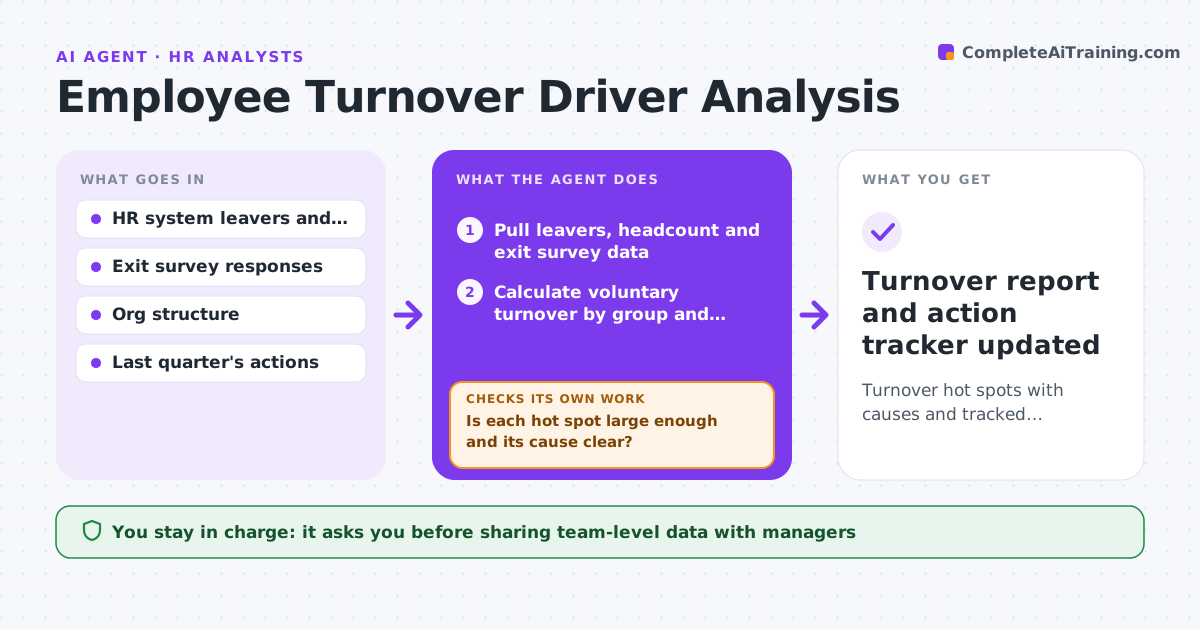
Each quarter HR needs to know who is leaving, from where and why, but the data sits in the HR system and exit surveys. This agent pulls leavers and headcount, separates planned exits such as restructures from voluntary ones, and calculates turnover by team, manager, tenure and role. It flags hot spots where voluntary turnover is above 1.5 times the company rate and adds exit survey themes. For each hot spot it checks whether the group is large enough to mean something and whether the cause is clear. If not, it proposes stay interviews or a short pulse survey for that group. It then drafts retention actions tied to the causes and reviews whether last quarter's actions worked. The HR leader approves actions and how results are shared with managers. Edge case: a team was restructured, so planned exits are reported apart from voluntary turnover.
How it works
Follow the arrows from top to bottom. The orange dashed arrow is the loop: when a check fails, the agent goes back and tries again.
Read the steps as a list
- Quarter ends
- Pull leavers, headcount and exit survey data
- Calculate voluntary turnover by group and separate planned exits
- Identify hot spots and attach exit themes
- Is each hot spot large enough and its cause clear?If not: propose stay interviews or a pulse survey for that group. Back to step 4.
- Draft retention actions and check last quarter's actions
- HR leader approves actions and sharingThe agent waits here for your OK.
- Turnover report and action tracker updated
How it decides
It flags groups with voluntary turnover above 1.5 times the company rate and enough headcount to be meaningful.
- Groups under 10 people are combined
- Planned exits excluded from voluntary rate
- Actions must link to a found cause
Make it yours
Every agent is a starting point. You choose these settings for your own situation.
- Hot spot multiplier (default 1.5)
- Minimum group size
- Breakdown dimensions
- Report audience
What keeps you in control
It always asks you first
- Sharing team-level data with managers
- Retention actions with cost
Hard limits
- No individual exit comments shown with names
- Small groups never reported alone
It stops when
- Done: report approved
- Stop: HRIS data incomplete
Set it up
We guide you through the set-up, step by step
Members get the full set-up guide for this agent. No technical skills needed: you copy, paste and upload.
- One set of instructions to paste into your AI, with the clicks for ChatGPT, Claude, Microsoft 365 Copilot, Gemini and Grok
- The agent then walks you through connecting your own data, one source at a time
- A downloadable copy with the flow chart, the rules and the full guide