
Learning path
Learning AI as a HR Generalist
This path helps HR Generalists use AI for everyday people work. You will set up your tools, connect them to your tasks, and learn prompts that save time on emails, recruiting, onboarding, and more.

Your path
Everything in the HR Generalist AI kit, in the order that makes sense. Members tick off each step and see their progress.
Set up your AI
We guide you through each click.
Let skills do your everyday tasks
Connect your apps and pick your AI apps
Hand whole tasks to AI agents
Build your own tools
Keep growing
Everything for hr generalists
All the courses, certifications, AI tools, MCP servers and apps for hr generalists, most relevant first. Open any list to see more.
Take the prompt courses
A short framework course to learn how to ask, then 8 lessons with ready-to-use prompts for hr generalists.
Start with this framework: how to talk to AI
TIDD-EC fits HR because its do, don't, and precise instructions help you draft a compliant termination letter with correct policy citations.
Then your prompt course for hr generalistsWatch the video courses or add them to your Favorites for later
134 video courses our AI picked for hr generalists, most useful first. Save the ones you want to watch later with the heart.
Favorites are saved to your account: sign in or get your AI kit first.
Show all 134 video courses
Get certified, or add certifications to your Favorites
Every course ends in an exam and a certificate you can add to LinkedIn. Save the certifications you are aiming for with the heart.
Favorites are saved to your account: sign in or get your AI kit first.
More certifications for hr generalistsShow all 24 certifications
Try the AI tools for hr generalists
24 AI tools our AI matched to the work of hr generalists, best fit first. Each review shows what it does, its alternatives and the jobs it suits.
Favorites are saved to your account: sign in or get your AI kit first.
Show all 24 AI tools
Connect your AI to the apps hr generalists use
MCP servers let ChatGPT, Claude or Copilot look things up and get work done in other apps, like your email, calendar or bookkeeping software. These 12 fit the work of hr generalists best, well-known apps first.

Box MCP server
by boxLet your AI search your Box files, answer questions about them, and pull out details for you.
Productivity Official
SignWell MCP server
by BidsketchSend documents for e-signature, track who signed, and download the signed PDFs, all from your AI chat.
Productivity Official
HeadHunter (hh.ru) MCP server
by ilyautovLets your AI search hh.ru vacancies, check applications and salary stats, and draft replies for you.

Outlook Attachment Reader MCP server
by ZacccckLet your AI open and read the files attached to your Outlook emails, and send local files as drafts.

Gmail MCP server
by A1-x-TechLet your AI read, search, draft and send your Gmail, and keep labels and trash tidy, from the chat.

Confluence MCP server
by aashariLets your AI read, search, and update your Confluence pages and spaces for you.
Show all 12 MCP servers

BoldSign MCP server
by boldsignLet your AI look up, send and manage your BoldSign e-signature documents and templates for you.

Linked API MCP server
by Linked-APILets your AI search LinkedIn, read profiles and conversations, and send messages for you.
Social mediaBrowser automation Official
OfficeAgent MCP server
by ilia-sokolovLet your AI edit Word, PowerPoint and Excel files, with changes you can review before saving.
Productivity Official
Outlook Assistant MCP server
by littlebearappsLets your AI read, search, send, and organise your Outlook email, calendar, and contacts from the chat.

Veezee MCP server
by veezeehqLets your AI look up LinkedIn, Reddit and X profiles, companies, posts and search results for you.
Social mediaResearch Official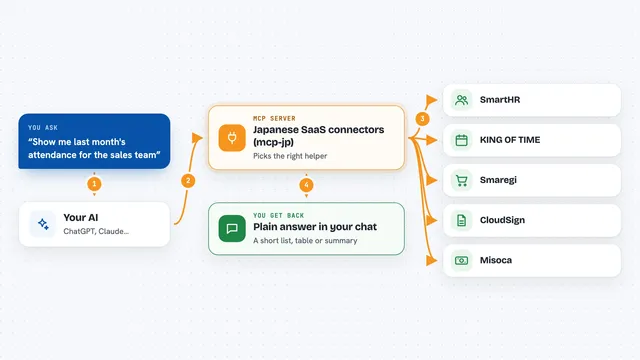
Japanese SaaS connectors (mcp-jp)
by mediiiiiumLet your AI work with Japanese business tools like SmartHR, KING OF TIME, Smaregi and CloudSign.
Build your own AI apps for hr generalists
Apps you build yourself with your own AI, no coding needed and no monthly fee. Our AI picked the 12 that fit the work of hr generalists.
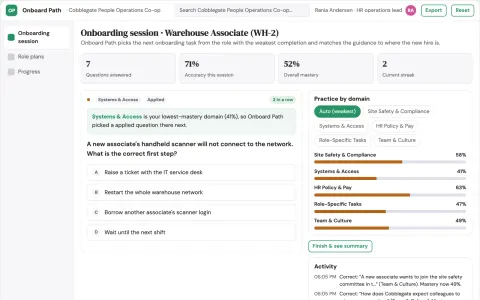
Role-based onboarding learning and authoring console
Reduce repeated onboarding questions and manual chasing while keeping every answer tied to an approved source.
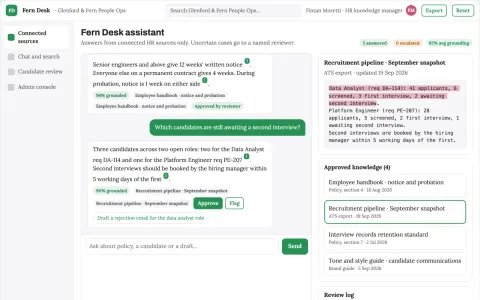
Source-linked HR knowledge and candidate workbench
Reduce tool rent and manual searching while keeping HR data in the client's own environment.
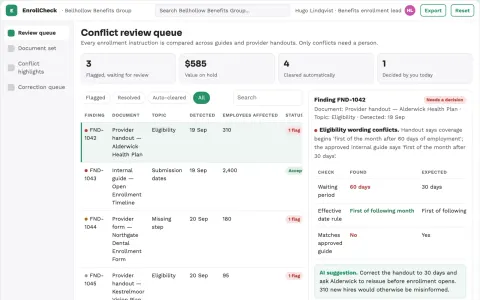
Benefits enrollment ambiguity checker
Find contradictory enrollment instructions before enrollment opens.
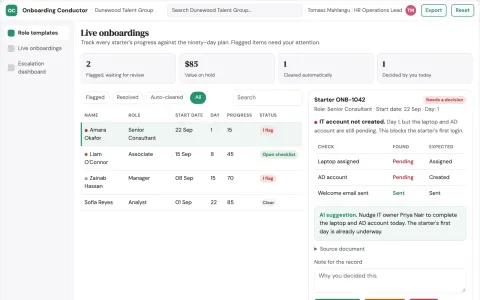
Ninety Day Onboarding Conductor
The agent owns the full ninety day sequence across departments, so no single person has to hold the timeline in their head.
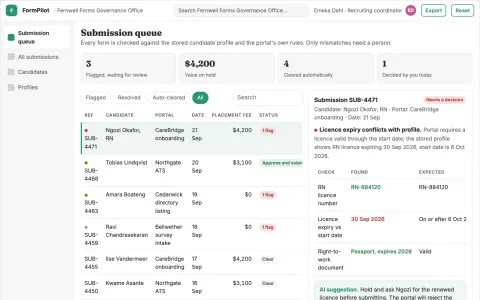
Recruiting form autofill coordination portal
Reduce repetitive form entry while keeping a named recruiter accountable for what is submitted.
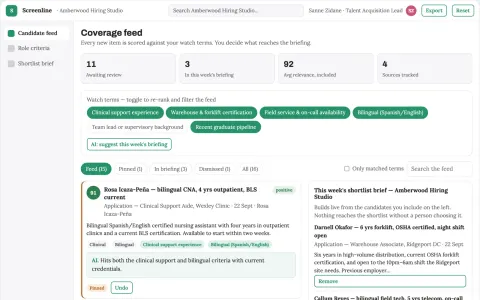
Transparent candidate screening and interview workbench
Reduce time-to-shortlist while keeping hiring evidence reviewable.
Show all 12 apps
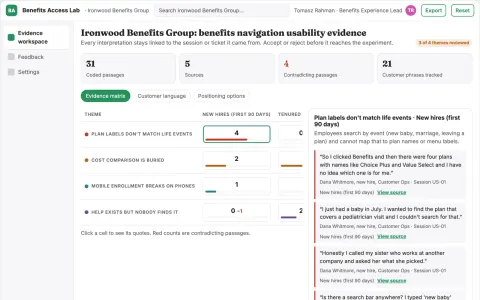
Employee benefits usability experiment lab
Improve understanding and access to existing benefits.
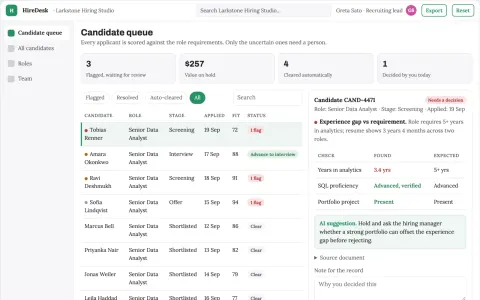
Hiring coordination and candidate screening portal
Reduce tool sprawl and manual coordination while keeping hiring decisions with the employer.
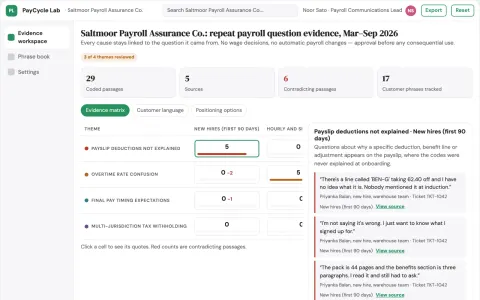
Pay-cycle employee question prevention lab
Reduce avoidable payroll support without changing entitlements.
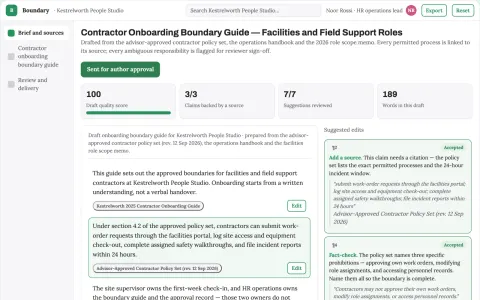
Contractor onboarding boundary guide
Practical guidance from approved boundaries.
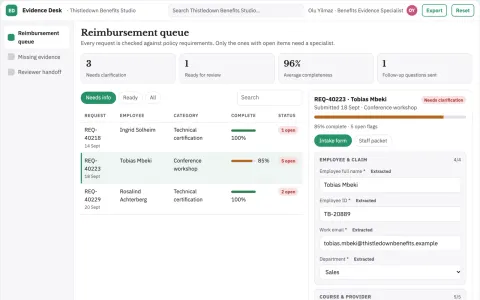
Learning reimbursement evidence desk
Complete evidence before benefit decisions.
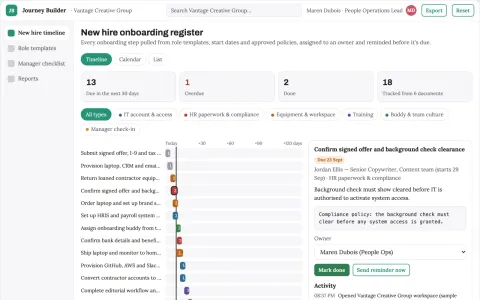
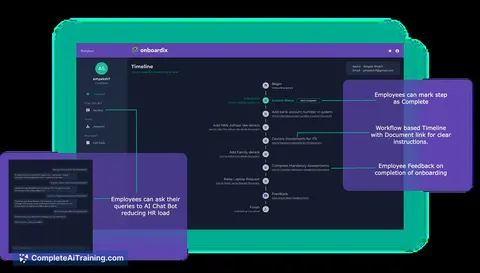
Onboarding journey builder
Makes manager and employee responsibilities visible in one role-based journey.


























































































About this learning path
6 topicsAI for HR Generalists: A Practical Learning Path
HR Generalists juggle emails, interviews, onboarding, benefits questions, and policy checks. AI can help you draft, plan, and organize that work without losing the human touch.
This learning path starts with setup questions and connecting your AI, then moves into skills for the job inside your AI. You will take this prompt course and watch video courses picked for HR Generalists, with certifications to show what you learned.
Why AI matters for HR now
HR work is full of writing and coordination. You write job posts, onboarding guides, benefits explanations, and performance notes. AI can help you get a first draft fast, so you can spend more time talking with people.
Companies are asking HR teams to do more with the same hours. Using AI well helps you keep up without working late every night.
What the path includes
You start with setup questions to pick the right AI tool and connect it to your work. Then you learn skills for the job inside your AI, like how to ask for an HR email or a compliance checklist.
The prompt course gives you eight lessons that match your daily tasks. You also get video courses chosen for HR Generalists, and each one comes with a certification you can add to your profile.
How it saves you time
Instead of staring at a blank page, you ask AI for a draft. You review it, fix the details, and send it. That turns a long email into a quick edit.
The same goes for interview questions, onboarding checklists, and benefits FAQs. You build a set of prompts you can reuse, so the next similar task is even faster.
How it protects your career
AI will not replace HR Generalists who know how to use it. It will replace some of the repetitive writing that eats your day. Learning these skills makes you the person who can guide the team on using AI safely and well.
You also learn what to check and what to keep private, so you stay on the right side of compliance and employee trust.
How to start
Begin with the setup questions. Pick one AI tool, like ChatGPT, Claude, or Gemini, and connect it to a simple task, such as drafting a welcome email.
Then take the prompt course lesson by lesson. Try each prompt on a real task from your week. When you finish, choose a video course that matches a challenge you want to solve next.
Frequently asked questions
Do I need to be technical to use AI as an HR Generalist?
No. If you can write an email, you can use AI. The path starts with simple setup steps and plain language prompts. You do not need to know how the AI works inside.How long does the learning path take?
Most people move through the path in a few weeks, spending short sessions between other tasks. You can go faster or slower depending on your schedule. The lessons are built to fit into a busy HR week.Will AI replace HR Generalists?
AI can handle drafts and checklists, but it cannot build trust or read a room. HR Generalists who use AI well become more valuable, not less. The job shifts toward the human parts that matter most.Is it safe to use AI with employee information?
You need to be careful. The course teaches you what to keep out of AI tools, like names, salaries, and health details. You will learn how to use AI for structure and language while keeping private data in your secure systems.